
Here’s some good news for the Ubuntu fans, and we know you’re out there.

Here’s some good news for the Ubuntu fans, and we know you’re out there.

Time takes a look at the best new devices to turn up at MWC this week, from the insane camera of the Nokia 808 PureView and the convertible Asus Padfone to the downright bizarre LG Optimus Vu and Samsung Galaxy Beam.

TechCrunch explains a bit about the Nokia 808 PureView and why its insane megapixel count is more than a gimmick.

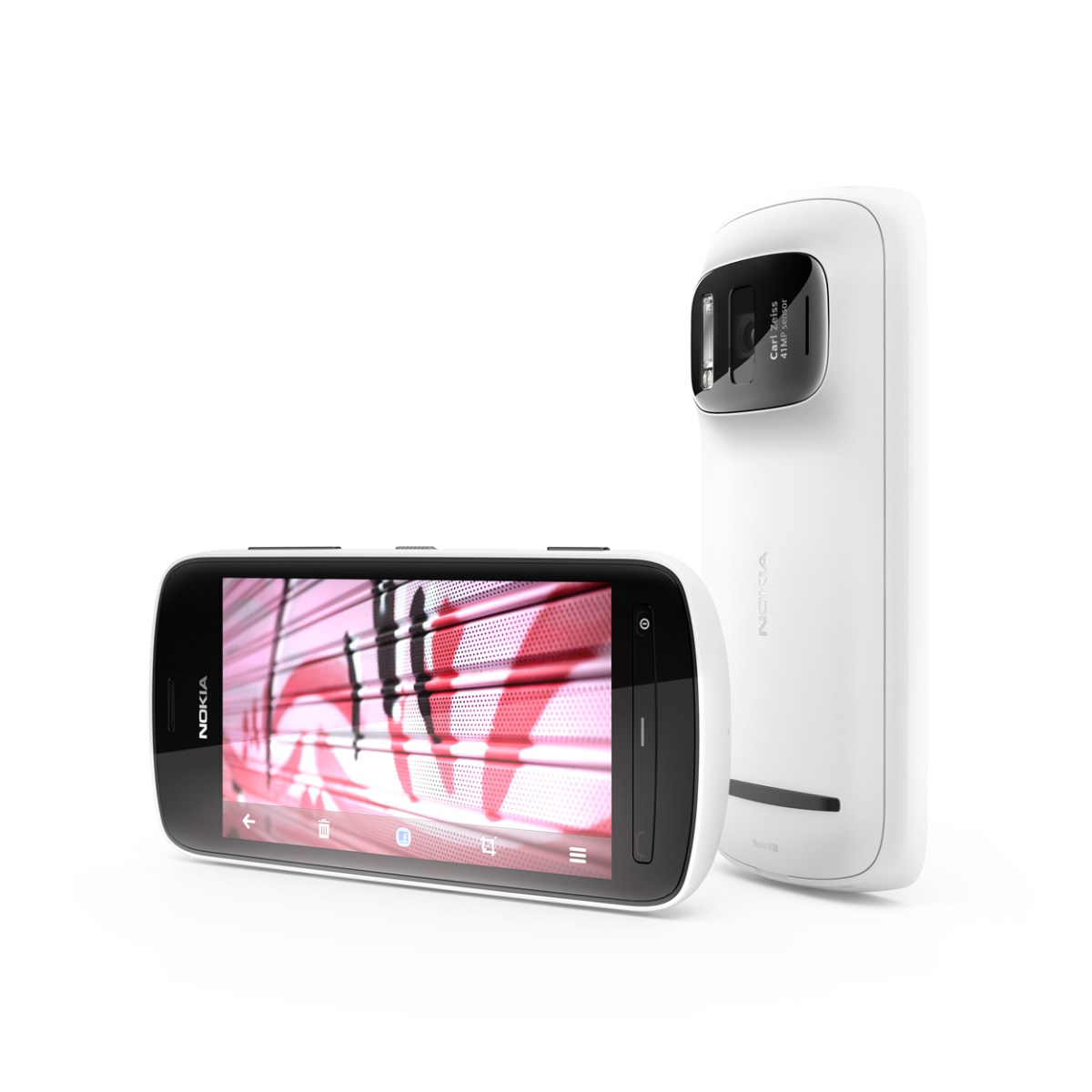

Nokia shocked the tech world this morning with the announcement of the 808 PureView, the spiritual successor to the N8. While the actual phone itself had been rumoured for some time, the confirmation of a 41 megapixel sensor came as a surprise to everyone. While people may dismiss such a specification as pure marketing crap, Nokia’s new PureView technology can compress numerous pixels into one for ultra-clear images. The technology sounds phenomenal and has been in the works for 5 years, meaning that it launches with Symbian before a planned launch on other platforms. The phone is capable of shooting stills at up to 38MP, but optimal performance comes with compression to 5MP. 1080p video can be shot with 4x lossless zoom, and due to the massive sensor, zooming is actually more like using a different part of the sensor rather than trimming the shot down. The document explaining the tech makes for a great read, and has this sensor diagram to prove a point.

Aside from the 41MP camera, the phone is a standard Symbian Belle affair. A 1.3GHz single core chip powers things, while 16GB of internal storage can be boosted to 48GB via microSD for your photo collection. A 4″ nHD (640 x 360) ClearBlack AMOLED occupies the front face with buttons similar to the Lumia 710, and 2.5D Gorilla Glass coats the device. Having such a large sensor comes at a price, however. At its thinnest, it remains over half an inch and the camera protrudes to 17.95mm. Have a glance at the full spec sheet and some phenomenal sample shots here.
The device is set to ship worldwide in May as the Symbian swansong at €450 before tax, but expect to see the technology making its way into other Nokia products before the year is out if Symbian doesn’t float your boat.
Technophobia is a column by Rowan Dinwoodie. Views expressed are not necessarily those of Digixav.
I know that this is a technology blog, but there’s only so much I can rant about that is technological. Anyway, sci-fi is a bit technology-y, right?
About a month ago, Newt Gingrich, one of the Republican candidates running for election said, and I quote: ‘By the end of my second term, we will have the first permanent base on the moon and it will be American.’
I’m sorry, but what?
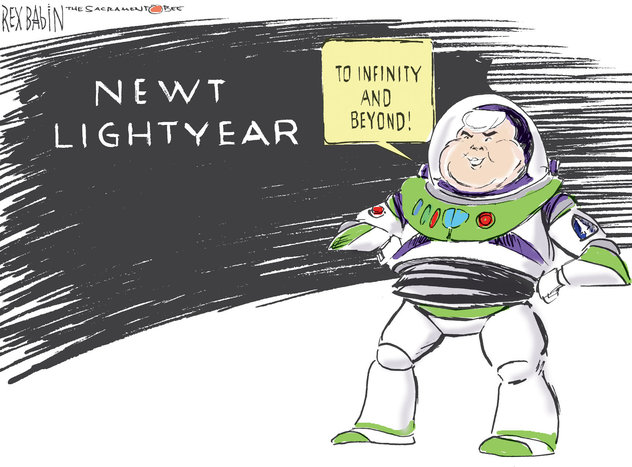
Call me a cynic, but that to me seems a little bit far-fetched. It seems as though Newt has decided that his slogan this election is going to be ‘to infinity and beyond’.

Hey, maybe I’m wrong, maybe in eight years time we will find ourselves with a permanent base on the moon. JFK’s vision in the early 1960s that by the end of said decade America would have put a man on the moon would have seemed pretty mad at the time. And look what happened.
And while we’re on the topic, to all those people out there who think otherwise, yes, Neil Armstrong did set foot on the moon. NASA didn’t just film it in a studio to trick the whole world.
Anyway, skip forward through some stuff about America being streets ahead of China and Russia, how you shouldn’t vote Romney because he can speak French (how is that bad?) and Newt finishes:
‘Does this mean I’m a visionary? You betcha!’
Or not. Maybe you’re just, I don’t know, crazy?
So yeah. If you vote Gingrich, America will build a moon base. Of course. Not that I’m politically biased.
It’s just, if any of the current Republican candidates becomes president, the world is pretty much screwed.
Image from Sacramento Bee

Samsung, a company known for endlessly churning out devices that are nearly identical, have added 2 new devices to their Galaxy range to coincide with the start of the Mobile World Congress in Barcelona.
Firstly, we have the Galaxy Tab 2 10.1. Aside from the TouchWizzed Ice Cream Sandwich that comes pre-installed, the device seems identical to the original Tab 10.1, with a 1GHz dual-core CPU, a 1280 x 800 TFT display, a 7000mAh battery, a 3MP rear camera and 16 or 32GB of microSD-expandable storage. Strangely, the front camera has been bumped down to a VGA resolution from 2MP and the device is 9.7mm thick as opposed its svelte 8.6mm predecessor. Design wise, it appears closer to the Galaxy Tab 10.1N, the German variant designed to evade Apple lawsuits based on the design similarities of the Tab 10.1 and the iPad.

Whether we will see this at a lower price remains to be seen, but rumours persist that a 2560 x 1600 Galaxy Note 10.1 with a stylus S Pen will turn up later this week.
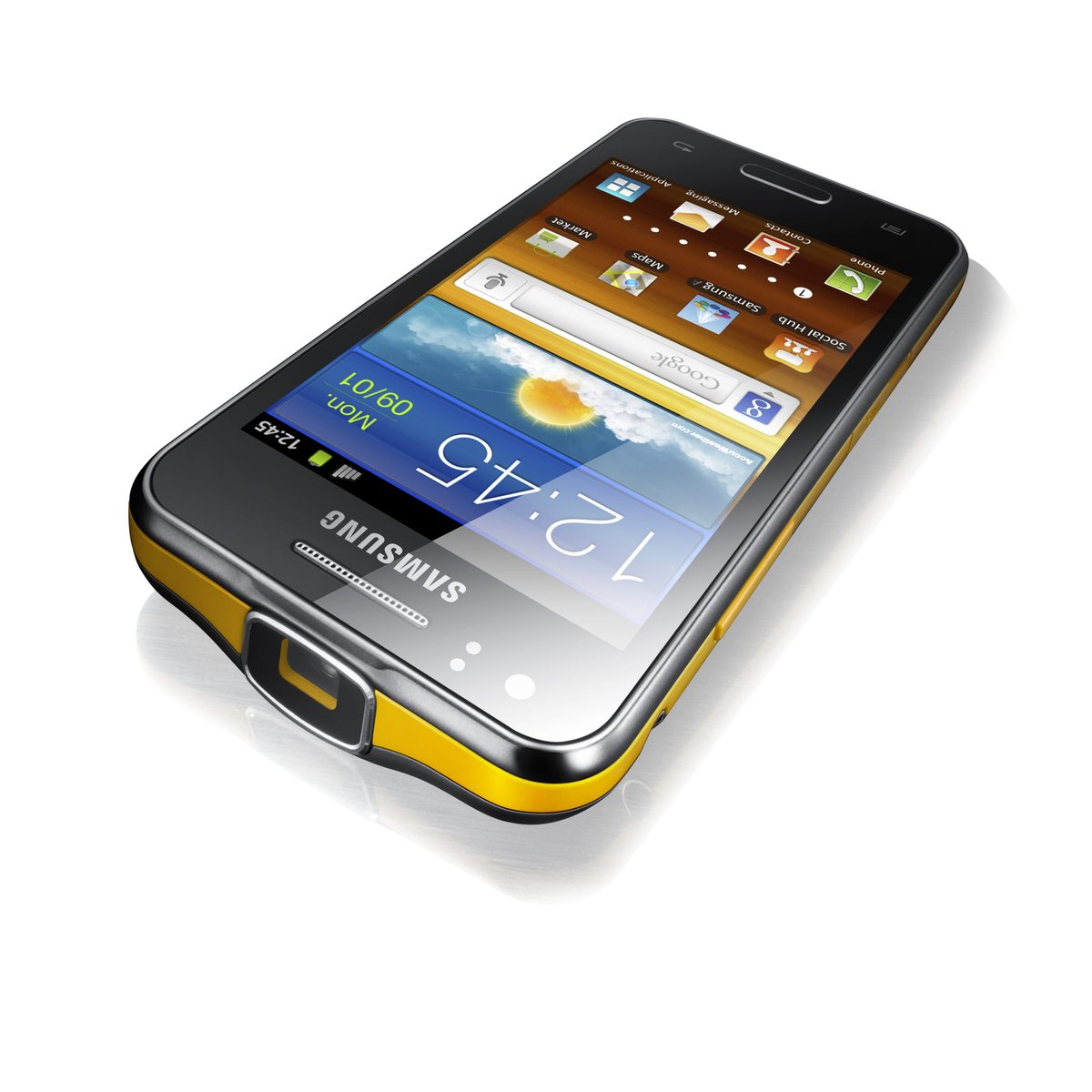
Secondly, we have the Galaxy Beam, a phone with a built-in pico projector capable of pumping out a 50″ high definition image. The phone allegedly has 6GB RAM, a 4″ WVGA screen, 8GB storage, a 1GHz dual-core chip and Android 2.3 for some odd reason. Knowing OEM updates, don’t buy this expecting Ice Cream Sandwich any time soon. A 5MP rear camera has a 1.3MP counterpart on the front, and the 2000mAh battery should keep the half-inch thick handset going throughout the day, providing you don’t use the battery-draining projector. Another thing that goes against the Galaxy Beam is the yellow rim. It’s almost as bad as BBC Sport.

I’m sorry that I haven’t done an app of the week for a while, but I’ve been busy at this thing called school. But sitting here gated to my room on a Saturday night and listening to Garden by Totally Enormous Extinct Dinosaurs inspired me to get back to the work that really matters. Without further ado, this week’s app of the week is YouTube Pro.
This fantastic app is better than any of the other YouTube apps that I have personally tried, simply because it is the only one I have tried that allowed you to log in to your YouTube account. Upon opening the app, you are faced with a Metro style start screen, you then slide along the panorama to view things such as the top rated videos and your subscriptions. However most of the interesting stuff is located on the first screen. The ‘Recorded Page’, where you can take and upload videos from within the app is a very useful addition, and this along with the uploading page makes mobile uploading a great deal easier. Also, as you would expect, there are pages for your playlists, your downloads and many other features that have in fact been missing from most other apps that I have used. The actual video playback in this app is good also. Before playing a video, you are taken to a page where you are given a choice of what quality you wish to play it in, the description of the video, and the like and dislike buttons. The only problem that I have with this app is the fact that in order to play low quality video, you need to have the standard YouTube app installed, but after having downloading it I have had no more problems.
YouTube Pro is an excellent app which I recommend to any person both with or without a YouTube account.
YouTube Pro, Windows Phone 7, Free or 79p
Download from the Marketplace

Everyone jumps at the opportunity of not paying for something, even the smallest things. Text messaging is now included in that list. Apple’s iMessage, BlackBerry’s BBM and Facebook’s Messenger are all free messaging services and they are all very good. People use them as free alternatives to texting and they seem to becoming very popular, but too popular for the networks.
In 2011, mobile networks such as 3, O2, Orange, Vodafone and T-Mobile lost over $13.9bn (£8.8bn) because of these new free massaging apps. With so many alternatives to SMS services available, people are not texting as much as they used to and are instead looking to free apps. Network providers are missing out on their usually vast amounts of money they receive from people who pay for large SMS plans.
Network providers are desperately looking for ways to win back the public into SMS. In the short term, I expect, they will be looking to lower the prices of SMS services and crack down on data usage. Let’s see what 2012 brings…
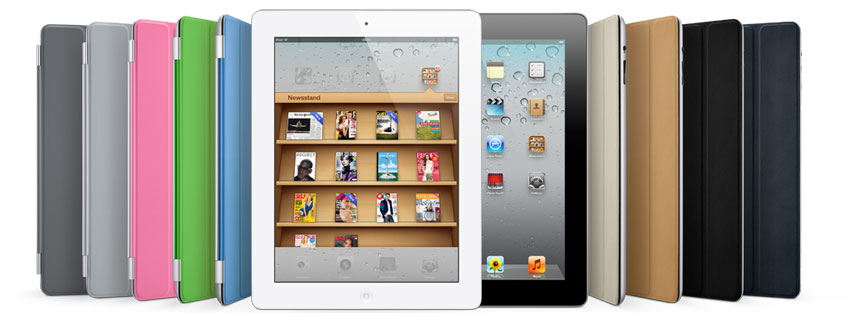
Launched almost 1 year ago, Apple’s iPad 2 remains the biggest selling tablet of all time but, with its successor’s unveil coming in as little as 2 weeks, is it still a viable option in the tablet space or could it become the next budget smash hit?
Hardware

The main upgrade from the iPad to the iPad 2 is the dual-core A5 processor, clocked at around 1GHz, which definitely contributes greatly to the immense speed of the iPad. It also includes both a front and rear camera at 0.7 and 0.1 mega-pixels. You may look at these specs and sneer, but the back camera also is capable of up to 720p HD. Admittedly, using the iPad as a camera does make you look stupid, as Spike Lee demonstrated in front of Barack Obama. With a choice of either 16GB, 32GB or 64GB, you can choose the model that is right for you. The iPad 2’s 9.7″ IPS screen is once again fantastic and, while not quite full HD at 1024 x 768, still provides a fantastic image. The battery life of the iPad is surprising, as it is able to be used non-stop for a full 10 hours before charging is required. The iPad still uses the same 3.5mm headphone jack so you can use any old headphones. This is unlike Sony Ericsson, for instance, where the proprietary connector needed is often very hard to find and sometimes quite expensive. The three axis gyro and accelerometer make hand-held gaming entertaining. A great app to test this out is Sonic Riders, a game just like Mario Kart but with Sonic characters. You tilt the device to steer and it is much more enjoyable than moving an analog stick with one finger.

Design
As mentioned earlier, the iPad 2 features a 9.7″ IPS LCD screen which, in my opinion, looks stunning. It makes tablet gaming, surfing the web, and watching movies much more enjoyable than on my other devices. The size of the screen makes for excellent cinematic experience as it is nearly as big as some smaller netbooks. I love the aluminium body, only 8.8mm thick and weighing just over 600g. This makes it nice and simple to carry around and it fits snugly into your hand during use. It can simply slip inside a bag or a coat pocket and is easily accessible at all times.
Software
iOS 5 was released in October and comes with over 200 new features including iCloud, iMessage, Newstand, Reminders, Notification Centre and WiFi syncing, much of which has made its way across to OS X Mountain Lion. iCloud enables Apple device owners to store music, videos, apps and anything else to “the cloud”. This means that you can wirelessly add all your files to any of your iOS 5 devices such as Mac, Apple TV, iPod Touch and iPad 2. iMessage is now open to iPad and iPod Touch as well as just iPhone. It allows to to send unlimited text messages via Wi-Fi or 3G. You do not have to pay to do this which I think is an amazing bonus. Reminders allows you to store dates, meetings, shopping trips and much more. You can also set alarms to help you remember when and where to be. The new Notification Centre allows you to have all your notifications in one place to access instantly. Personally, I am glad that Apple have finally decided to do this as I find the small red circles on apps quite annoying as you would have to load up the app to find out what it was. Now, however, you can see all your notifications for all apps, all on one page. PC free registration now enables people who don’t even own a computer to own an iPad, part of Apple’s quest to kill the PC and make the tablet king. With PC Free you can simply set everything up on the device itself. This means you can have your brand new tablet up and running in less than 10 minutes.

There are over 140,000 apps available for the iPad now and the variety is massive. You can have everything from apps for fruit-slicing to apps for checking your football teams latest scores. Apple, of course, have made their own apps for the iPad including Apple’s own iWork suite for document editing, GarageBand, iBooks and iMovie. These all are very stunning on the iPad and are definitely worth getting if you ever get the chance. However, as well as Apple’s first-party apps, there are thousands more out there waiting to be downloaded. Some of my personal favourites include Angry Birds, Fruit Ninja, Stick Cricket, Temple Run, Sonic Riders and Doodle Jump. There are also all the social networking apps such as Facebook, Twitter, Flickr and Skype. For primary school children, secondary school children and even students at university there is a wide selection of educational apps in many subjects. One of my favourite educational apps is The Night Sky. You simply point the device towards the sky and the advanced gyro spins the star map to show you the names of all the stars and planets in the sky. Great for learning about the constellations and planets. There are also apps to help you out in business, sports, news, travel and much, much more.
Accessories
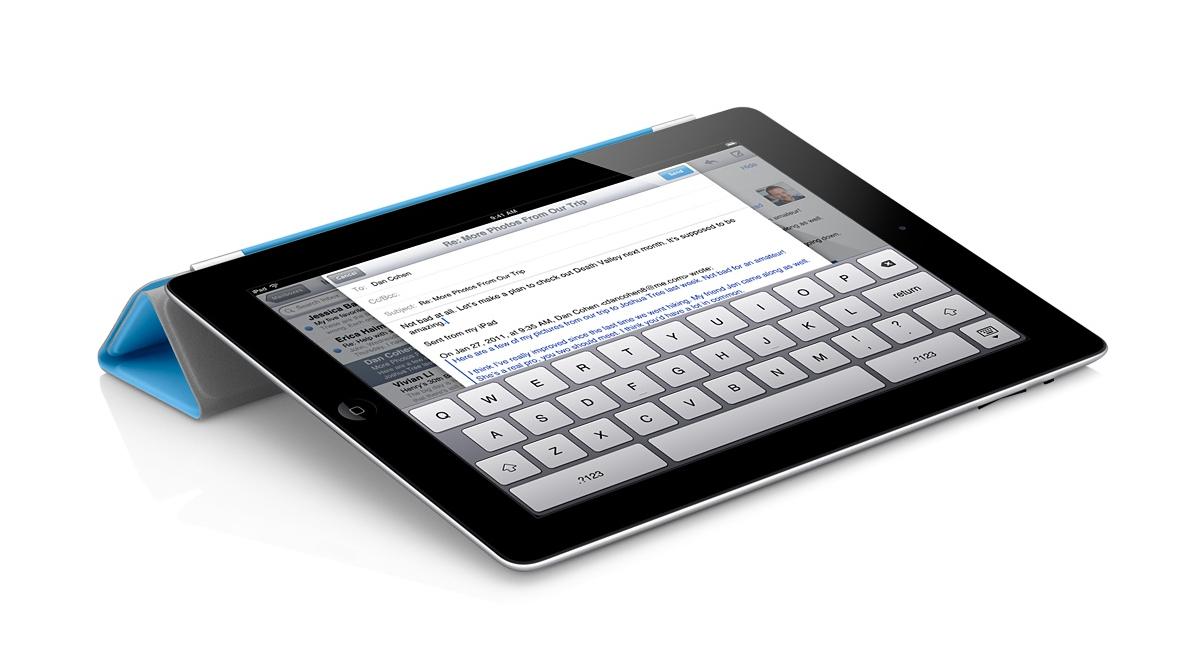
Even though the iPad 2 is a stunning piece of equipment on its own, it doesn’t hurt to have a couple of accessories to help you out with making the most out of your tablet. The iPad 2 smart cover is a quite interesting piece of equipment. When you snap it over the screen, it not only fits snugly and perfectly, but it automatically put the iPad into sleep mode. The cover can also be folded into a stand so you can sit back and watch a movie or even if you just want that extra bit of elevation. The Smart Cover comes in many different colours and you get the choice between polyurethane and leather, but you will, however, have to pay an extra £24 for the premium leather, which will fade over time. Another great accessory is the camera connection kit. It includes two small dongles that plug into the main iPad port. One has a SD card slot for instant download capability should the internal storage not be sufficient, whereas the other has a USB 2.0 port for camera cables to be plugged directly into the iPad.

Conclusion

Even 1 year on, the iPad 2 is still the best tablet on the market. With so much more tablet specific software than other platforms, a fantastic aluminium design and a lower price than a number of its competitors, there is no real reason not to choose anything over it at the moment, but be wary of the iPad 3 launch that lurks just around the corner.

 Digixav