
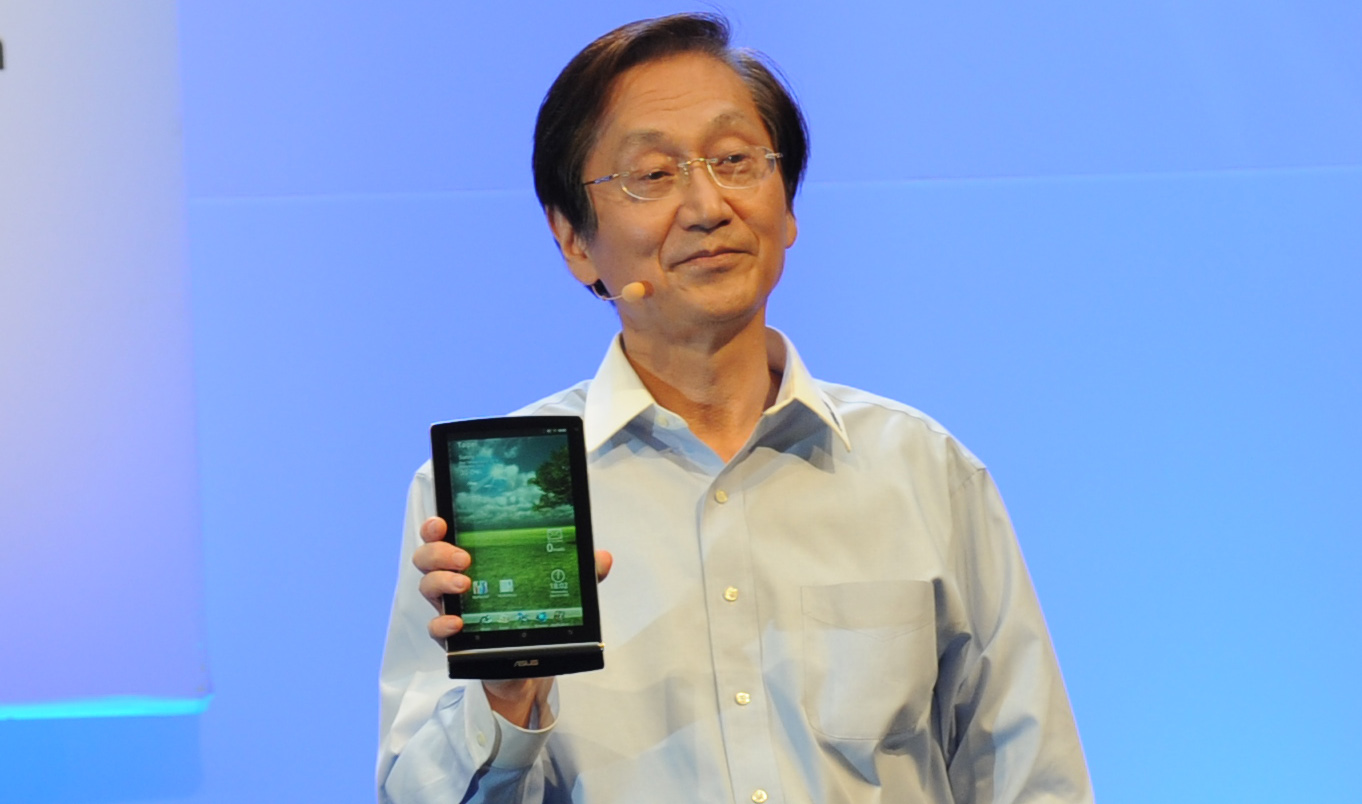
The £157 quad-core 7″ Asus Eee Pad MeMo, which made its debut at CES, could become Google’s first Nexus tablet according to a report by Techland.
 .
.


Time takes a look at the best new devices to turn up at MWC this week, from the insane camera of the Nokia 808 PureView and the convertible Asus Padfone to the downright bizarre LG Optimus Vu and Samsung Galaxy Beam.

Samsung, a company known for endlessly churning out devices that are nearly identical, have added 2 new devices to their Galaxy range to coincide with the start of the Mobile World Congress in Barcelona.
Firstly, we have the Galaxy Tab 2 10.1. Aside from the TouchWizzed Ice Cream Sandwich that comes pre-installed, the device seems identical to the original Tab 10.1, with a 1GHz dual-core CPU, a 1280 x 800 TFT display, a 7000mAh battery, a 3MP rear camera and 16 or 32GB of microSD-expandable storage. Strangely, the front camera has been bumped down to a VGA resolution from 2MP and the device is 9.7mm thick as opposed its svelte 8.6mm predecessor. Design wise, it appears closer to the Galaxy Tab 10.1N, the German variant designed to evade Apple lawsuits based on the design similarities of the Tab 10.1 and the iPad.

Whether we will see this at a lower price remains to be seen, but rumours persist that a 2560 x 1600 Galaxy Note 10.1 with a stylus S Pen will turn up later this week.
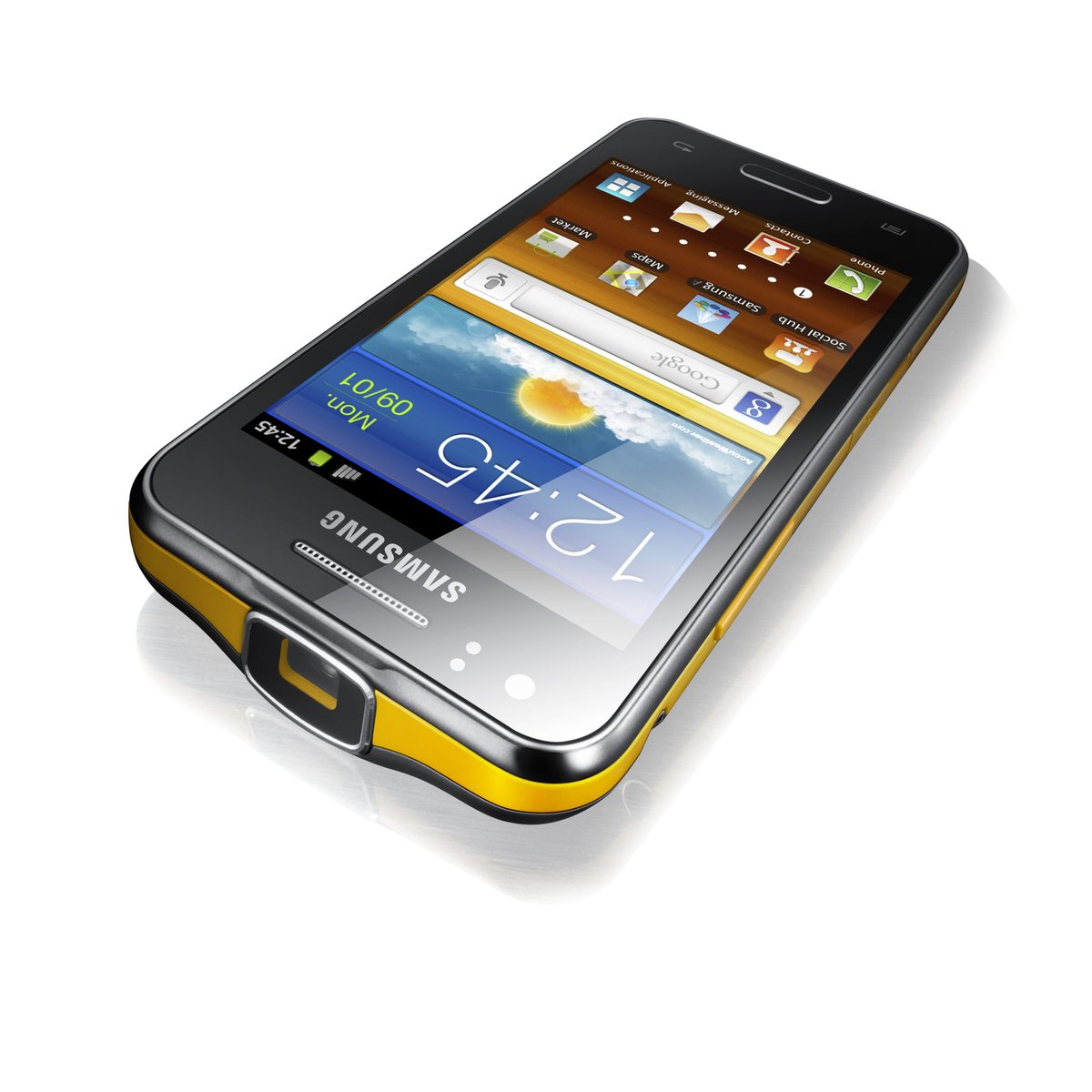
Secondly, we have the Galaxy Beam, a phone with a built-in pico projector capable of pumping out a 50″ high definition image. The phone allegedly has 6GB RAM, a 4″ WVGA screen, 8GB storage, a 1GHz dual-core chip and Android 2.3 for some odd reason. Knowing OEM updates, don’t buy this expecting Ice Cream Sandwich any time soon. A 5MP rear camera has a 1.3MP counterpart on the front, and the 2000mAh battery should keep the half-inch thick handset going throughout the day, providing you don’t use the battery-draining projector. Another thing that goes against the Galaxy Beam is the yellow rim. It’s almost as bad as BBC Sport.
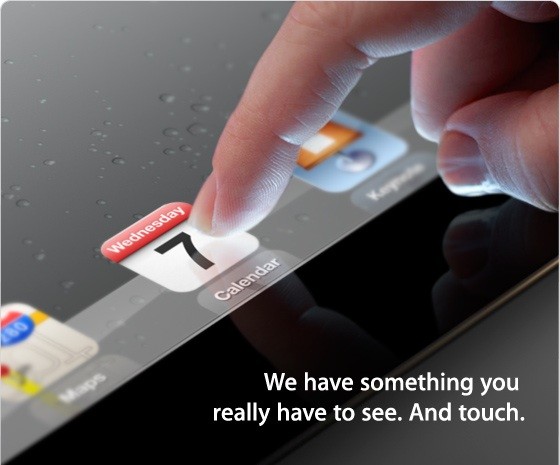
Launched almost 1 year ago, Apple’s iPad 2 remains the biggest selling tablet of all time but, with its successor’s unveil coming in as little as 2 weeks, is it still a viable option in the tablet space or could it become the next budget smash hit?
Hardware

The main upgrade from the iPad to the iPad 2 is the dual-core A5 processor, clocked at around 1GHz, which definitely contributes greatly to the immense speed of the iPad. It also includes both a front and rear camera at 0.7 and 0.1 mega-pixels. You may look at these specs and sneer, but the back camera also is capable of up to 720p HD. Admittedly, using the iPad as a camera does make you look stupid, as Spike Lee demonstrated in front of Barack Obama. With a choice of either 16GB, 32GB or 64GB, you can choose the model that is right for you. The iPad 2’s 9.7″ IPS screen is once again fantastic and, while not quite full HD at 1024 x 768, still provides a fantastic image. The battery life of the iPad is surprising, as it is able to be used non-stop for a full 10 hours before charging is required. The iPad still uses the same 3.5mm headphone jack so you can use any old headphones. This is unlike Sony Ericsson, for instance, where the proprietary connector needed is often very hard to find and sometimes quite expensive. The three axis gyro and accelerometer make hand-held gaming entertaining. A great app to test this out is Sonic Riders, a game just like Mario Kart but with Sonic characters. You tilt the device to steer and it is much more enjoyable than moving an analog stick with one finger.

Design
As mentioned earlier, the iPad 2 features a 9.7″ IPS LCD screen which, in my opinion, looks stunning. It makes tablet gaming, surfing the web, and watching movies much more enjoyable than on my other devices. The size of the screen makes for excellent cinematic experience as it is nearly as big as some smaller netbooks. I love the aluminium body, only 8.8mm thick and weighing just over 600g. This makes it nice and simple to carry around and it fits snugly into your hand during use. It can simply slip inside a bag or a coat pocket and is easily accessible at all times.
Software
iOS 5 was released in October and comes with over 200 new features including iCloud, iMessage, Newstand, Reminders, Notification Centre and WiFi syncing, much of which has made its way across to OS X Mountain Lion. iCloud enables Apple device owners to store music, videos, apps and anything else to “the cloud”. This means that you can wirelessly add all your files to any of your iOS 5 devices such as Mac, Apple TV, iPod Touch and iPad 2. iMessage is now open to iPad and iPod Touch as well as just iPhone. It allows to to send unlimited text messages via Wi-Fi or 3G. You do not have to pay to do this which I think is an amazing bonus. Reminders allows you to store dates, meetings, shopping trips and much more. You can also set alarms to help you remember when and where to be. The new Notification Centre allows you to have all your notifications in one place to access instantly. Personally, I am glad that Apple have finally decided to do this as I find the small red circles on apps quite annoying as you would have to load up the app to find out what it was. Now, however, you can see all your notifications for all apps, all on one page. PC free registration now enables people who don’t even own a computer to own an iPad, part of Apple’s quest to kill the PC and make the tablet king. With PC Free you can simply set everything up on the device itself. This means you can have your brand new tablet up and running in less than 10 minutes.

There are over 140,000 apps available for the iPad now and the variety is massive. You can have everything from apps for fruit-slicing to apps for checking your football teams latest scores. Apple, of course, have made their own apps for the iPad including Apple’s own iWork suite for document editing, GarageBand, iBooks and iMovie. These all are very stunning on the iPad and are definitely worth getting if you ever get the chance. However, as well as Apple’s first-party apps, there are thousands more out there waiting to be downloaded. Some of my personal favourites include Angry Birds, Fruit Ninja, Stick Cricket, Temple Run, Sonic Riders and Doodle Jump. There are also all the social networking apps such as Facebook, Twitter, Flickr and Skype. For primary school children, secondary school children and even students at university there is a wide selection of educational apps in many subjects. One of my favourite educational apps is The Night Sky. You simply point the device towards the sky and the advanced gyro spins the star map to show you the names of all the stars and planets in the sky. Great for learning about the constellations and planets. There are also apps to help you out in business, sports, news, travel and much, much more.
Accessories
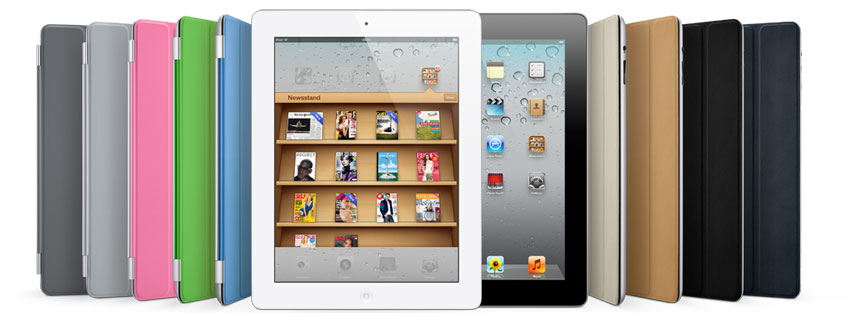
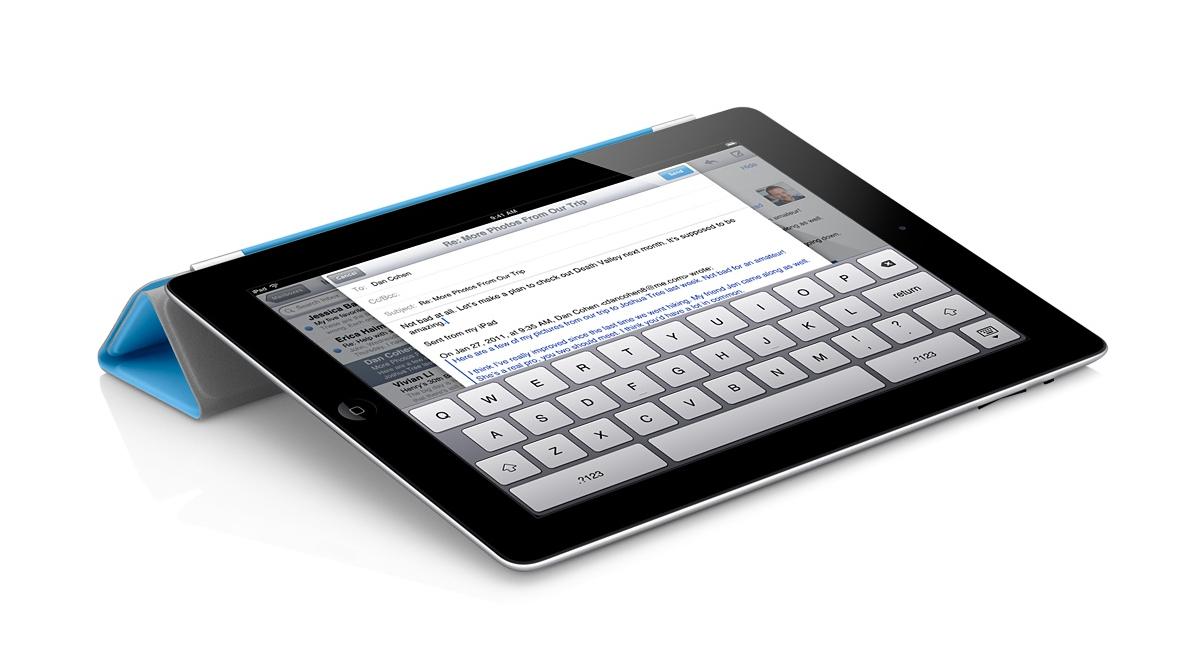
Even though the iPad 2 is a stunning piece of equipment on its own, it doesn’t hurt to have a couple of accessories to help you out with making the most out of your tablet. The iPad 2 smart cover is a quite interesting piece of equipment. When you snap it over the screen, it not only fits snugly and perfectly, but it automatically put the iPad into sleep mode. The cover can also be folded into a stand so you can sit back and watch a movie or even if you just want that extra bit of elevation. The Smart Cover comes in many different colours and you get the choice between polyurethane and leather, but you will, however, have to pay an extra £24 for the premium leather, which will fade over time. Another great accessory is the camera connection kit. It includes two small dongles that plug into the main iPad port. One has a SD card slot for instant download capability should the internal storage not be sufficient, whereas the other has a USB 2.0 port for camera cables to be plugged directly into the iPad.

Conclusion

Even 1 year on, the iPad 2 is still the best tablet on the market. With so much more tablet specific software than other platforms, a fantastic aluminium design and a lower price than a number of its competitors, there is no real reason not to choose anything over it at the moment, but be wary of the iPad 3 launch that lurks just around the corner.
Microsoft today unveiled a new logo for Windows 8 to fit more with the Metro design language that has won much praise from media and consumers alike. The logo uses the Segoe typeface that is making its way into all Microsoft branding and products, but the traditional flag has been replaced with a strangely angled flag window. Unlike the actual design of Windows 8, I don’t like this at all. What do you think? Let us know in the poll below.

Today’s app of the week for iPhone, iPad and iPod touch is Temple Run by Imangi Studios.
The best mobile games are ones that you just cannot put down with simple controls, and Temple Run hits the nail on the head in this respect. The game starts with you being given control of an explorer who has stolen an idol from a temple hidden deep inside a jungle. You have to run away from the vicious monkeys who want the idol back and, by swiping and tilting your device, you collect coins, slide under fire, jump over gaps and try to avoid smashing your face into a tree. Coins and power-ups are scattered around the place and are used to purchase upgrades to your character. Additional coins can be purchased in-game if you want them as well.
Temple Run is fantastic and addictive and that is precisely why, despite the fact that the game itself is free, it remains the top-grossing app in the UK App Store.
Temple Run, iOS, Free
Download from the App Store or visit the website

Among teenagers, BlackBerry smartphones are all the hype at the moment, but I genuinely can’t help but ask myself why. While most people can see that RIM is on a knife edge and need to make drastic changes to survive, our demographic seems to be addicted to the Canadian QWERTY phones, with their outdated operating systems and poor user experiences. Why is this?
In my opinions BlackBerry phones (and PlayBooks) really aren’t great. People say that the BBM way of communicating is their favourite thing about the phones world, but this service ties you down to communicating with other BB users. Why not just download a cross-platform thing like WhatsApp? Then you will be able to communicate for free with people that have other phones too, such as Androids, iPhones and Windows Phones.
The performance of BlackBerry phones is often absolutely appalling, usually due to the outdated hardware, and my friends that have them are always complaining about how they crash far too regularly to be considered reliable. The camera quality is in a completely different league to other phones, and not in a good way. You cannot compare the quality with that of Nokia, HTC, Samsung and Apple cameras as it is just far too poor. The video quality is equally awful, almost embarrassing to watch once blown up to a decent size. The keys on the phone are small and hard to use at times.
Also (personal rant here) have you ever tried sharing a room with a BlackBerry user? When you’re trying to sleep at night and all you can hear is “click… click… click…” People claim that the keypad on the BlackBerry Bold doesn’t click, which for the record, is a lie. When the room is silent at night you can, and I repeat can, hear it. Now you may be thinking of a counter argument to do with the all-touch Torch and similar models due to the fact that they have software keyboards, however the touch panels are quite frankly of a severely sub-standard quality. In some of the older models the screen clicks as if it’s a button when you touch it. Resistive touch-screens do not deserve a place in this world.
BlackBerry devices are good as business phones due to the security and relative efficiency of the push email services, however as a phone for the youth, they are quite simply abysmal in my opinion. Much better alternatives are available at a wide array of price points, but BB diehards seem oblivious to this fact. I just wish that more people would think the same as me.

Apple just keeps growing…

Ever wondered why the stock Android browser isn’t Chrome? We all certainly have, and now Google have gone and released Chrome Beta for Android. Over time it will become THE Android browser, but for now it is only available for devices running Ice Cream Sandwich. We will try it out when we get our hands on such a device, but for now we will read this review from TechCrunch and enjoy Chrome Beta on PC.

 Digixav