Despite the fact that LG’s upcoming Nexus 4 remains unannounced, there is not a lot we still don’t know about Google’s future flagship phone. It has appeared in Carphone Warehouse’s database, been semi-confirmed by an LG executive and even been fully reviewed by Belarusian site Onliner.by after they got their hands on a prototype model. Now, with anticipation rising for Google’s Android event on October 29th where it is expected that all will be revealed, British retailer Carphone Warehouse has begun to offer the device for pre-order, with shipping promised for next week. Alongside Android 4.2 – which will still be known as Jelly Bean – the page confirms a Snapdragon S4 processor will power the 4.7″ 1280 x 768 display, while 8GB of internal storage will be built in with no expandability. An 8MP rear camera will be capable of 1080p video and NFC will also be present to allow for Android Beam support. While you cannot currently order the phone without a contract, deals are available on Vodafone and O2, with the cheapest contract without an up-front cost is for £31 per month. An October 30th ship date is promised, and we will be covering Monday’s announcement event live.
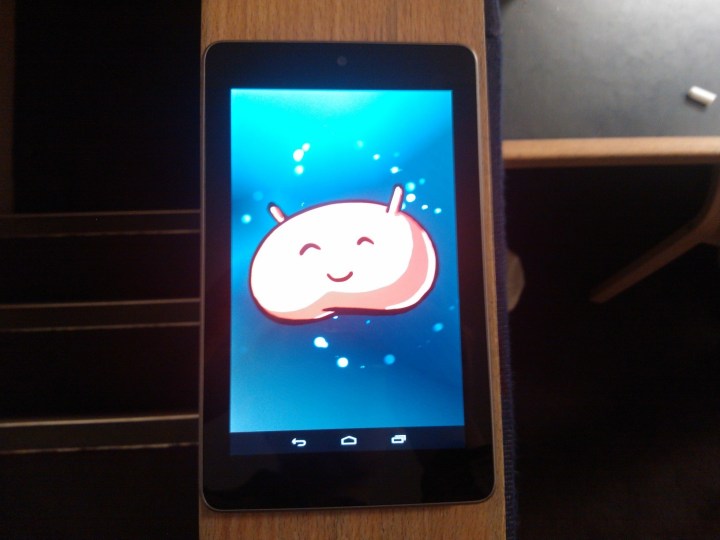
A minor update to Android 4.1 has begun to roll out to owners of Google’s Asus-built Nexus 7 tablet, with unspecified bug fixes and a much-desired landscape mode for the launcher as its main features. An Australian EE Times reader has received the 31.3MB update and while we have yet to see the update come through to our device, the update push is expected to continue across the globe throughout the day and it is recommended that you furiously check for updates throughout the night.
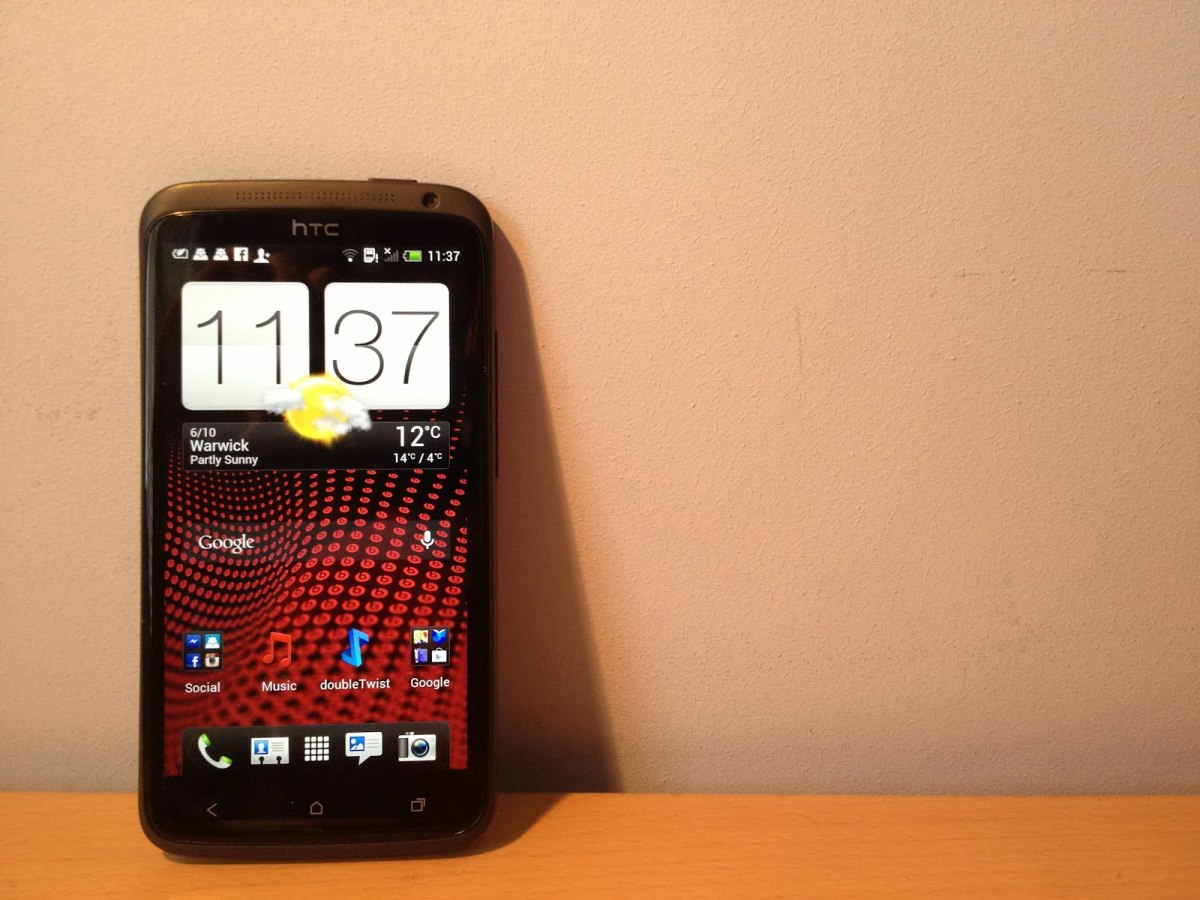
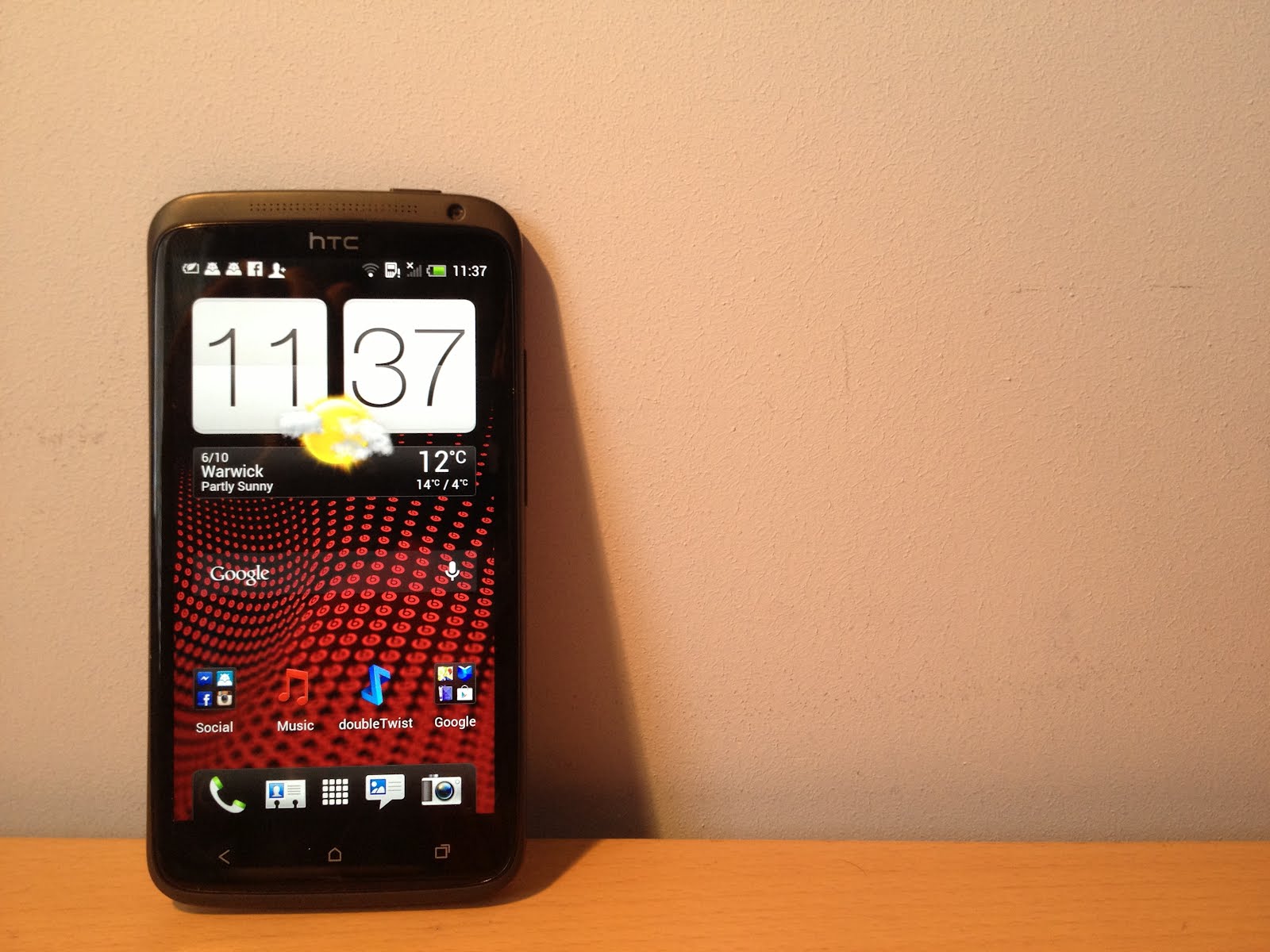
This summer I reviewed the HTC One X, a phone that came preloaded with Android 4.0.1 and HTC’s comparatively lighter but nevertheless bloated Sense 4 skin. You might recall I went on a bit of a rant about it, with the problem being that it lagged. A new operating system on a top of the line phone should not be stuttering on the homescreen. Now, to coincide with the release of the One X+, HTC has come up with an answer. The new Sense 4+ skin is layered on top of that buttery Android 4.1 goodness, also known as Jelly Bean, but does it fix the inherent problems its predecessor had? Read on to find out.
The Good
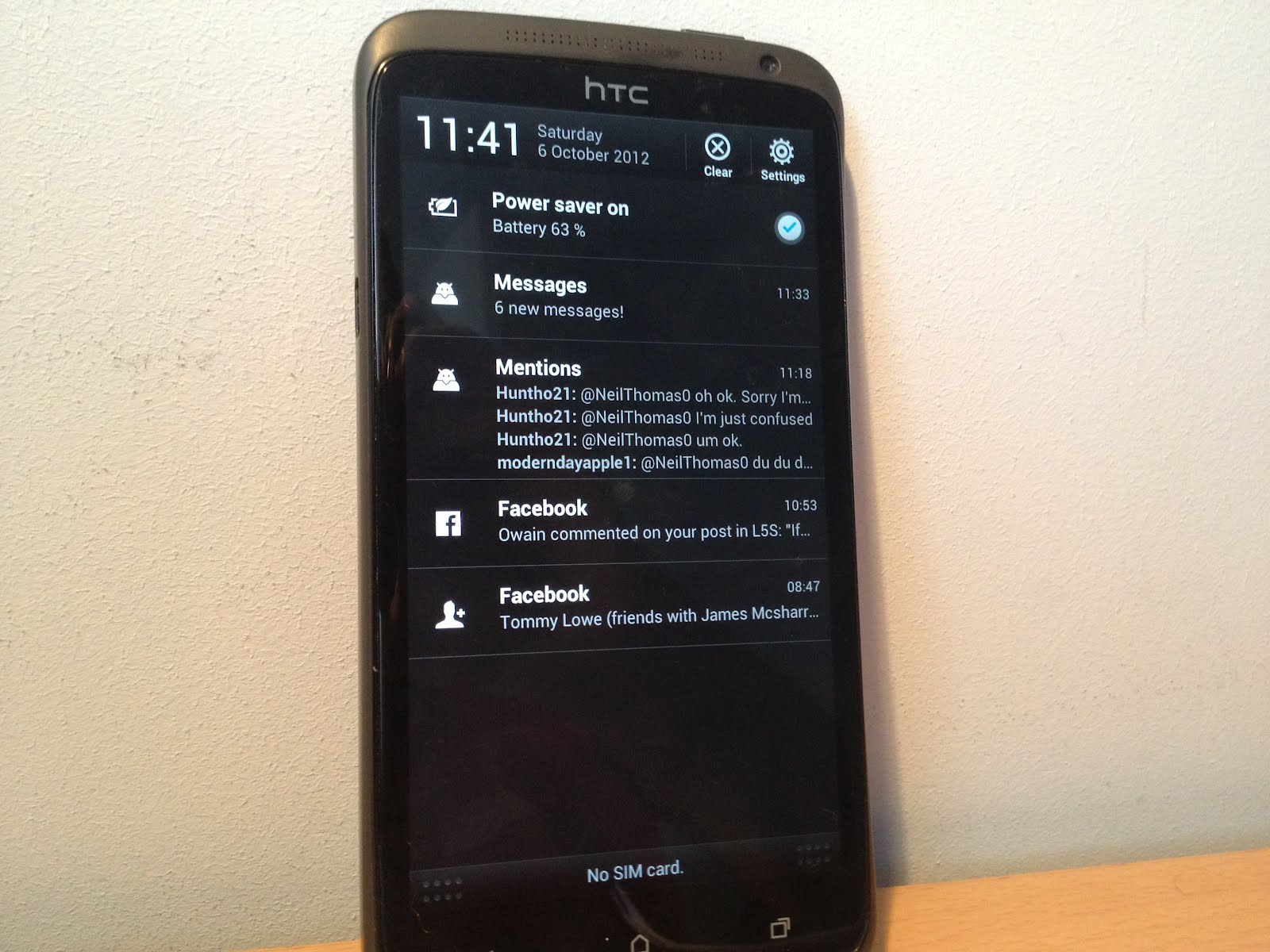
HTC really has fixed a lot with the new version of Sense. Most noticeably, the stuttering has been eradicated completely and utterly. I’m not completely sure whether this is down to the new Jelly Bean’s Project Butter or simply HTC’s optimisations, but it really doesn’t matter. Whatever they’ve done, it makes the phone a joy to use. Expandable notifications have been introduced too, bringing all sorts of new functionality to your pull down shade. The only problem with these is the slightly awkward two finger pinch gesture to open them up – something that is not present in stock Android. The keyboard is really a lot better than it used to be, nixing the pointless arrow keys at the bottom and adding altogether better feedback and responsiveness. My biggest annoyance with the One X has also been fixed – the menu button situation. It used to be that the One X did not have a hardware menu button, with a software version popping on screen as and when it was needed, wasting about a tenth of the screen real estate. With this update, TC has added the option in settings to reassign the multitasking button to menu. Holding down this button with this setting enabled will take you to recent apps, giving back the screen that was taken. Google Now, Android’s answer to Siri, has also been added, with a long press of the home button propelling you straight into the new voice search feature. While I don’t want to go as far as to compare it with Siri as they both perform different functions, I have to say the retrieval of data is snappier and the voice is not nearly as robotic.
The Bad
There isn’t really much that has become worse in Sense 4+. After all, it is an update: something supposed to make something else better, unless you are Apple.
The Ugly
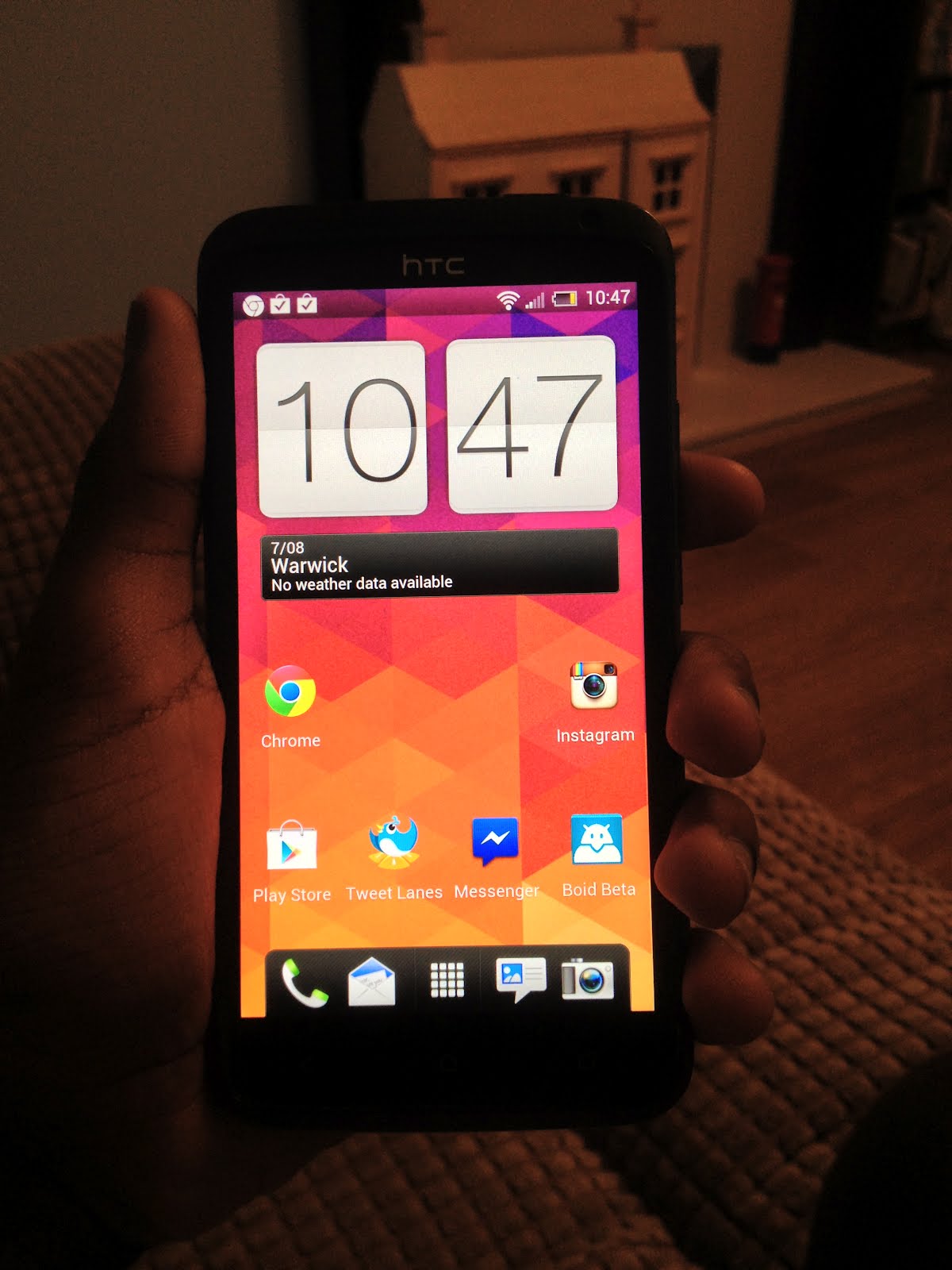
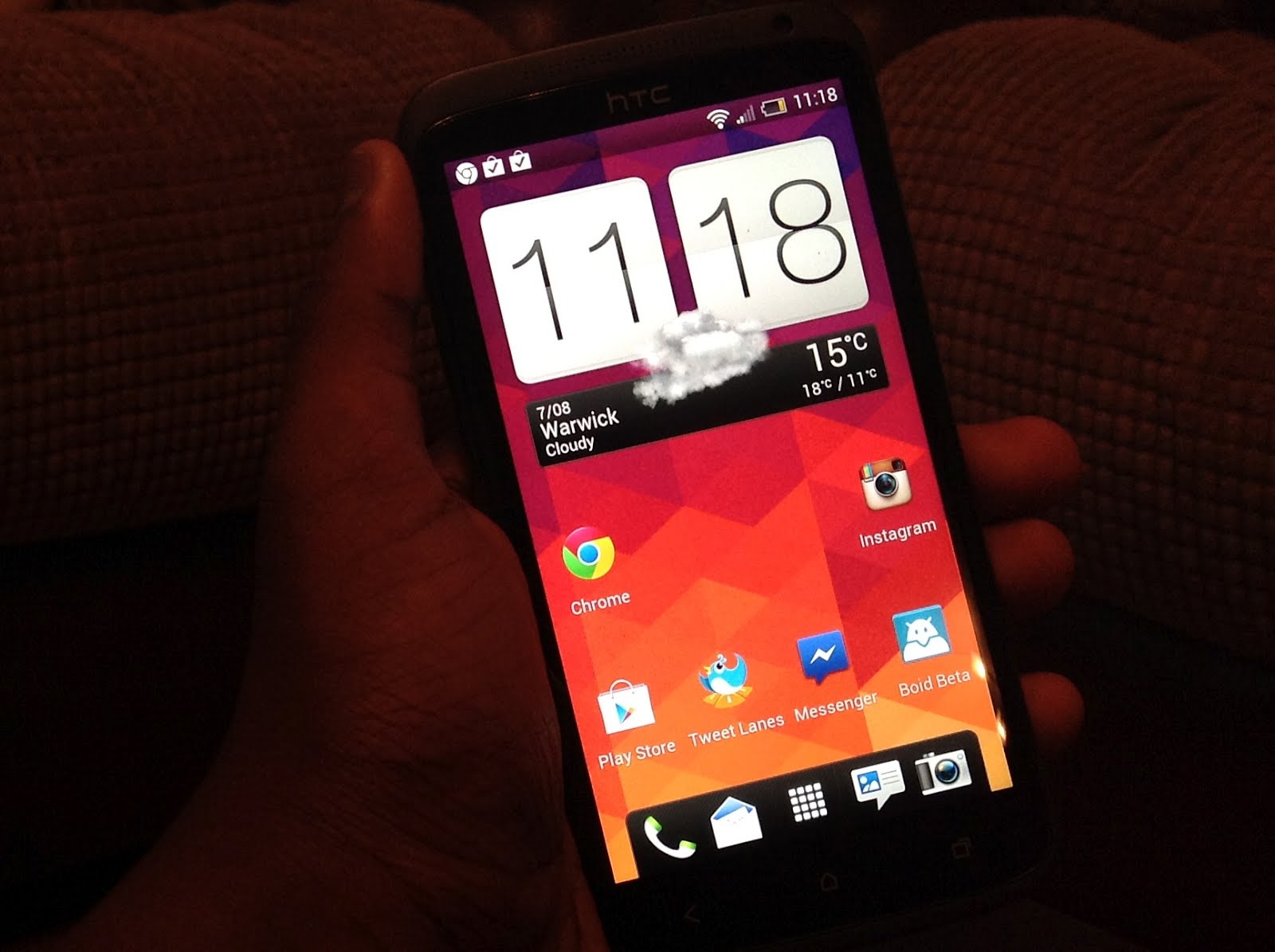
There is a lot in this section, and while there is not as much as there used to be, the list of negative aspects of Sense only reinforce my desire to see stock Android being shipped on more than one phone a year. The first thing is the icons, which remain childish and displeasing to the eye. Compared to the polished look of iOS, Windows Phone and post-ICS stock Android, you realise how far behind such skins remain, and a little customisation with an icon pack goes a long way aesthetically. I still feel that the greens and whites of Sense clash with the deep blues and Tron-like lighting of Holo clash horribly, however certain elements appear pleasant and muted. Another thing that hasn’t been fixed is the lockscreen shortcuts, still default to the ones you have placed in your dock.
Conclusion
Overall, I think Sense 4+ is a great upgrade over Sense 4, making Sense a decent skin once again. It makes it smoother, faster, slicker and better looking while also tying in new functionality that you won’t necessarily find in a stock Android build. If you are a user of one of HTC’s One series phones, I urge you to upgrade to keep your sanity and enjoy the butter.
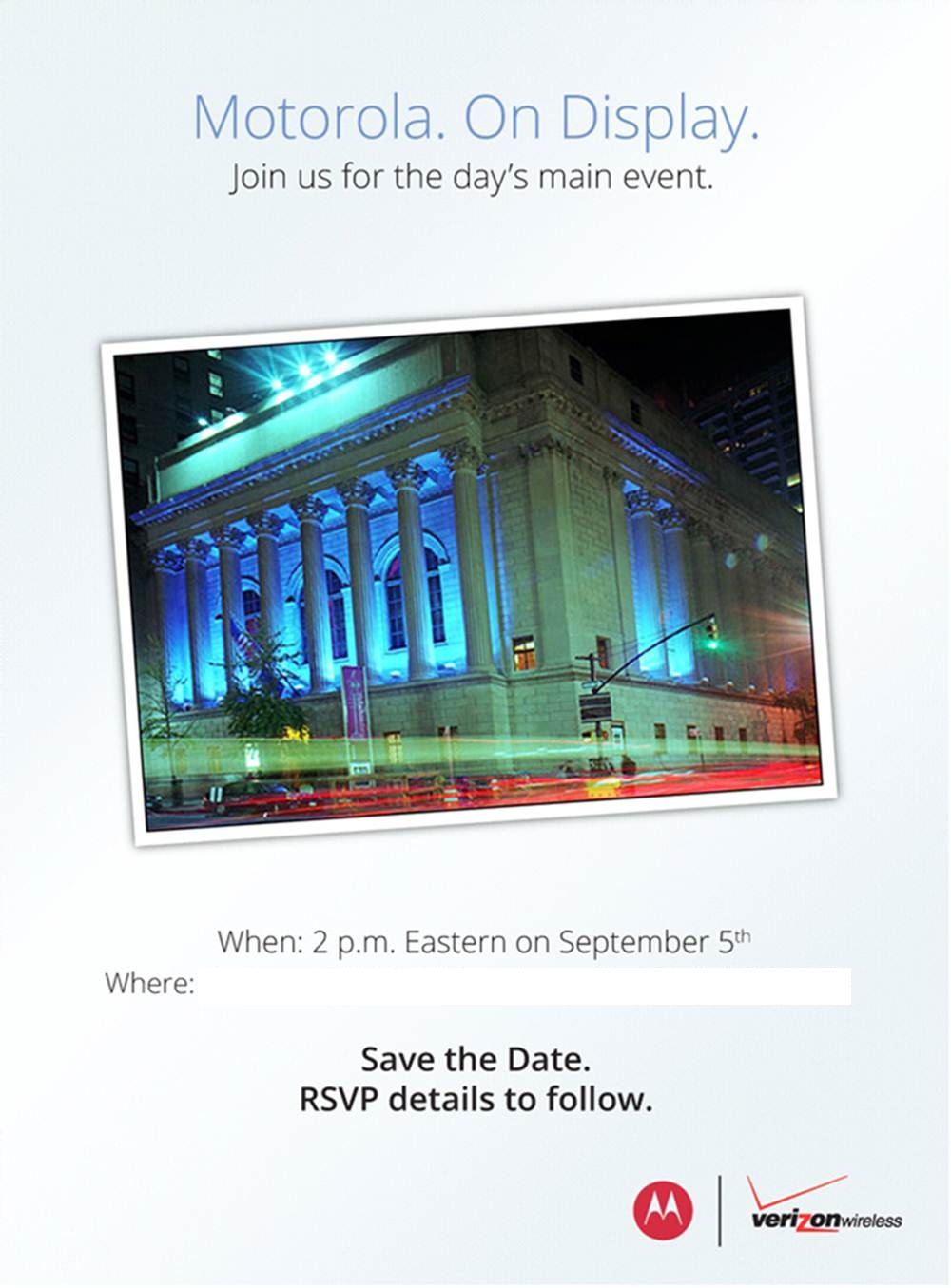
In what is supposedly the day’s main event, Motorola and Verizon have a big announcement planned. We expect to see the Droid Razr HD tonight, but Motorola’s stream page promises a few surprises. If you want to see things happen, tune in below at 2PM EDT/6PM GMT/7PM BST/8PM CEST or whatever time it will be for you. Can the Google subsidiary live up to their showstopping promises?
Samsung’s Unpacked event will be held at IFA in Berlin tonight, and the rumour mill is in full swing. We already know that the successor to the Galaxy Note will be shown off, and sources seem to suggest that an Android based camera and convertible Windows 8 tablet will also appear. Needless to say it’ll be a busy night, and we’ll have all the news on this page as it happens, so join us on a fantastic journey!
When Android 4.0 came out, Matias Duarte, Google’s head of Android design, laid out a set of rules for ‘Holo’ style applications to go with the sweeping UI changes brought in by Ice Cream Sandwich. The guidelines have been adopted slowly, but the apps that have adopted them have risen to the top of their respective categories. One of these apps is Boid, a free Twitter client.
Team Boid set out with one objective – to make the best Twitter client. It makes effective use of the space on the screen, providing a tabbed interface that covers the entirety of Twitter. It also follows the Android design guidelines to the dot, making it a pleasure to use. The app is currently in beta, but don’t let that deter you from downloading it. The app is stable and packed full of features. The only notable omissions are autocompletion of usernames and push notifications, although both of these are planned for future releases. The team keeps users updated constantly through their Twitter account, and they have promised to push on with development (and a Chrome version) in the face of Twitter’s API changes.
Boid is available on Google Play for free, and I have been assured by the team that it will stay that way, and it is ideal for casual tweeters and power users alike.
Boid for Twitter (Beta), Android, Free
Download it from Google Play or visit the website
After declining sales and being criticised for releasing too many handsets into the market, the new One series from HTC represents a much needed refresh of their strategy. What once used to be a floundering attempt to satisfy the demands of the many carriers has been diluted to this, a trio of phones to carry them headfirst into 2012. The One X, however, is even more than that. This sits on the top of the tree as a superphone with specs that raise the bar for future Android devices to come. It also debuts with HTC’s refresh of their Sense skin, layered on top of Android 4.0.3, fresh from Mountain View. Alas, we must ask the question – is it really as good as it seems? Read on to find out.
Unboxing
Video Review
Hardware
To say that this phone is good looking is an understatement. The phone is genuinely beautiful and is a breath of fresh air compared to the dull black slabs that most companies are churning out these days. The amount of detail and care put into this design definitely shows in the product. The glass covering the screen curves over the sides, blending in with the sleek polycarbonate body. The One X is made of a similar material to Nokia’s Lumia 800 and 900, albeit a little less textured. It is 8.9mm thick, which, while chunky for a flagship phone on paper, certainly doesn’t feel it. The phone feels comfortable in the hand despite its 4.7″ display, and is in reality not much larger than most 4.3″ devices such as its baby brother, the wafer-thin One S. The bezel is minimal, and you really feel like you are actually touching the content on the screen thanks to the laminated panel. The only slight annoyance I have is that I do struggle to reach the top left and bottom left hand corners without adjusting my grip on the phone. It has a curved profile reminiscent of the Galaxy Nexus, with the top and bottom gently tapering upwards. It is worth noting that the camera lens protrudes just enough to give the speakers a megaphone effect when placed on a table.
The sides are fairly minimal, with the left holding an MHL (MicroUSB/HD Video out) port and a volume rocker on the right, which is conveniently placed where your thumb grips it during normal usage. It has a nice amount of travel and you can use it while it is in your pocket. On the top there is a power button, 3.5mm headphone jack and a microSIM tray. On the bottom there is one of the two microphones (the other being just next to the headphone jack) and three capacitive buttons which cause some concern that I shall get into later. A notable omission is a camera button – a little strange considering that the camera is HTC’s major advertising point with the phone. However, the care and attention to detail that HTC employed when designing this product is apparent is the notification LED. While it is not RGB, it is integrated into the drilled holes for the earpiece, which was a very interesting idea, and it works. The LED is completely invisible when not in use, and bright enough to be visible in any light when notifying you. As a whole, the design of the phone immediately strikes you as HTC. It seems like they have perfected their design language, with none of the failings of the myriad of phones that came before, although it isn’t without fault. The black international model which I acquired picked up grease really easily, and as of the time of writing I have not been able to remove it. I would recommend picking up a case if you are considering this phone, despite what HTC says. Another thing that I have noticed is that the micro-holes for the earpiece, while aesthetically pleasing, could easily pick up dust, blocking it up.
As for internals, it is safe to say that this is one of the most powerful phones on the market. The international One X has a quad-core Nvidia Tegra 3 clocked at 1.5GHz which is no slouch at all. It also has a gigabyte of RAM, which is par for the flagship course. These big numbers certainly show up in the benchmark scores below. Despite Nvidia’s graphical prowess, gaming performance does not live up to expectations. I have a feeling that it has something to do with the lack of RAM, or maybe the fact that that the processor is driving 921,600 pixels, but the effect is noticable. Games do seem to settle down after maybe 5 minutes of gameplay, but it is still unnerving. Another thing that I noted was that the area in between the camera and volume rocker can get really hot, but the heat was isolated to just that place, most likely due to the positioning of the processor. Speaking of the processor, the presence Tegra processor inside allows access to the Tegra Zone suite of games. These are games that are ‘optimised’ for the Tegra processor with better graphics and more effects, and you really can tell the difference. There are two major omissions when it comes to the One X in terms of hardware, namely being the lack of expandable storage and removable battery, but having a replaceable back would weaken the structural integrity of the phone, so we can give HTC a pass there.
The 1280 x 720 SuperLCD 2 display on this phone may be the best display I have ever seen on a phone, with vibrant colours and sharp text. With a pixel density of 312 pixels per inch, the panel is not quite as dense as the 342ppi displays found in HTC’s own Rezound and Sony’s Xperia S, but it is well into the area of over 300ppi referred to by Apple as ‘Retina territory’, meanng that individual pixels cannot be distinguished by the human eye. It also lacks the PenTile subpixel arrangement infamously found on many other flagship phones such as Samsung’s Galaxy S III and Nexus, thus ensuring a higher-quality display free of jagged edges and fuzz. One of the reasons that phone manufacturers give in favour of using AMOLED in their phones is that it is thinner than LCD and allows for slimmer profiles, but HTC’s SLCD2 has shown that LCD technology is catching up, although it still remains more power-hungry than AMOLED panels.
Software
The One X comes with Android 4.0, the (second) latest operating system from Google, but the presence of HTC Sense 4 is the most intriguing software tweak. Sense has been criticized a lot in the past for its superfluous animations, flamboyant graphics, and purely idiotic design concepts made for a subpar user experience. Users have yearned for a toned down or stock Android experience, with less of the idiotism of days past. HTC says they took this into consideration when designing Sense 4, but did they do enough? Short answer, sort of.
Sense has definitely been toned down. The over the top weather animations have gone. The person who made the stupid decision of having a permanent ‘personalize’ button on the dock has been fired. It’s just generally been cleaned up, but it isn’t enough. The icons look like they were designed by a 4 year old, being full of white accents and just looking dated. The recent apps list is a waste of space, with the switcher taking up the entire screen, and is also more challenging to use than the stock multitasking menu. The notion that lockscreen shortcuts can only be the icons you have in your dock is just plain stupid, because I don’t need a camera in my dock, but I certainly do on my lockscreen. The widgets look like they were designed in the 90s, with stupid gradients that make me want to throw the phone in a river. The keyboard has arrow buttons, which are completely useless and render the keyboard almost impossible to type on. Finally, I said in the hardware section that the capacitive buttons had a problem. Sticking to the Android 4.0 guidelines, there is no menu button but this means that legacy apps need to display an annoying black bar underneath any app that isn’t optimized for ICS. I would have much preferred software buttons or a menu button instead of a multitasking key, similar to the setup on the Samsung Galaxy S III.
I will admit that Sense does have its perks, 25GB of free Dropbox space being one, but the performance of the phone is what matters, and Sense simply won’t do. I promptly refused to use Sense and flashed a build of Android 4.1 Jelly Bean onto it. This seemed to speed things up a lot, but please note that this does void your warranty.
Camera
The camera on this phone is the second best phone camera I have used after that of the iPhone 4S. The 8MP rear shooter takes bright and vivid photos with little to no blurring and an instant shutter. This is because of what HTC calls ImageSense. What this means is that there is an extra chip inside the phone just for processing images and video. This and a dual shutter mean that the One X can take pictures and video at the same time. It also gifts the One X with astoundingly fast picture taking to the point where the phone actually sounds like a machine gun when in burst mode. The camera software on this phone is second to none. It lets you take awesome pictures, is well thought out, and gives you a nice range of effects to choose from. Low light pictures weren’t great, so you’ll need to use a flash, and sometimes photos get blurred really easily. You can view a gallery of pictures here.
Battery Life & Radio
The battery life of this phone ties into the software section. With Sense, the battery is rubbish. An hour of YouTube and 15 minutes of Dead Triggerbrought me down to 50%. That might not seem that bad, but with Sense taken off and replaced by a CyanogenMod ROM I could do the same thing and only lose 20%.
The cellular radio is simply average. I got signal where most other phones get signal, however I did note that the WiFi usually displayed 1 bar lower than on other devices. I don’t know if this has something to do with the way that signal is displayed or an actual discrepancy in the WiFi, but it’s there nonetheless.
Conclusion
All things considered, the One X is a solid flagship. It is the epitome of what HTC has learned from a year of failed designs, however the phone faces some stiff opposition from Samsung’s Galaxy S III. As for which one to buy, my answer would be whichever suits you best. If you need expandable storage and a removable battery and can live with the Pentile AMOLED display, then the Galaxy S III may be your best option, but if you desire design then go with the One X. You can’t go wrong with either.
Here at Digixav we all love some bacon strips and as such we all love Epic Meal Time, the YouTube show that brought you the Turbaconepicentipede and the candy pizza among other bacon-ridden crimes against health. Now Harley and the team have released a mobile game in conjunction with Molecube, and I believe it is great enough (ie. it has enough bacon) to be our app of the week.
When you play this game a variety of food (bacon strips, gay bacon strips, candy bacon, Turbaconepicentipedes etc.) come flying in from the side of the screen and it is your job to make sure that Sauce Boss eats as much unhealthy food as possible while avoiding the healthy stuff like carrots and broccoli. As you eat you gain points in the form of calories and grams of fat which get transformed into the in-game currency of Internet Money. This can then be used to buy upgrades and more food for Sauce Boss to devour. If you commit the cardinal sin and eat a vegetable, you lose a life, rather like Homer in Treehouse of Horror XI.
This is by far one of the best games that I have downloaded on Android or iOS. It is addictive, a great time waster, and all around hilarious for both those who have and haven’t watched the YouTube series. I would recommend it to anybody.
Epic Meal Time, Android (£1.24) and iOS (£1.49)
Buy it from Google Play and the App Store or visit the website
Just minutes ahead of Google’s I/O keynote, images and videos of two oft-rumoured products have surfaced, leading to virtual confirmation that they will be announced later today at the Moscone Center in San Francisco.
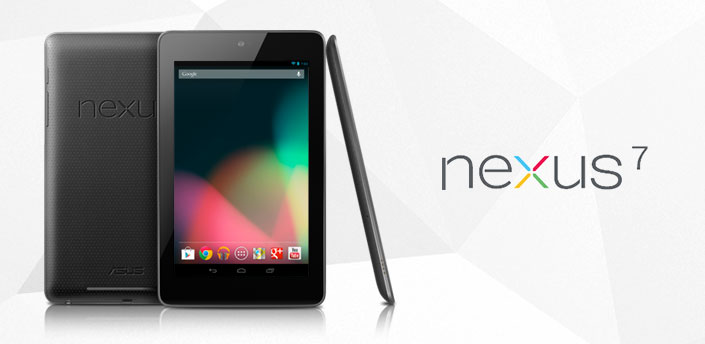
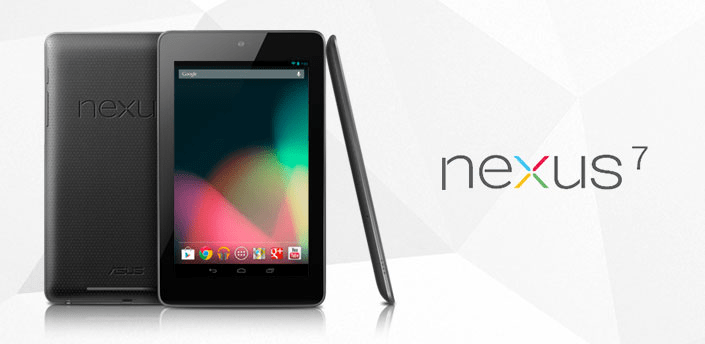
As previously reported on, the Nexus 7 tablet is a 7″ Asus-built slate sporting a Tegra 3 chip from Nvidia, a 1280 x 800 IPS display with Gorilla Glass, 1GB of RAM and an attractively low price tag of just $199 for a 8GB model, while the internal storage can be doubled for another $50. Android Police dug this image up directly from the Google Play servers, so this is our first real look at the bezel tablet and Android 4.1 aka Jelly Bean. We will bring you more information when we get it tonight from Google’s keynote.
Additionally, Droid Life has some info about the Nexus Q, which seems to be a social streaming media player that various devices can connect to as long as they run Android 2.3 or later. It is set to cost $299 and, along with the Nexus 7, it is set to ship in 2 to 3 weeks in the US only.
Nexus 7 Addendum
The following paragraphs only apply if you purchase a Nexus 7.
The Nexus 7 has built-in Wi-Fi. You are solely responsible for obtaining internet connectivity through an internet service provider as the Nexus 7 does not support mobile connectivity.
In order to use the Nexus 7, you understand that you will need your own 802.11a/b/g/n access point Wi-Fi router.
The Nexus 7 is manufactured by ASUSTeK Computer Inc., whose principal place of business is at ASUSTeK Computer Inc., Nr. 15 Li-Te Road, Peitou, Taipei 112, Taiwan (“ASUS”).
ASUS provides a limited warranty for the Nexus 7. Please refer to the warranty card in the Nexus 7 package or ASUS for details on the ASUS limited warranty.
Nexus Q Addendum
The following paragraphs only apply if you purchase a Nexus Q.
You understand that the Nexus Q currently supports only Google Play Music; Google Play Movies and TV; and YouTube, and that your use of those services is subject to the Google Play Terms of Service.
The Nexus Q has built-in Wi-Fi and a built-in ethernet controller. You are solely responsible for obtaining internet connectivity through an internet service provider as the Nexus Q does not support mobile connectivity.
In order to use the Nexus Q, you understand that you will need your own: (i) phone or tablet running Android 2.3 (Gingerbread) or higher with access to Google Play; (ii) compatible speakers, AV system or HD TV; and (iii) 802.11a/b/g/n access point Wi-Fi router.
Google provides a limited warranty for the Nexus Q. Please visit this link for more information.
This week’s app of the week is Monsters Ate My Condo, a game from Adult Swim for iOS and Android. The game is simple – various monsters want feeding, and you do that by feeding them apartments. If you make a chain of 3 or more condos of the same colour, you get a shiny bronze combo condo, and then you gradually get all the way up to diamonds. Feeding shiny condos to the monsters activates special powers, and the game ends when a monster is neglected and goes on a rampage or your tower block falls over. Add in some seizure-inducing colours, wacky animation, a blue unicorn that vomits rainbows and a fat lady that sings when the game is over, and you have yourself a ridiculously addictive game.
Monsters Ate My Condo, iOS and Android, 69p
Download from the App Store or Google Play















 Digixav