

We knew it was coming, and now we have a date.
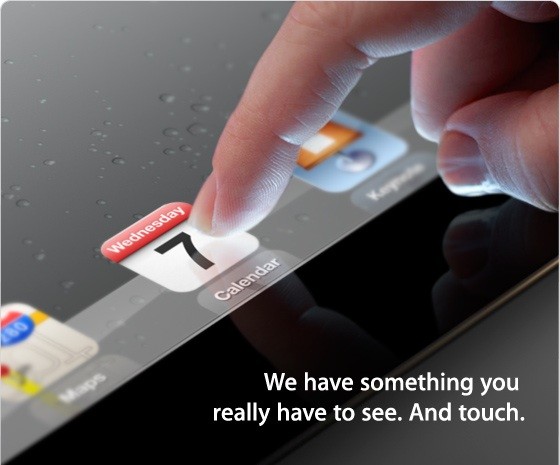
Launched almost 1 year ago, Apple’s iPad 2 remains the biggest selling tablet of all time but, with its successor’s unveil coming in as little as 2 weeks, is it still a viable option in the tablet space or could it become the next budget smash hit?
Hardware

The main upgrade from the iPad to the iPad 2 is the dual-core A5 processor, clocked at around 1GHz, which definitely contributes greatly to the immense speed of the iPad. It also includes both a front and rear camera at 0.7 and 0.1 mega-pixels. You may look at these specs and sneer, but the back camera also is capable of up to 720p HD. Admittedly, using the iPad as a camera does make you look stupid, as Spike Lee demonstrated in front of Barack Obama. With a choice of either 16GB, 32GB or 64GB, you can choose the model that is right for you. The iPad 2’s 9.7″ IPS screen is once again fantastic and, while not quite full HD at 1024 x 768, still provides a fantastic image. The battery life of the iPad is surprising, as it is able to be used non-stop for a full 10 hours before charging is required. The iPad still uses the same 3.5mm headphone jack so you can use any old headphones. This is unlike Sony Ericsson, for instance, where the proprietary connector needed is often very hard to find and sometimes quite expensive. The three axis gyro and accelerometer make hand-held gaming entertaining. A great app to test this out is Sonic Riders, a game just like Mario Kart but with Sonic characters. You tilt the device to steer and it is much more enjoyable than moving an analog stick with one finger.

Design
As mentioned earlier, the iPad 2 features a 9.7″ IPS LCD screen which, in my opinion, looks stunning. It makes tablet gaming, surfing the web, and watching movies much more enjoyable than on my other devices. The size of the screen makes for excellent cinematic experience as it is nearly as big as some smaller netbooks. I love the aluminium body, only 8.8mm thick and weighing just over 600g. This makes it nice and simple to carry around and it fits snugly into your hand during use. It can simply slip inside a bag or a coat pocket and is easily accessible at all times.
Software
iOS 5 was released in October and comes with over 200 new features including iCloud, iMessage, Newstand, Reminders, Notification Centre and WiFi syncing, much of which has made its way across to OS X Mountain Lion. iCloud enables Apple device owners to store music, videos, apps and anything else to “the cloud”. This means that you can wirelessly add all your files to any of your iOS 5 devices such as Mac, Apple TV, iPod Touch and iPad 2. iMessage is now open to iPad and iPod Touch as well as just iPhone. It allows to to send unlimited text messages via Wi-Fi or 3G. You do not have to pay to do this which I think is an amazing bonus. Reminders allows you to store dates, meetings, shopping trips and much more. You can also set alarms to help you remember when and where to be. The new Notification Centre allows you to have all your notifications in one place to access instantly. Personally, I am glad that Apple have finally decided to do this as I find the small red circles on apps quite annoying as you would have to load up the app to find out what it was. Now, however, you can see all your notifications for all apps, all on one page. PC free registration now enables people who don’t even own a computer to own an iPad, part of Apple’s quest to kill the PC and make the tablet king. With PC Free you can simply set everything up on the device itself. This means you can have your brand new tablet up and running in less than 10 minutes.

There are over 140,000 apps available for the iPad now and the variety is massive. You can have everything from apps for fruit-slicing to apps for checking your football teams latest scores. Apple, of course, have made their own apps for the iPad including Apple’s own iWork suite for document editing, GarageBand, iBooks and iMovie. These all are very stunning on the iPad and are definitely worth getting if you ever get the chance. However, as well as Apple’s first-party apps, there are thousands more out there waiting to be downloaded. Some of my personal favourites include Angry Birds, Fruit Ninja, Stick Cricket, Temple Run, Sonic Riders and Doodle Jump. There are also all the social networking apps such as Facebook, Twitter, Flickr and Skype. For primary school children, secondary school children and even students at university there is a wide selection of educational apps in many subjects. One of my favourite educational apps is The Night Sky. You simply point the device towards the sky and the advanced gyro spins the star map to show you the names of all the stars and planets in the sky. Great for learning about the constellations and planets. There are also apps to help you out in business, sports, news, travel and much, much more.
Accessories
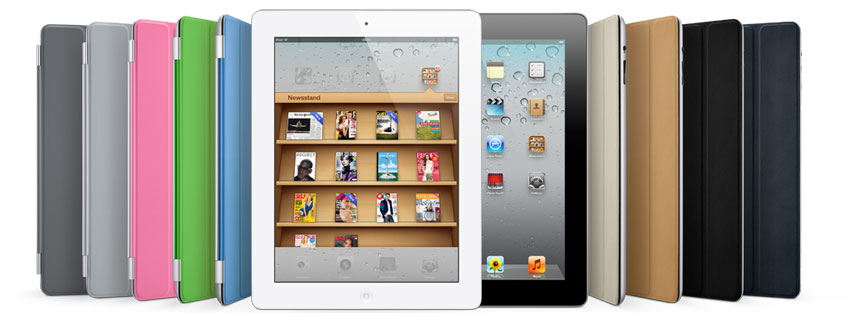
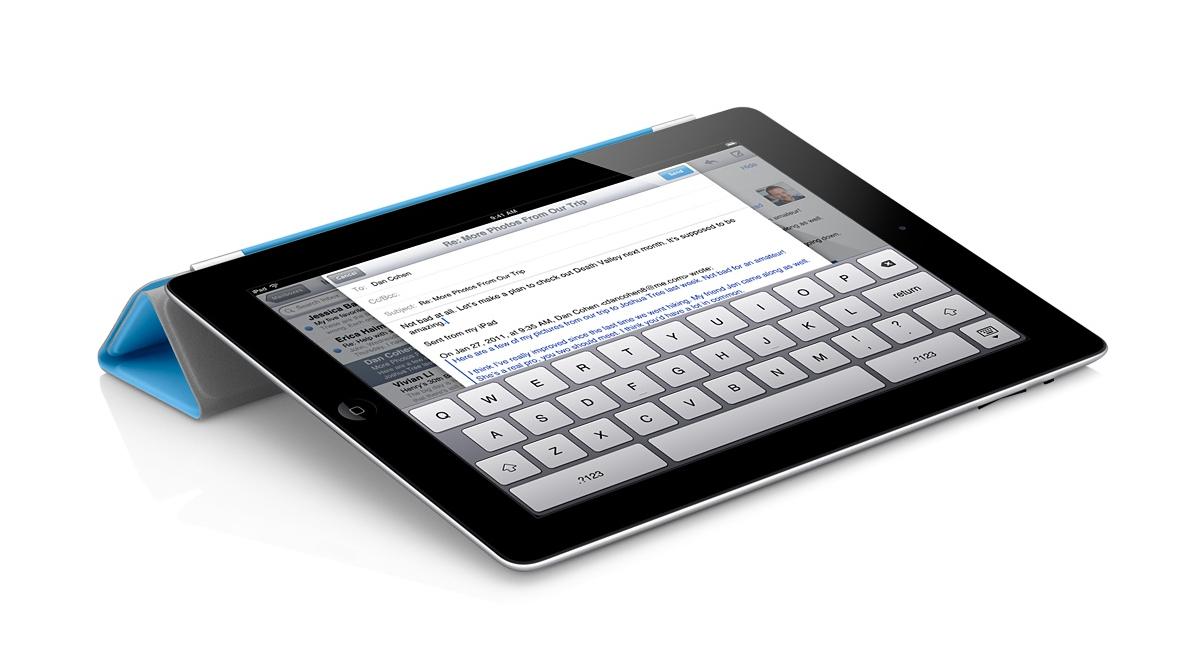
Even though the iPad 2 is a stunning piece of equipment on its own, it doesn’t hurt to have a couple of accessories to help you out with making the most out of your tablet. The iPad 2 smart cover is a quite interesting piece of equipment. When you snap it over the screen, it not only fits snugly and perfectly, but it automatically put the iPad into sleep mode. The cover can also be folded into a stand so you can sit back and watch a movie or even if you just want that extra bit of elevation. The Smart Cover comes in many different colours and you get the choice between polyurethane and leather, but you will, however, have to pay an extra £24 for the premium leather, which will fade over time. Another great accessory is the camera connection kit. It includes two small dongles that plug into the main iPad port. One has a SD card slot for instant download capability should the internal storage not be sufficient, whereas the other has a USB 2.0 port for camera cables to be plugged directly into the iPad.

Conclusion

Even 1 year on, the iPad 2 is still the best tablet on the market. With so much more tablet specific software than other platforms, a fantastic aluminium design and a lower price than a number of its competitors, there is no real reason not to choose anything over it at the moment, but be wary of the iPad 3 launch that lurks just around the corner.

First off, Spool, an innovative new add-on available on Firefox and Chrome, as well as being an app on iOS and Android. Think Instapaper but for EVERYTHING. Any media: video, text, pictures, all collected at the touch of a button and uploaded to the Spool servers, where you can enjoy them offline, on any supported device ‘in a clear format’. Using an innovative new ‘spoolbot’, all data is captured without the ads. Although the bot sadly has to watch all video before it can be uploaded, it’s still very impressive.

Even better; fretting about whether that video you just spooled was in Flash and so can’t be watched on your iPhone? Don’t! Spool automatically converts everything to HTML5 and so can be enjoyed on any device supported. We hope for a Windows Phone version as well as quicker upload times in the future. Best of all, right now it is in free, private beta. Don’t hesitate, join up now. If your interested, that link will give both you and me a shorter time of being accepted as the more people invited, the quicker the invite.
Much obliged
CS

Today’s app of the week for iPhone, iPad and iPod touch is Temple Run by Imangi Studios.
The best mobile games are ones that you just cannot put down with simple controls, and Temple Run hits the nail on the head in this respect. The game starts with you being given control of an explorer who has stolen an idol from a temple hidden deep inside a jungle. You have to run away from the vicious monkeys who want the idol back and, by swiping and tilting your device, you collect coins, slide under fire, jump over gaps and try to avoid smashing your face into a tree. Coins and power-ups are scattered around the place and are used to purchase upgrades to your character. Additional coins can be purchased in-game if you want them as well.
Temple Run is fantastic and addictive and that is precisely why, despite the fact that the game itself is free, it remains the top-grossing app in the UK App Store.
Temple Run, iOS, Free
Download from the App Store or visit the website
This week’s app of the week is Crazy Survival by Techsoft Ventures.
In this game you play as a small stick figure that has to avoid a large number of bouncing balls coming from the left of the screen. At the start of every game you have ten lives, with each hit removing one life. Although this is a simple idea, I have never played anything like it before. The simple controls (an arrow to each side of the screen) make getting good at this game fairly simple but mastering it is something completely different. My personal high score is only around 250 while the world record is in excess of 800.
This game is just what you need from a mobile game – quick, simple and addictive, and that is why we are proud to call it our first cross-platform app of the week.
But no Android. Sorry.
Crazy Survival, BlackBerry/iOS/Windows Phone, Free
Download now from the App World, App Store or Zune Marketplace

2012’s first iOS app of the week is Magnetic Billiards: Blueprint.
This game is incredibly addictive. Based on the game of billiards, this game is pretty simple. You use your finger as a cue to connect discs of the same colour while creating shapes out of them and scoring bonus points from combos. 20 standard levels come with the game and the rest, along with 3 arcade modes and more to come in future updates, can be purchased with a ‘Skeleton Key’ at £2.49, which the developers say will soon increase in price due to the sheer amount of content that they have planned. Watch the first trailer below and hit the link to get the app if you have nothing planned for the next week as you try to get an ‘S’ in every level.
Magnetic Billiards: Blueprint, iOS, £0.69

This week’s app of the week is Flipboard.
Flipboard is a fantastic app that lets you add whatever content you desire to a virtual ‘social magazine’. Complete with Facebook and Twitter integration, it is more than a conventional RSS reader as it corroborates your social feeds and go-to websites in one place with a beautiful flipping interface. A free account will sync your feeds across devices, and a recent update allowed the app to work on iPhone and iPod touch. Take a look at what Flipboard themselves have to say about it in the video below.
Flipboard is now my only source for news and social updates. The app is free and gloriously ad-free and I would recommend it to anyone with an iDevice. Even Apple love it, having made it their iPad app of the year. It might also be in the running for a more prestigious award from a certain website this weekend…
Flipboard, iOS, Free
Download from the App Store or visit the website
This week’s iOS AOTW is a simple one – Apple’s own 12 Days of Christmas app.
It is the most wonderful time of the year and therefore Apple’s annual European promotion to give away a new free thing every day from December 26th to January 6th has returned. Grab the app now to get notifications of each gift, with something sure to take your fancy. Last year we got Mirror’s Edge, a Charlie Chaplin film and the amazing Father Ted Christmas special to go with the Kings of Leon and Kylie Minogue, so the good must surely balance out the bad this year as well. Although not all the gifts may be to your tastes, remember Apple don’t have to do this and something good will surely pop up.
Merry Christmas from all at Digixav
iTunes 12 Days of Christmas, iOS, Free
Download from the App Store
A new free storage promotion from Box leaked today, this time for users with Sony Ericsson Xperia phones. If you use the Box app on such a device, they will give you 50GB extra storage for no additional cost. Similar to the still-ongoing ‘Size Matters‘ campaign for iOS users, this 50GB will last for as long as you actually have your Box account, but you are still restricted to 100MB per file and the painful upload process. The lack of a Dropbox-esque desktop client may render it irrelevant for some, however if you have an HP TouchPad, iOS device, Xperia/HTC Sense 3.5 phone or even a BlackBerry PlayBook, head on over to the Box website to grab the relevent app and free storage for life.
Update: Sony and Box have apologised, and this promotion is not active at the time being. LG users however are getting 50GB free so head on over to the Box Android app with your Optimus Pad (!) to claim your free gigabytes.


 Digixav