Time takes a look at the best new devices to turn up at MWC this week, from the insane camera of the Nokia 808 PureView and the convertible Asus Padfone to the downright bizarre LG Optimus Vu and Samsung Galaxy Beam.


Time takes a look at the best new devices to turn up at MWC this week, from the insane camera of the Nokia 808 PureView and the convertible Asus Padfone to the downright bizarre LG Optimus Vu and Samsung Galaxy Beam.

TechCrunch explains a bit about the Nokia 808 PureView and why its insane megapixel count is more than a gimmick.

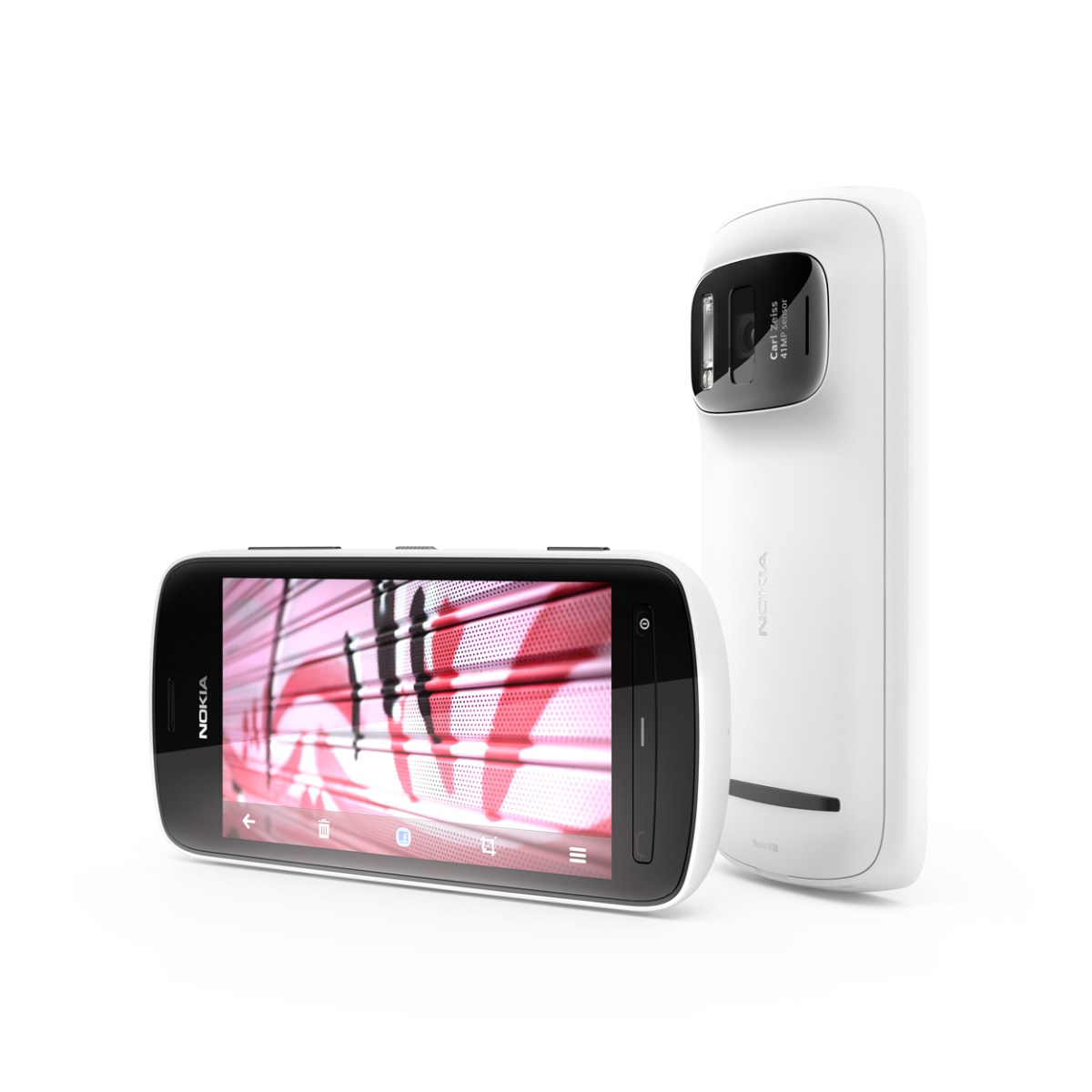

Nokia shocked the tech world this morning with the announcement of the 808 PureView, the spiritual successor to the N8. While the actual phone itself had been rumoured for some time, the confirmation of a 41 megapixel sensor came as a surprise to everyone. While people may dismiss such a specification as pure marketing crap, Nokia’s new PureView technology can compress numerous pixels into one for ultra-clear images. The technology sounds phenomenal and has been in the works for 5 years, meaning that it launches with Symbian before a planned launch on other platforms. The phone is capable of shooting stills at up to 38MP, but optimal performance comes with compression to 5MP. 1080p video can be shot with 4x lossless zoom, and due to the massive sensor, zooming is actually more like using a different part of the sensor rather than trimming the shot down. The document explaining the tech makes for a great read, and has this sensor diagram to prove a point.

Aside from the 41MP camera, the phone is a standard Symbian Belle affair. A 1.3GHz single core chip powers things, while 16GB of internal storage can be boosted to 48GB via microSD for your photo collection. A 4″ nHD (640 x 360) ClearBlack AMOLED occupies the front face with buttons similar to the Lumia 710, and 2.5D Gorilla Glass coats the device. Having such a large sensor comes at a price, however. At its thinnest, it remains over half an inch and the camera protrudes to 17.95mm. Have a glance at the full spec sheet and some phenomenal sample shots here.
The device is set to ship worldwide in May as the Symbian swansong at €450 before tax, but expect to see the technology making its way into other Nokia products before the year is out if Symbian doesn’t float your boat.

Samsung, a company known for endlessly churning out devices that are nearly identical, have added 2 new devices to their Galaxy range to coincide with the start of the Mobile World Congress in Barcelona.
Firstly, we have the Galaxy Tab 2 10.1. Aside from the TouchWizzed Ice Cream Sandwich that comes pre-installed, the device seems identical to the original Tab 10.1, with a 1GHz dual-core CPU, a 1280 x 800 TFT display, a 7000mAh battery, a 3MP rear camera and 16 or 32GB of microSD-expandable storage. Strangely, the front camera has been bumped down to a VGA resolution from 2MP and the device is 9.7mm thick as opposed its svelte 8.6mm predecessor. Design wise, it appears closer to the Galaxy Tab 10.1N, the German variant designed to evade Apple lawsuits based on the design similarities of the Tab 10.1 and the iPad.

Whether we will see this at a lower price remains to be seen, but rumours persist that a 2560 x 1600 Galaxy Note 10.1 with a stylus S Pen will turn up later this week.
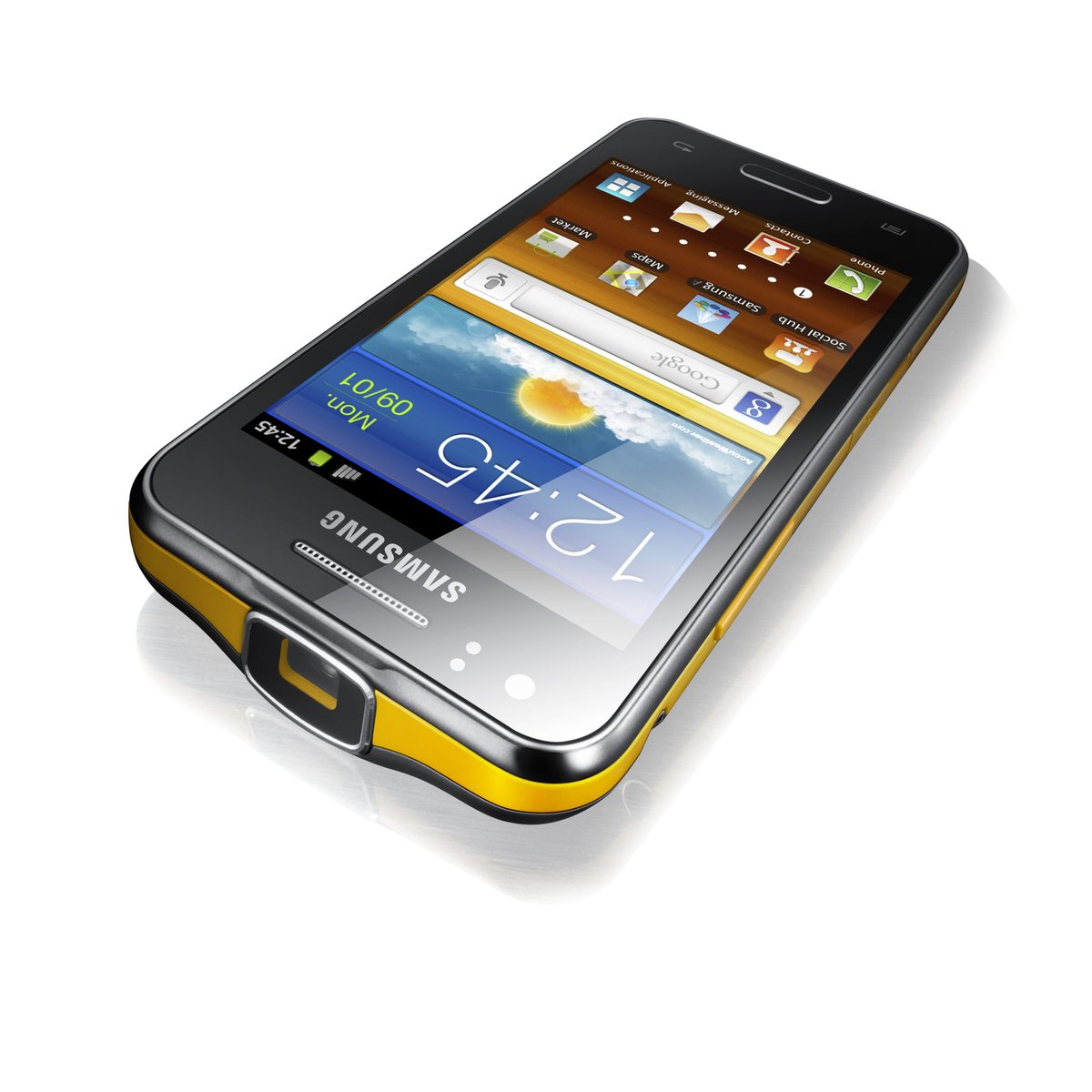
Secondly, we have the Galaxy Beam, a phone with a built-in pico projector capable of pumping out a 50″ high definition image. The phone allegedly has 6GB RAM, a 4″ WVGA screen, 8GB storage, a 1GHz dual-core chip and Android 2.3 for some odd reason. Knowing OEM updates, don’t buy this expecting Ice Cream Sandwich any time soon. A 5MP rear camera has a 1.3MP counterpart on the front, and the 2000mAh battery should keep the half-inch thick handset going throughout the day, providing you don’t use the battery-draining projector. Another thing that goes against the Galaxy Beam is the yellow rim. It’s almost as bad as BBC Sport.

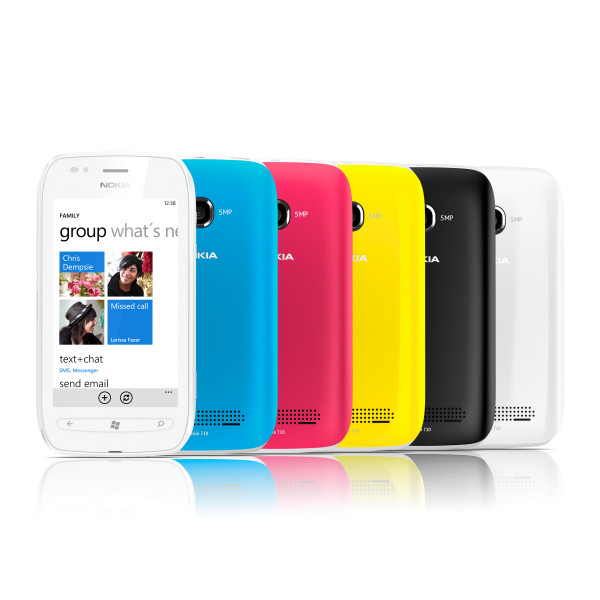
Nokia’s first Windows Phone, the Lumia 800, was just what they needed to get back into the market. Running Windows Phone 7.5, the phone won multiple awards and the hearts of many consumers. Also announced at Nokia World in London at the same time was the Lumia 710, pitched as the affordable Lumia device. Now, this device has made it to the UK at a slither under £200 on pay as you go, but, with fierce competition from hordes of Android and BlackBerry devices in the same price range, is it enough to win people over?
Hardware
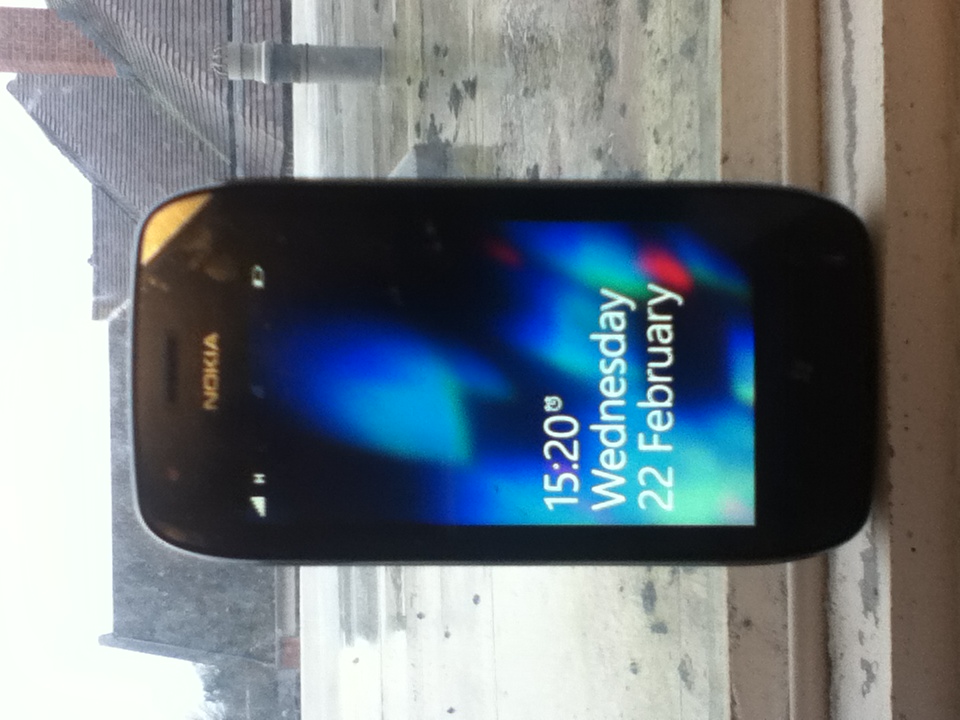
Internally, the 710 is almost identical to its more expensive bretheren, the 800 and the 900. The phone comes equipped with the same 1.4GHz single core Qualcomm MSM8255 processor and Adreno 205 GPU, resulting in snappy performance in everything we have tried with it. The phone has a 3.7″ display with the current standard Windows Phone WVGA (800 x 480) resolution and Nokia’s ClearBlack technology, allowing for deeper blacks and slightly more vibrant colours. While the 800 and 900 both use AMOLED displays for more vibrant colours, Nokia used an LCD to cut costs on the 710. It still looks quite good with the same 252ppi density as the 800, but, comparing the 2 devices side by side, the difference in the displays is very noticeable. As ever, the PenTile layout of sub-pixels causes occasional problems while reading text, however this can easily be rectified by zooming in when able to. The phone has fantastic viewing angles with very little discolouration occurring, with more problems being caused by the overly glossy screen.
One of the main advantages of the 710 over the 800 is its removable 1300mAh battery, allowing for the obligatory battery pull if problems arise. Booting from a battery pull is incredibly quick, certainly around 3x quicker than my aging HTC Wildfire and also the HTC HD7. Nokia claim that the battery lasts around 7:40 on a single charge while connected to a 3G network, and we have found this to be not far off the truth.
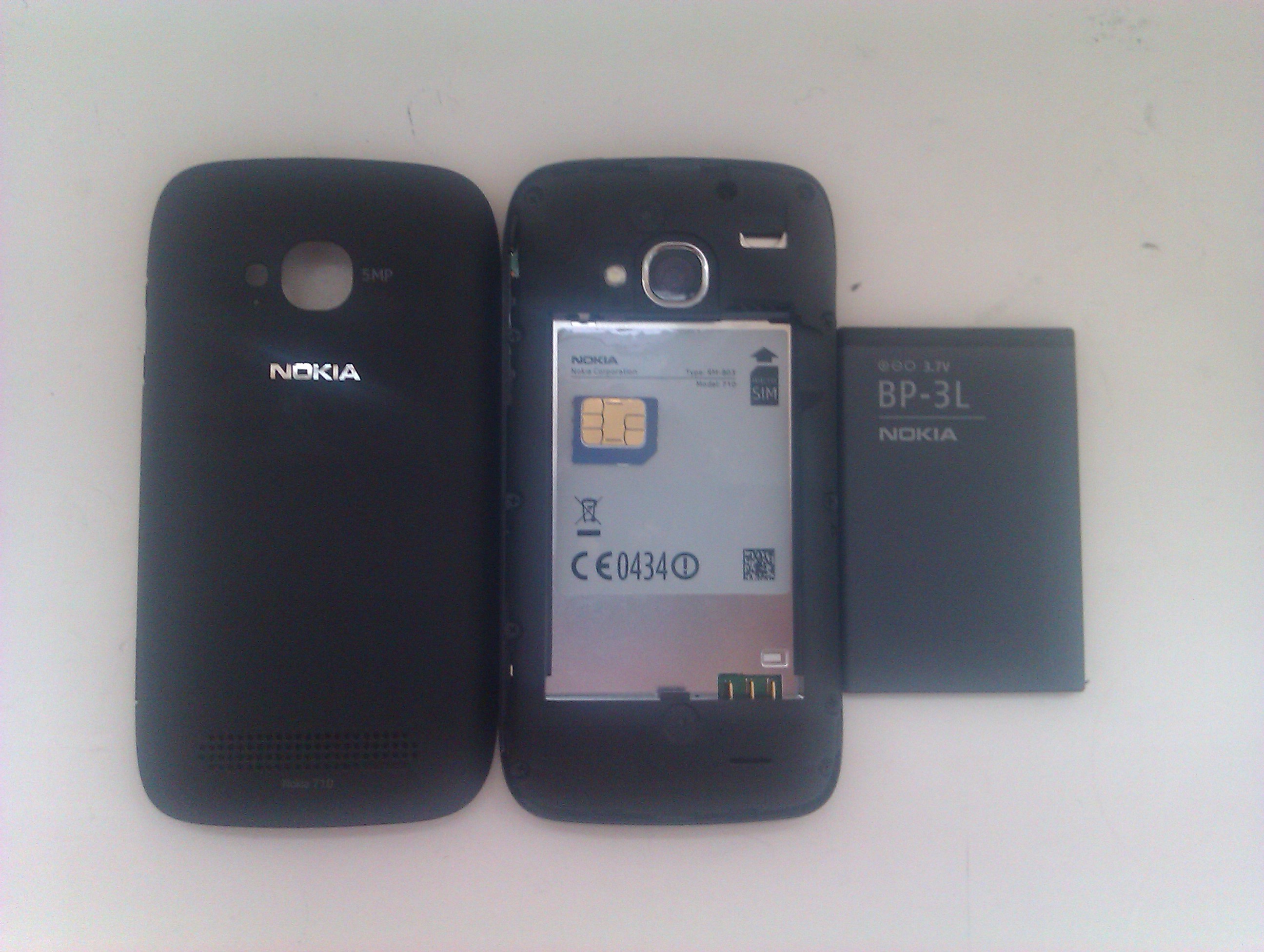
The phone is quite heavy at 125g, but it feels very comfortable in the hand. One problem I have with small screened devices is that they are often very thin and, as such, sit low down in the hand. The 12.5mm deep chassis feels fine in my hand, allowing my thumbs to move freely across the device without engulfing it as with the iPod touch. The phone is both thicker and heavier than my daily driver, the HTC Wildfire, but it is hardly noticeable in my pocket and I could easily move up to a phone of this size. Being a Nokia, it feels like it has been made with care, and that it could withstand anything. A sheet of Gorilla Glass is on the front to protect against cracks and scratches, but we didn’t want to test the ruggedness of it on fear of something going wrong.
The phone requires a microSIM card which can be slightly awkward to insert and remove from its slot, but, most importantly for a phone, the call quality is fantastic. When using the O2 network, the Lumia provided crisp, clear sound, and the caller was very audible throughout. This feature of a phone is often overlooked, but it is good to see Nokia ensuring that users get the best experience from the HSPA+ radio inside. My biggest problem with the entire phone, however, is the lack of storage. Since the phone has no ROM, the OS takes up a good chunk of the paltry 8GB storage, leaving only 6.4GB free to the user. With no option to expand this with microSD, you must rely heavily on the cloud for your media consumption if you pick up the 710.
Camera
Similarly to the 800, the Lumia 710 does not have a front facing camera but video calling with a phone is not something that matters to me. If you want this option available or feel it to be a necessity, then an HTC Radar would probably be the best option for you, despite the premium of about £80 over the 710. The rear facing camera lacks the Carl Zeiss optics of Nokia’s high-end cameras, but shoots decent, albeit slightly grainy, shots at 5MP in a 4:3 aspect ratio. The phone also shoots video at a 720p resolution, but we are unable to upload the test footage at the moment. We will update this review when can to include this footage, which is surprisingly good, handling movement very well for a mid-range phone.
Software
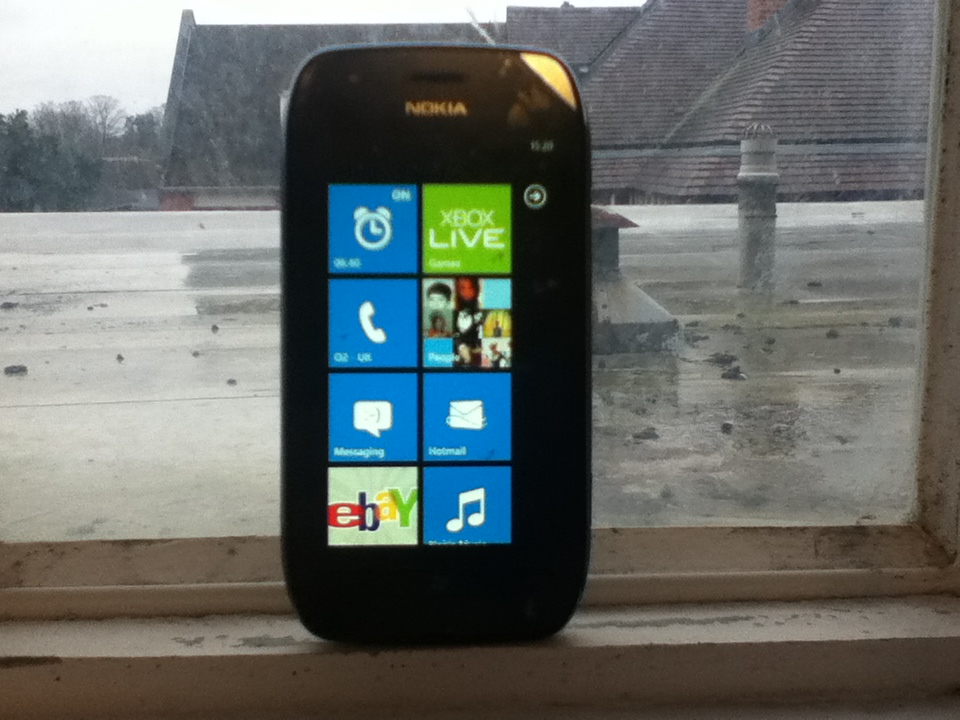
By and large, the phone has a stock Windows Phone 7.5 operating system which is as superb as ever. On the 710, it performs fantastically, with no problems handling games such as Rainbow Rapture and Crazy Survival. One thing that people use against Windows Phone is the relative lack of apps, however, at the time of writing, the Marketplace has reached As our unit came unlocked, it is fortunately free of carrier bloatware, but, as Nokia made clear at the unveiling in October, the Lumia range comes with a number of predominantly functional and useful pre-installed Nokia-centric/exclusive apps which can thankfully be uninstalled if desired.
One thing that is missing is the ability to tether from the phone. Enabled with the Mango update, Nokia oddly chose not to include a tethering option in either the 800 or the 710 at launch. A software update enabling it was promised for the 800 so, should such an update ever come, the 710 should also be in line for the update. The lack of tethering is off-putting for me as I tether perpetually at the moment, but I could survive through the phone itself should it become necessary.
Design

No matter how you look at it, the 710 is the ugly duckling of the Nokia Lumia family. When compared to the elegant 800 with its sweeping curves and polycarbonate shell, the 710 is rather disappointing, something I mentioned when I wrote about the phone shortly after its launch. Granted, the phone does look a hell of a lot better in the flesh than any images could demonstrate, but there is something about it that doesn’t look right. In accordance with how the N9 design was recycled for the 800, the 710 borrows its form factor from the Nokia 603, a phone released with Symbian Belle that, like the N9, has not had an official UK release.
To appeal to certain demographics, the 710 comes in black and white with a whole host of interchangeable back covers to fit your mood. The black model that we reviewed came with black and blue covers out of the box, however I have yet to find a retailer that stocks the other colours. The black cover is coated with a soft-touch plastic and it feels very nice in hand, but I cannot say the same for the blue one. It feels of a lower quality and not as robust as its counterpart, and I think that the phone looks better as plain black anyway. The covers go on in a rather strange and fidgety manner. Unlike most battery covers which lock on from the bottom or top, the cover on the 710 requires connection on the right hand side at first, before wrapping around the device. Often, the case requires a further press above the camera lens to ensure a secure connection, and the method of removing the case takes some getting used to.
Unlike the 800 and most other Windows Phones on the market, the 710 has physical keys at the bottom instead of the normal capacitive buttons. The strip feels solid, but aesthetically it is not pleasant. The LEDs for the back, Windows and search buttons appear quite far away from the surface of the plastic, which itself is almost flush with the glass on the front, making the buttons hard to press on occasion. I can’t help but think that capacitive buttons would have been a better choice, but I understand that the corners had to be cut somewhere to get the phone to be half the price of its polycarbonate brother.

Conclusion
The Nokia Lumia 710 is a fantastic smartphone for those on a tight budget. For half the price of the 800, you get the exact same hardware, save for the display, the camera, the storage and the design. As I said, the phone looks so much better in the flesh than in pictures but undoubtedly the 800 and 900 look better. That being said, the phone is tremendous for the price. For Nokia to be selling such technology at such a low price is worthy of celebration, and I would thoroughly recommend this phone to anybody in the market for a great all-round smartphone at a low price.
Many thanks go to Digixav reader Joseph Bryant for lending us his phone for this review

Microsoft today released a video to their YouTube channel promoting their Office suite over Google Apps for Business for productivity. In the video, a soul singer representing Microsoft lists the faults and dangers of using Google Apps, while a ‘Googlighting stranger’ tries to act smooth and win over a potential customer who wants more than Google can provide. Whether this kind of direct attack video will catch on we don’t know, but the video itself is entertaining and can be watched below. Microsoft also set up a companion website with links explaining the differences between the services and of course the productivity advantages of working with Microsoft.
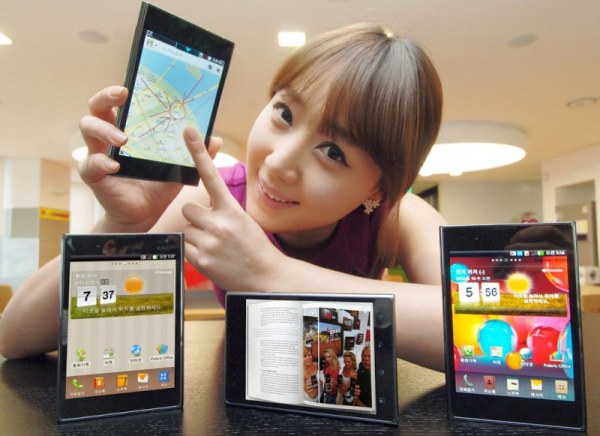
Thought the Galaxy Note was ridiculous? LG may have now outdone them with the announcement of the Optimus Vu. This 5 inch phablet has less screen real estate than the Note, but the sheer amount of bezel and ridiculous 4:3 aspect ratio makes sure that it is in fact wider than Samsung’s offering. Sporting LTE and Gingerbread for its launch next month, the phone will receive Ice Cream Sandwich within the next 3 months. More news about it is set to come at Mobile World Congress at the end of the month, and the spec sheet is below for your perusal.
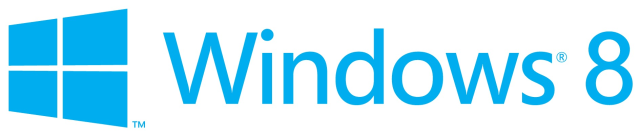
Microsoft today unveiled a new logo for Windows 8 to fit more with the Metro design language that has won much praise from media and consumers alike. The logo uses the Segoe typeface that is making its way into all Microsoft branding and products, but the traditional flag has been replaced with a strangely angled flag window. Unlike the actual design of Windows 8, I don’t like this at all. What do you think? Let us know in the poll below.

Today’s app of the week for iPhone, iPad and iPod touch is Temple Run by Imangi Studios.
The best mobile games are ones that you just cannot put down with simple controls, and Temple Run hits the nail on the head in this respect. The game starts with you being given control of an explorer who has stolen an idol from a temple hidden deep inside a jungle. You have to run away from the vicious monkeys who want the idol back and, by swiping and tilting your device, you collect coins, slide under fire, jump over gaps and try to avoid smashing your face into a tree. Coins and power-ups are scattered around the place and are used to purchase upgrades to your character. Additional coins can be purchased in-game if you want them as well.
Temple Run is fantastic and addictive and that is precisely why, despite the fact that the game itself is free, it remains the top-grossing app in the UK App Store.
Temple Run, iOS, Free
Download from the App Store or visit the website

 Digixav