HTC One X review

After declining sales and being criticised for releasing too many handsets into the market, the new One series from HTC represents a much needed refresh of their strategy. What once used to be a floundering attempt to satisfy the demands of the many carriers has been diluted to this, a trio of phones to carry them headfirst into 2012. The One X, however, is even more than that. This sits on the top of the tree as a superphone with specs that raise the bar for future Android devices to come. It also debuts with HTC’s refresh of their Sense skin, layered on top of Android 4.0.3, fresh from Mountain View. Alas, we must ask the question – is it really as good as it seems? Read on to find out.

Unboxing

Video Review

Hardware

To say that this phone is good looking is an understatement. The phone is genuinely beautiful and is a breath of fresh air compared to the dull black slabs that most companies are churning out these days. The amount of detail and care put into this design definitely shows in the product. The glass covering the screen curves over the sides, blending in with the sleek polycarbonate body. The One X is made of a similar material to Nokia’s Lumia 800 and 900, albeit a little less textured. It is 8.9mm thick, which, while chunky for a flagship phone on paper, certainly doesn’t feel it. The phone feels comfortable in the hand despite its 4.7″ display, and is in reality not much larger than most 4.3″ devices such as its baby brother, the wafer-thin One S. The bezel is minimal, and you really feel like you are actually touching the content on the screen thanks to the laminated panel. The only slight annoyance I have is that I do struggle to reach the top left and bottom left hand corners without adjusting my grip on the phone. It has a curved profile reminiscent of the Galaxy Nexus, with the top and bottom gently tapering upwards. It is worth noting that the camera lens protrudes just enough to give the speakers a megaphone effect when placed on a table.

The sides are fairly minimal, with the left holding an MHL (MicroUSB/HD Video out) port and a volume rocker on the right, which is conveniently placed where your thumb grips it during normal usage. It has a nice amount of travel and you can use it while it is in your pocket. On the top there is a power button, 3.5mm headphone jack and a microSIM tray. On the bottom there is one of the two microphones (the other being just next to the headphone jack) and three capacitive buttons which cause some concern that I shall get into later. A notable omission is a camera button – a little strange considering that the camera is HTC’s major advertising point with the phone. However, the care and attention to detail that HTC employed when designing this product is apparent is the notification LED. While it is not RGB, it is integrated into the drilled holes for the earpiece, which was a very interesting idea, and it works. The LED is completely invisible when not in use, and bright enough to be visible in any light when notifying you. As a whole, the design of the phone immediately strikes you as HTC. It seems like they have perfected their design language, with none of the failings of the myriad of phones that came before, although it isn’t without fault. The black international model which I acquired picked up grease really easily, and as of the time of writing I have not been able to remove it. I would recommend picking up a case if you are considering this phone, despite what HTC says. Another thing that I have noticed is that the micro-holes for the earpiece, while aesthetically pleasing, could easily pick up dust, blocking it up.

As for internals, it is safe to say that this is one of the most powerful phones on the market. The international One X has a quad-core Nvidia Tegra 3 clocked at 1.5GHz which is no slouch at all. It also has a gigabyte of RAM, which is par for the flagship course. These big numbers certainly show up in the benchmark scores below. Despite Nvidia’s graphical prowess, gaming performance does not live up to expectations. I have a feeling that it has something to do with the lack of RAM, or maybe the fact that that the processor is driving 921,600 pixels, but the effect is noticable. Games do seem to settle down after maybe 5 minutes of gameplay, but it is still unnerving. Another thing that I noted was that the area in between the camera and volume rocker can get really hot, but the heat was isolated to just that place, most likely due to the positioning of the processor. Speaking of the processor, the presence Tegra processor inside allows access to the Tegra Zone suite of games. These are games that are ‘optimised’ for the Tegra processor with better graphics and more effects, and you really can tell the difference. There are two major omissions when it comes to the One X in terms of hardware, namely being the lack of expandable storage and removable battery, but having a replaceable back would weaken the structural integrity of the phone, so we can give HTC a pass there.

Benchmarks

Quadrant – 4602
Vellamo – 1854
Antutu – 9795
Nenamark 2 – 54.7fps

Display

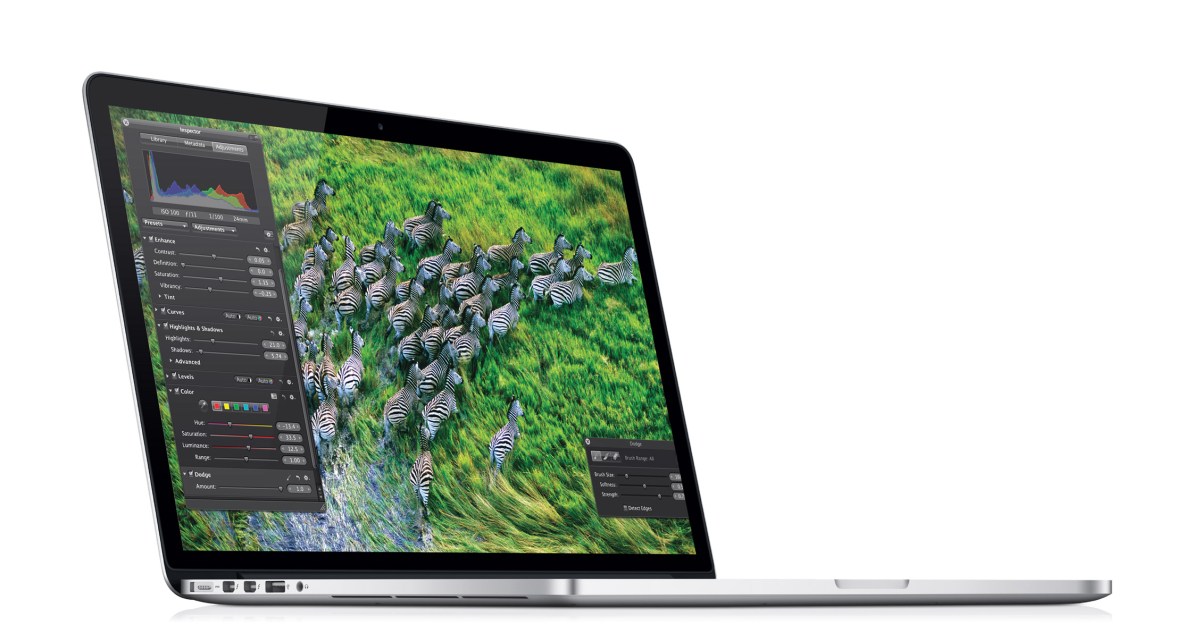
The 1280 x 720 SuperLCD 2 display on this phone may be the best display I have ever seen on a phone, with vibrant colours and sharp text. With a pixel density of 312 pixels per inch, the panel is not quite as dense as the 342ppi displays found in HTC’s own Rezound and Sony’s Xperia S, but it is well into the area  of over 300ppi referred to by Apple as ‘Retina territory’, meanng that individual pixels cannot be distinguished by the human eye. It also lacks the PenTile subpixel arrangement infamously found on many other flagship phones such as Samsung’s Galaxy S III and Nexus, thus ensuring a higher-quality display free of jagged edges and fuzz. One of the reasons that phone manufacturers give in favour of using AMOLED in their phones is that it is thinner than LCD and allows for slimmer profiles, but HTC’s SLCD2 has shown that LCD technology is catching up, although it still remains more power-hungry than AMOLED panels.
Software

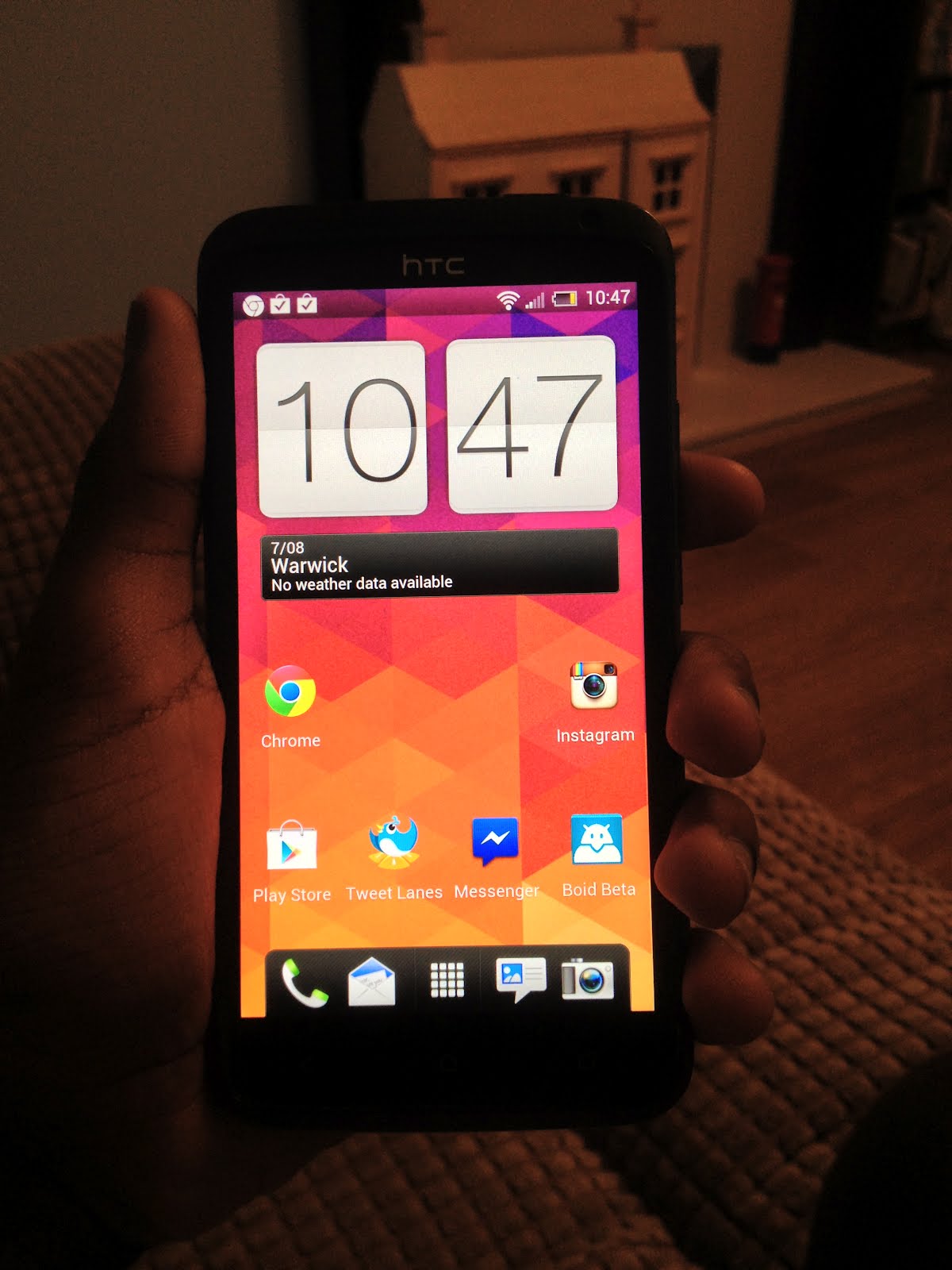
The One X comes with Android 4.0, the (second) latest operating system from Google, but the presence of HTC Sense 4 is the most intriguing software tweak. Sense has been criticized a lot in the past for its superfluous animations, flamboyant graphics, and purely idiotic design concepts made for a subpar user experience. Users have yearned for a toned down or stock Android experience, with less of the idiotism of days past. HTC says they took this into consideration when designing Sense 4, but did they do enough? Short answer, sort of.

Sense has definitely been toned down. The over the top weather animations have gone. The person who made the stupid decision of having a permanent ‘personalize’ button on the dock has been fired. It’s just generally been cleaned up, but it isn’t enough. The icons look like they were designed by a 4 year old, being full of white accents and just looking dated. The recent apps list is a waste of space, with the switcher taking up the entire screen, and is also more challenging to use than the stock multitasking menu. The notion that lockscreen shortcuts can only be the icons you have in your dock is just plain stupid, because I don’t need a camera in my dock, but I certainly do on my lockscreen. The widgets look like they were designed in the 90s, with stupid gradients that make me want to throw the phone in a river. The keyboard has arrow buttons, which are completely useless and render the keyboard almost impossible to type on. Finally, I said in the hardware section that the capacitive buttons had a problem. Sticking to the Android 4.0 guidelines, there is no menu button but this means that legacy apps need to display an annoying black bar underneath any app that isn’t optimized for ICS. I would have much preferred software buttons or a menu button instead of a multitasking key, similar to the setup on the Samsung Galaxy S III.

I will admit that Sense does have its perks, 25GB of free Dropbox space being one, but the performance of the phone is what matters, and Sense simply won’t do. I promptly refused to use Sense and flashed a build of Android 4.1 Jelly Bean onto it. This seemed to speed things up a lot, but please note that this does void your warranty.

Camera

The camera on this phone is the second best phone camera I have used after that of the iPhone 4S. The 8MP rear shooter takes bright and vivid photos with little to no blurring and an instant shutter. This is because of what HTC calls ImageSense. What this means is that there is an extra chip inside the phone just for processing images and video. This and a dual shutter mean that the One X can take pictures and video at the same time. It also gifts the One X with astoundingly fast picture taking to the point where the phone actually sounds like a machine gun when in burst mode. The camera software on this phone is second to none. It lets you take awesome pictures, is well thought out, and gives you a nice range of effects to choose from. Low light pictures weren’t great, so you’ll need to use a flash, and sometimes photos get blurred really easily. You can view a gallery of pictures here.

Battery Life & Radio

The battery life of this phone ties into the software section. With Sense, the battery is rubbish. An hour of YouTube and 15 minutes of Dead Trigger brought me down to 50%. That might not seem that bad, but with Sense taken off and replaced by a CyanogenMod ROM I could do the same thing and only lose 20%.

The cellular radio is simply average. I got signal where most other phones get signal, however I did note that the WiFi usually displayed 1 bar lower than on other devices. I don’t know if this has something to do with the way that signal is displayed or an actual discrepancy in the WiFi, but it’s there nonetheless.

Conclusion
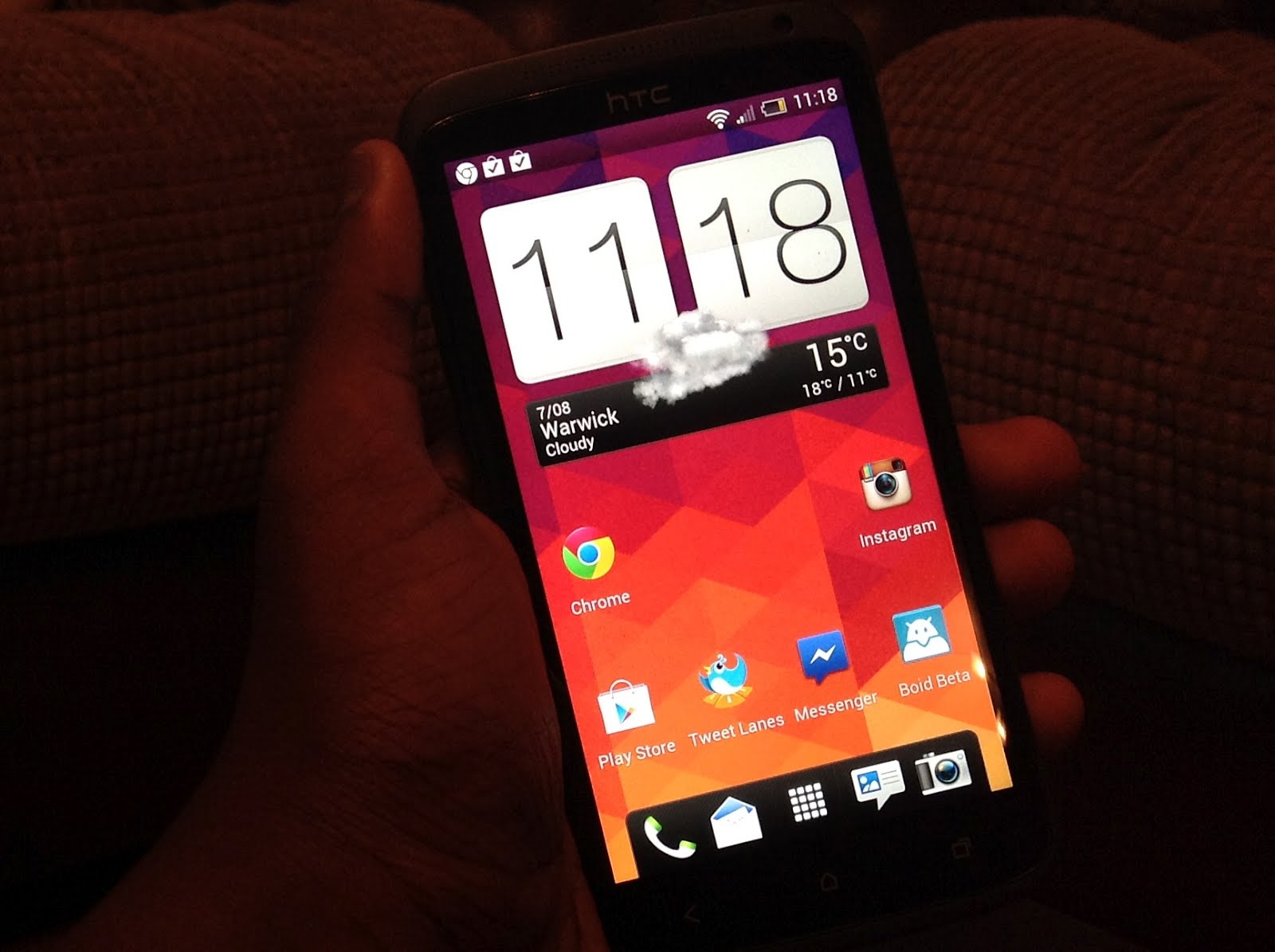
All things considered, the One X is a solid flagship. It is the epitome of what HTC has learned from a year of failed designs, however the phone faces some stiff opposition from Samsung’s Galaxy S III. As for which one to buy, my answer would be whichever suits you best. If you need expandable storage and a removable battery and can live with the Pentile AMOLED display, then the Galaxy S III may be your best option, but if you desire design then go with the One X. You can’t go wrong with either.
Google Nexus 7 and Nexus Q leak before I/O keynote

Just minutes ahead of Google’s I/O keynote, images and videos of two oft-rumoured products have surfaced, leading to virtual confirmation that they will be announced later today at the Moscone Center in San Francisco.

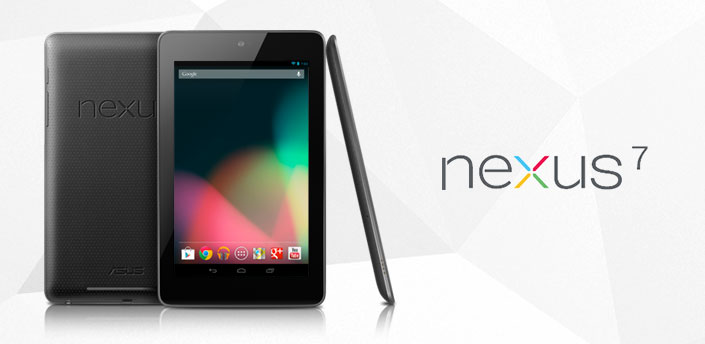
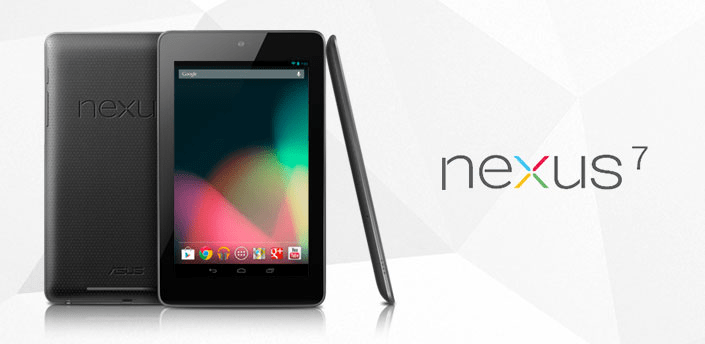
As previously reported on, the Nexus 7 tablet is a 7″ Asus-built slate sporting a Tegra 3 chip from Nvidia, a 1280 x 800 IPS display with Gorilla Glass, 1GB of RAM and an attractively low price tag of just $199 for a 8GB model, while the internal storage can be doubled for another $50. Android Police dug this image up directly from the Google Play servers, so this is our first real look at the bezel tablet and Android 4.1 aka Jelly Bean. We will bring you more information when we get it tonight from Google’s keynote.

Additionally, Droid Life has some info about the Nexus Q, which seems to be a social streaming media player that various devices can connect to as long as they run Android 2.3 or later. It is set to cost $299 and, along with the Nexus 7, it is set to ship in 2 to 3 weeks in the US only.

Nexus 7 Addendum

The following paragraphs only apply if you purchase a Nexus 7.

The Nexus 7 has built-in Wi-Fi. You are solely responsible for obtaining internet connectivity through an internet service provider as the Nexus 7 does not support mobile connectivity.

In order to use the Nexus 7, you understand that you will need your own 802.11a/b/g/n access point Wi-Fi router.

The Nexus 7 is manufactured by ASUSTeK Computer Inc., whose principal place of business is at ASUSTeK Computer Inc., Nr. 15 Li-Te Road, Peitou, Taipei 112, Taiwan (“ASUS”).

ASUS provides a limited warranty for the Nexus 7. Please refer to the warranty card in the Nexus 7 package or ASUS for details on the ASUS limited warranty.

Nexus Q Addendum

The following paragraphs only apply if you purchase a Nexus Q.

You understand that the Nexus Q currently supports only Google Play Music; Google Play Movies and TV; and YouTube, and that your use of those services is subject to the Google Play Terms of Service.

The Nexus Q has built-in Wi-Fi and a built-in ethernet controller. You are solely responsible for obtaining internet connectivity through an internet service provider as the Nexus Q does not support mobile connectivity.

In order to use the Nexus Q, you understand that you will need your own: (i) phone or tablet running Android 2.3 (Gingerbread) or higher with access to Google Play; (ii) compatible speakers, AV system or HD TV; and (iii) 802.11a/b/g/n access point Wi-Fi router.

Google provides a limited warranty for the Nexus Q. Please visit this link for more information.

Apple ousts Google Maps with a home-grown system for iOS 6

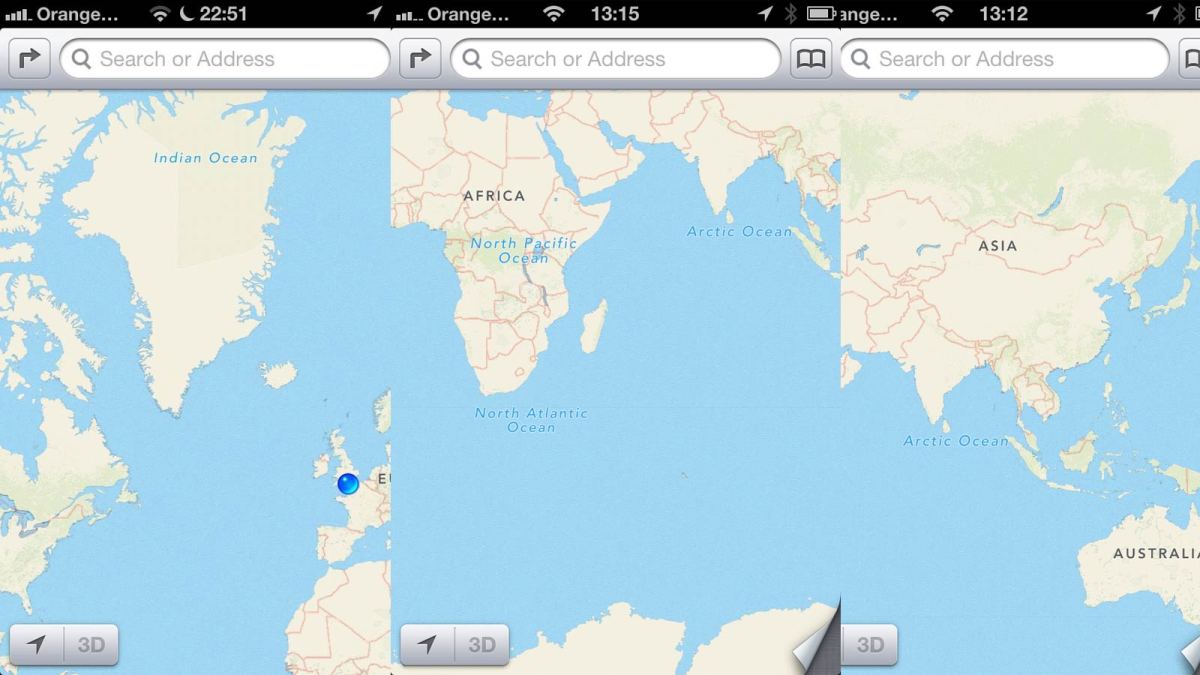
Apple has announced that it will be removing Google Maps from its native application in iOS and will be replacing it with its own mapping system with the upcoming launch of iOS 6 this autumn for iPhone 3GS onwards, iPad 2, iPad (3rd generation) and iPod Touch (4th generation). It will include its own high quality 3D mode, and by all accounts it does pretty much exactly what Google Maps did, only in an interface that Apple think is far superior.

In the mean time, Google has been developing their own software on Android and both companies have been reported to have used fleets of planes that have ruffled the feathers of some privacy campaigners who complained having noticed an increase in airspace activity while tracking the movements of several large companies. Apple are set to create yet anouther easy to use and beautful app that will undoubtedly do its job very well. It is another example of Apple showing that making their products integratable with existing platforms is not the only field they are improving, but also the Apple universe that will one day probably be able to exist independently to every other system of computing there is. My concern is that Google has such a solid base, and with a single account you can connect all of Google’s existing services such as Gmail, Drive, YouTube and +, making them easier to use and more efficient for the user. That said Apple have added mapping support to Siri, the “eyes free” system which Apple is rumoured to have been working on with car manufacturers to develop add buttons for in new cars, allowing for a hands free, voice activated GPS and phone.

I think that Apple’s new mapping system will be good because things that come out of Apple are generally well received and the response by Google will probably improve on what they have now, which can only be a good thing for map users. If users wish to return to using Google Maps or use a different platform entirely, they should have the option to do it through the App Store, as there are a number of map apps available for the platform. Apple’s eyes free integration, however, is very promising, and it is very probable that it means Google Maps is on its way out for many Apple users. Apple’s initiative has yet again shown the company’s ability to remake everything in the image of their own minds.

WWDC in 5 word sentences

That screen sounds absolutely incredible.
You can talk to iPads.
USB 3.0 is now infiltrating.
Nobody likes massively oversized laptops.
Siri likes fridges, mocks Samsung.
Open Monsters Ate My Condo.
The Mac Pro isn’t dead!
Why did you expect iPhones?
Maps are the way forward.
Apple will survive without Steve.
FaceTime over cellular is pointless.
Want Ivy Bridge with that?
Sharing from notifications is egotistical.
Facebook is still a thing.
At least Ping is dead.

Things That Should Exist: The Wrist Phone

Things That Should Exist is a column by James Trickey. Things suggested are not always good ideas.

I’m back after a while without doing anything and for that I am sorry. I just have been really struggling with ideas because some people already had to go and invent everything useful or cool because they had the idea first. But I am finally back with an idea that probably already exists thank to some annoying company, or it might not in which case this will be an amazing idea.

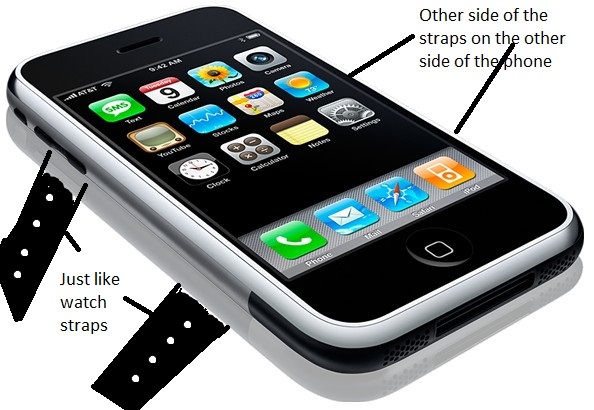
Now, as you can probably guess this invention right here is a phone, just like any smartphone or tablet that can be found in any phone shop in the country at the moment. But, as the title suggests, this is a phone that sits on your wrist the whole time. So I’m imagining a phone with straps just like a watch that allow the phone to sit comfortably on your wrist. With the help of Paint I will try and get my ideas across.

So as you can see there with the help of the OG iPhone as a tester it’s basically just a phone that you can wear like a watch and as I said already it might exist somewhere but to be honest it should still exist which is what this column is about.

But if not, then think of the advantages to this.

Firstly it will never fall out of your pocket because it’s on your wrist. I mean when was the last time your watch fell off without you noticing? Plus, this phone is going to be a lot more noticeable if it comes off your wrist due to the weight difference and the noise it will make when it hits the floor and dies.

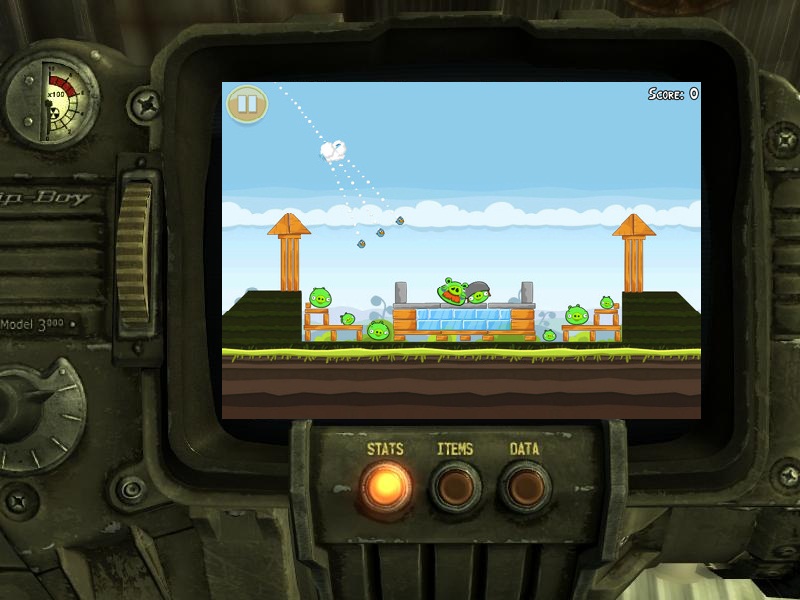
Secondly it would also just be incredibly fun to play games on something that is attached to your wrist. It would be like you were a half-robot person with a screen in your wrist! and no the Fallout games stole this idea from me. But it’s still awesome.

So that’s about it for this week. I hope that you all try and actually invent one of these things and if they already do then make them better. I’ll see you next week with a brand new idea.

Hopefully.

KABLAM!!

Qualcomm shows off cool Snapdragon chips by melting butter on smartphones

People love a benchmark, and Qualcomm has invented a new one that appears to favour their series of Snapdragon processors. In a video posted on their YouTube channel, Vidyasagar Rao, a staff engineer at the company, pits an HTC One S with a Snapdragon S4 MSM8260A chip against a Motorola Razr Maxx with a TI OMAP4430 and Samsung Galaxy S II sporting a Samsung Exynos 4 Dual chip in their new Butter benchmark test. It’s quite simple really. Butter melts at 35°C, so whichever phone runs coolest will keep the block of butter intact for the longest. We doubt this will catch on, but you can see the results by watching the video below.

WP7 AOTW: YouTube Pro

A while ago I did an app of the week post about an app called YouTube Pro, but due to the use of the YouTube name the app was removed from the Marketplace. Eager to enable people to get the best YouTube experience on Windows Phone, the developers just changed the name to SuperTube and re-submitted it. The two apps are basically identical save for the logo, but make sure you download SuperTube even if you already have YouTube Pro to ensure that you get the latest updates and features on your phone.

Henry Hunt's avatarDigixav

I’m sorry that I haven’t done an app of the week for a while, but I’ve been busy at this thing called school. But sitting here gated to my room on a Saturday night and listening to Garden by Totally Enormous Extinct Dinosaurs inspired me to get back to the work that really matters. Without further ado, this week’s app of the week is YouTube Pro.

This fantastic app is better than any of the other YouTube apps that I have personally tried, simply because it is the only one I have tried that allowed you to log in to your YouTube account. Upon opening the app, you are faced with a Metro style start screen, you then slide along the panorama to view things such as the top rated videos and your subscriptions. However most of the interesting stuff is located on the first screen. The ‘Recorded Page’, where…

View original post 169 more words

Techslice: Some random thoughts about Siri

Techslice is a column by Ali Wilson. Views expressed are not necessarily those of Digixav.

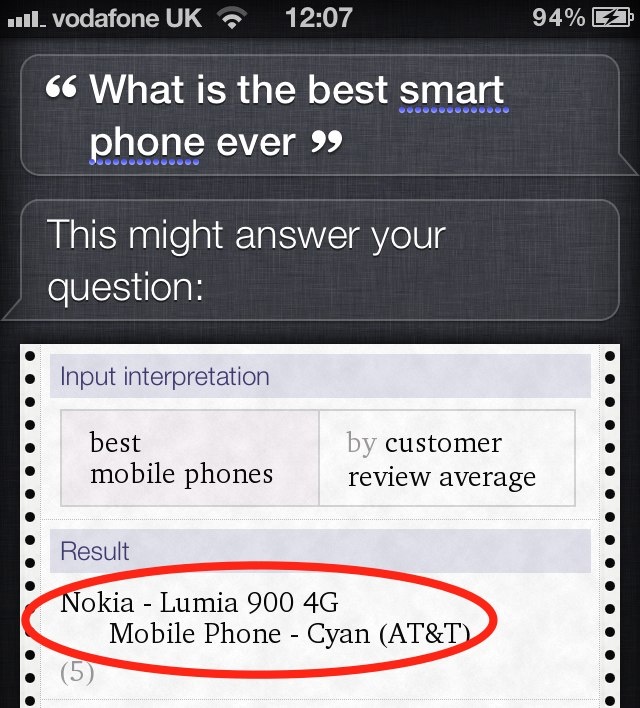
Siri is truly excellent voice recognition software that Apple introduced with the iPhone 4S and probably the new iPhone I spoke about last week. Siri is useful in many ways, as you can simply tell Siri to do what you want and it will do it almost instantly. It is also very entertaining, as I found out when trying it out on my friend’s iPhone 4S. If you ask something it cannot answer, Siri strives to give you a witty and entertaining response.

Siri is also easily accessible, with two extremely simple ways to activate it. The first is by pressing and holding the home button and waiting for the Siri toolbar to appear. The second is able to be turned off and on, and all you have to do is raise the phone to your ear, wait for the beep, and then say your command. This is very useful as it would be nonsensical if you had to go searching for Siri when you could just as easily have found what you were looking for in a shorter time without your voice.

There is only one minor flaw that I can see from my extensive tests, and that is that you must speak very clearly. If you don’t speak clearly enough, Siri has trouble recognising what you say and will normally answer with the wrong thing. This is time consuming and is a regular occurrence if you try and speak in a normal voice. This was proved by Henry and Xavier when they tested it in October.

Overall, I found Siri excellent and it is by far the best voice recognition programme that I have ever used. However, I don’t see why Apple has made Siri exclusive to the iPhone. As the owner of an iPad 2, I am strongly disappointed by this and am living in hope that soon, Apple will add Siri to the iPad. Not to finish on a bad note though – as I said above, Siri is excellent in almost every way and definitely top dog among mobile voice recognition platforms.

Windows Phone App of the Week: Fhotoroom

This week’s app of the week is Fhotoroom. To put it bluntly, it’s Instagram for Windows Phone. With this app, you can take and edit photos and then ruin enhance them with effects, writing and frames. You then can proceed to upload these either directly to Fhotoroom or to a number of places such as Facebook, Twitter, Flickr and Tumblr.

Upon entering the app, you are prompted to create an account and upload your first picture, which will be used as your profile picture. You are then able to proceed to edit and upload as many photos as you wish. Some of my personal masterpieces include a picture of bacon and multiple pictures of coffee.

But in all honesty, I recommend this app for the sole fact that the pictures that appear on the title screen are either really cool or contain boobs just hilarious.

Fhotoroom, Windows Phone, Free
Download from the Marketplace or visit the website

Techslice: The new iPhone rumour mill

Techslice is a column by Ali Wilson. Views expressed are not necessarily those of Digixav.

In October 2011, Apple released their latest iPhone: the iPhone 4S. A lot of people were disappointed with the result that came 18 months after the 4 and were expecting something a bit more, well, new. By sight, the iPhone 4S is the same as its predecessor, the iPhone 4. The only major differences for a year of development were a dual-core A5 processor from the iPad 2, Siri and 3 additional megapixels in the camera.

null

So with so few differences in the last upgrade, we are expecting great things from the iPhone 5/iPhone 4G/iPhone 6/new iPhone. There has been a concept design released and, as you can see, it does look very different to the previous model.

iPhone 5

Straight away, the first thing we notice is potential design overhaul of the new iPhone. Apple may reverted towards their old curved design from the original models. The shape is a lot less square and is much more rounded, a lot like the new Samsung Galaxy S III. The screen size may increase from the current 3.5″, with rumours circling that Apple may enlarge it to a whopping 4.8″, although Steve Jobs would turn in his grave. He was in staunch opposition to larger screens as he (rightly) thought that they made the iPhone resemble an Android phone.

The sixth installment to the iPhone series is said to be being released just over a year after its older brother. It was thought that if it was released earlier, then the new iPad’s sales would not be as high. Apple have therefore left a six-month gap between the iPad and the iPhone’s release. It is rumoured for early October 2012.

So, if you’re thinking of investing in an iPhone 4S, think again. It should be worth the wait of (potentially) just six months, because Apple could change everything. Again.