How to use a Mac

So you got yourself a Mac. You have invested in the Apple ecosystem and you’re probably new to all of this. Before you get all cocky and consider yourself to be a rich computer god, you need to think a few things through.

Step 1: Telling everyone

First, and arguably most importantly, is you are not, repeat NOT, a ‘computer overlord’. You just have an overpriced computer with a glowing piece of fruit on the back. Yes, Macs are cool, but bragging is not. Let’s start on how to tell your friends. Telling them through a computer is OK, but think before you post.

This is not the way to tell people. You will lose a lot of friends very quickly. Instead of them going…

You’re the guy with the Mac, right? You’re epic!

It will be more like…

You got a Mac? Screw you. Did you know that millions of little Chinese kids died making that?

This is the way you should do it. It shows your friends that you consider yourself equal to them while humanising yourself with the admission of being a noob. Your friends will coincidentally become closer and will be always be asking to have a look.

Now you have your Mac and your friends all love you, you might think to make a movie. Well, I did anyway.

Step 2: Making your first movie

Macs are often used by creative people and, as such, many creative programs exist for content production on OS X. If you are just an amateur who wants to get started, you should use Apple’s own iMovie software, preinstalled as part of the iLife suite on every new Mac. It is very simple and has loads of bundled themes and effects, but they aren’t necessarily the best things to go for.
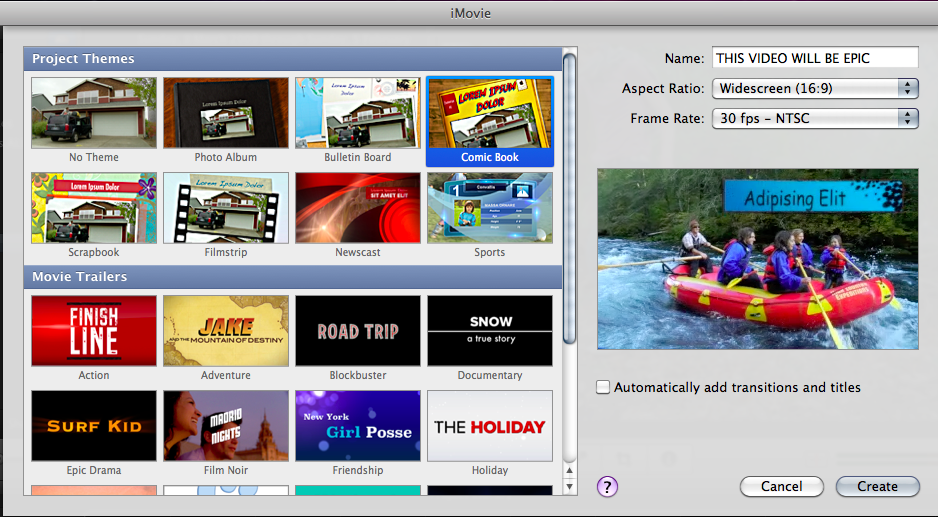
The option of a built-in theme is possibly the the worst idea for any film-maker seeking their own identity. I know you’re (probably) not George Lucas, but, with its crappy music and terrible transitions, any video like this uploaded to the internet will be trolled from all sides, posted on forums and ripped to shreds by haters. All the comments will be by pathetic idiots with nothing constructive to say. Expect things along the lines of…

ur a default n00b
i hope you never reproduce
worse than beiber
FIRST!!!!
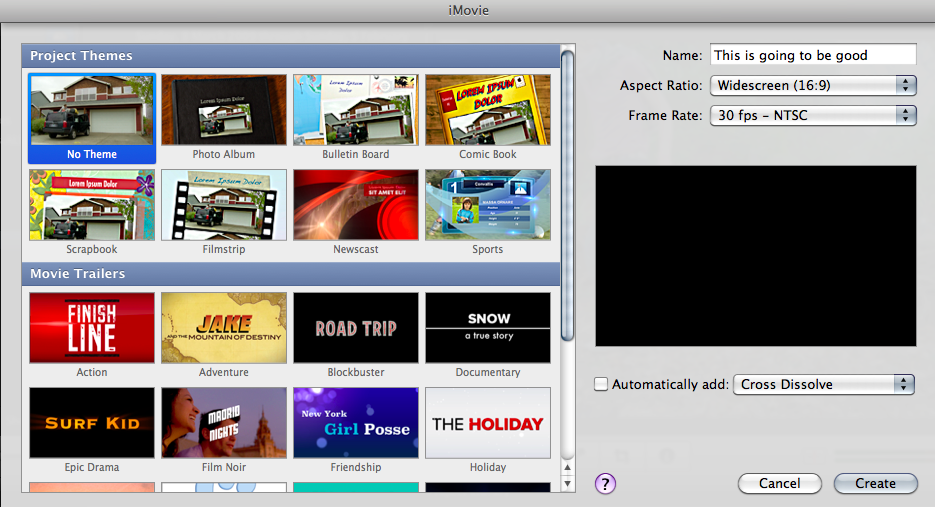
Using the “No Theme” option will boost your creativity and spread your wings. giving you billions of new options that will allow you to build a film that is your own. If you go down the individual route, creating your own transitions and design, it will take longer but, done well, you may get some better responses.

Marry me!
I hope you win the lottery! 😀
Look out Hollywood!
The dislike bar is smaller than Justin Bieber’s penis!!!
FIRST!!!

So, with only one small change in the settings, you will be a movie making legend.

After a small amount of time, your shiny Mac will start to fill up with programs, movies and pictures. What happens then?

Step 3: Clearing up the mess

You have been on your Mac for a month or two now, but you must remember its not a PC. It’s a Mac. Desktop items should be non-existent. So, if you spend your time dragging funny pictures off Facebook, you should stop right now.
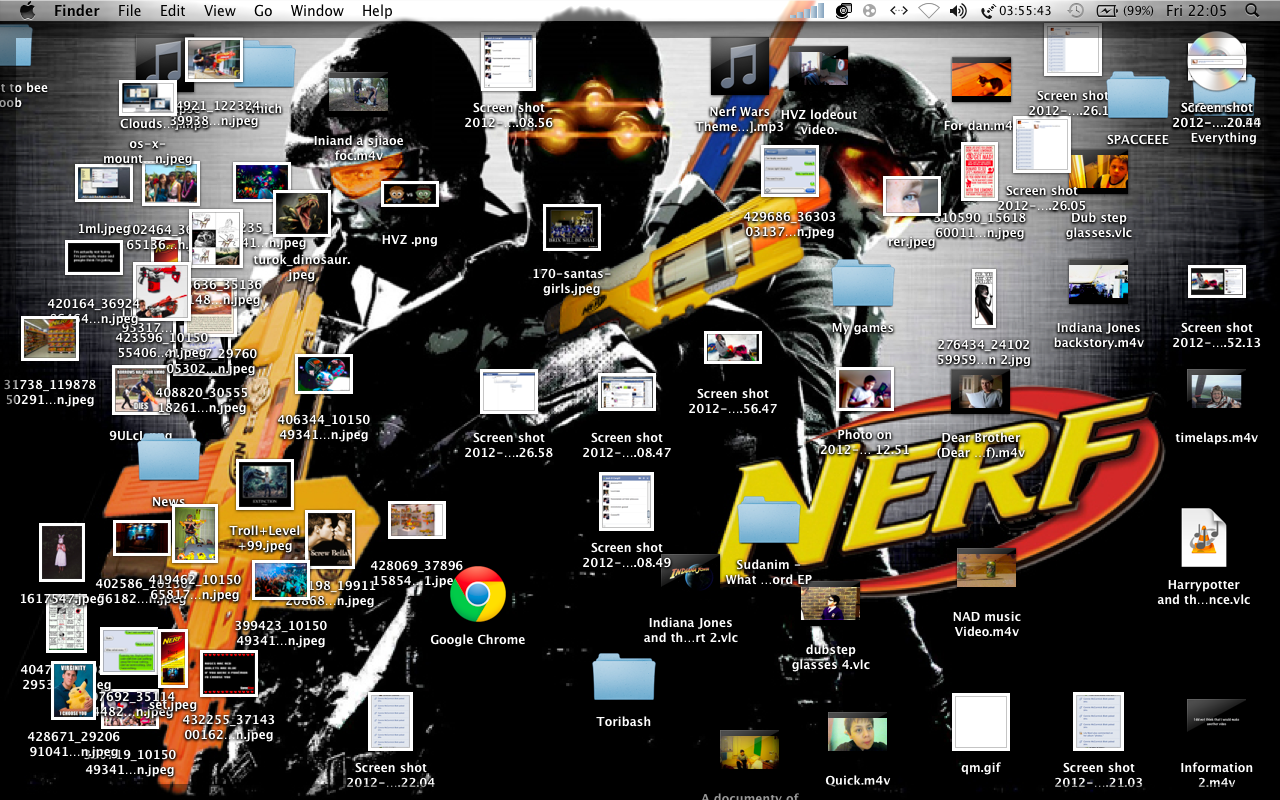
Well done. You have destroyed everything your Mac stands for with your custom background and your jumbled mess. If this was a human, I’d shoot it in the face. Do the people around you a favour and clear it up. Until you clear up that mess, don’t even think about talking to me. Why the heck do you have all those stupid pictures on your desktop? Sort it out!
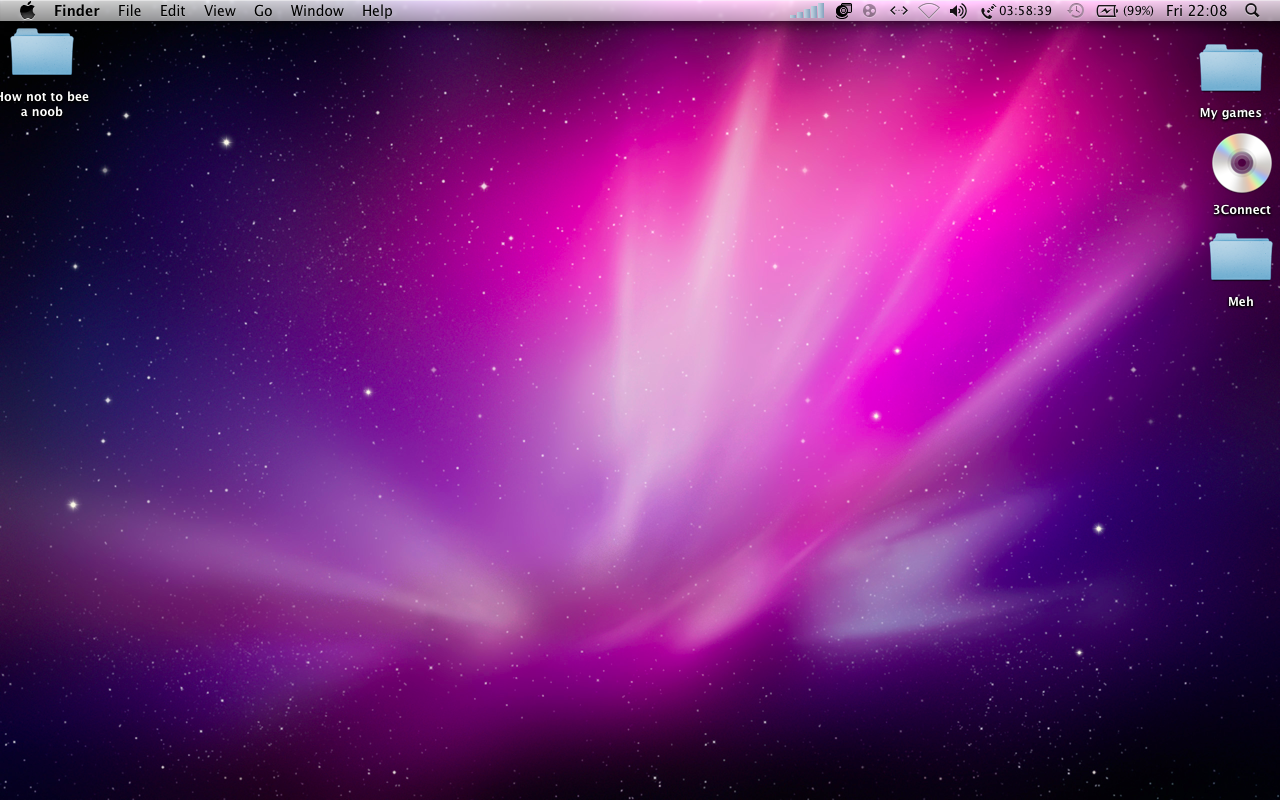
That’s better.  First, make some folders. An original Apple background or a minimalist image is definitely the best for your computer, with a maximum of 3 folders present on your desktop. Don’t just make a folder called “Everything” either. There is no point and I will hunt you down.

Now you have mastered things like the desktop, you might want to mess about with the settings.

Step 4: Changing the settings

One thing I hate about people with Macs is them changing the settings. They spend their time mucking around with the background change time and dock position. Why? Don’t you think Apple tried hard enough to make sure your experience good enough? It’s people like you that make Steve turn in his grave.

Look at this! You have changed the settings so that you get a different background every 5 seconds! Other then your computer lagging all the time and overheating when it try’s to go into standby, life’s perfect. You can see a different colourful default background every 5 seconds when not looking at your background! Well done. Slow clap GIF for you. Let me go post a Facebook status about it.

Wait a second. Where’s the dock? Oh, you put it on the side.

WHY? WHY WOULD YOU DO THAT? WHAT IS THE POINT? SERIOUSLY!  WHY DID YOU THINK THAT THE LEFT HAND OF YOUR SCREEN NEEDED MORE LOVE? WHAT ABOUT EVERY TIME YOU TRY TO CLOSE A WINDOW?
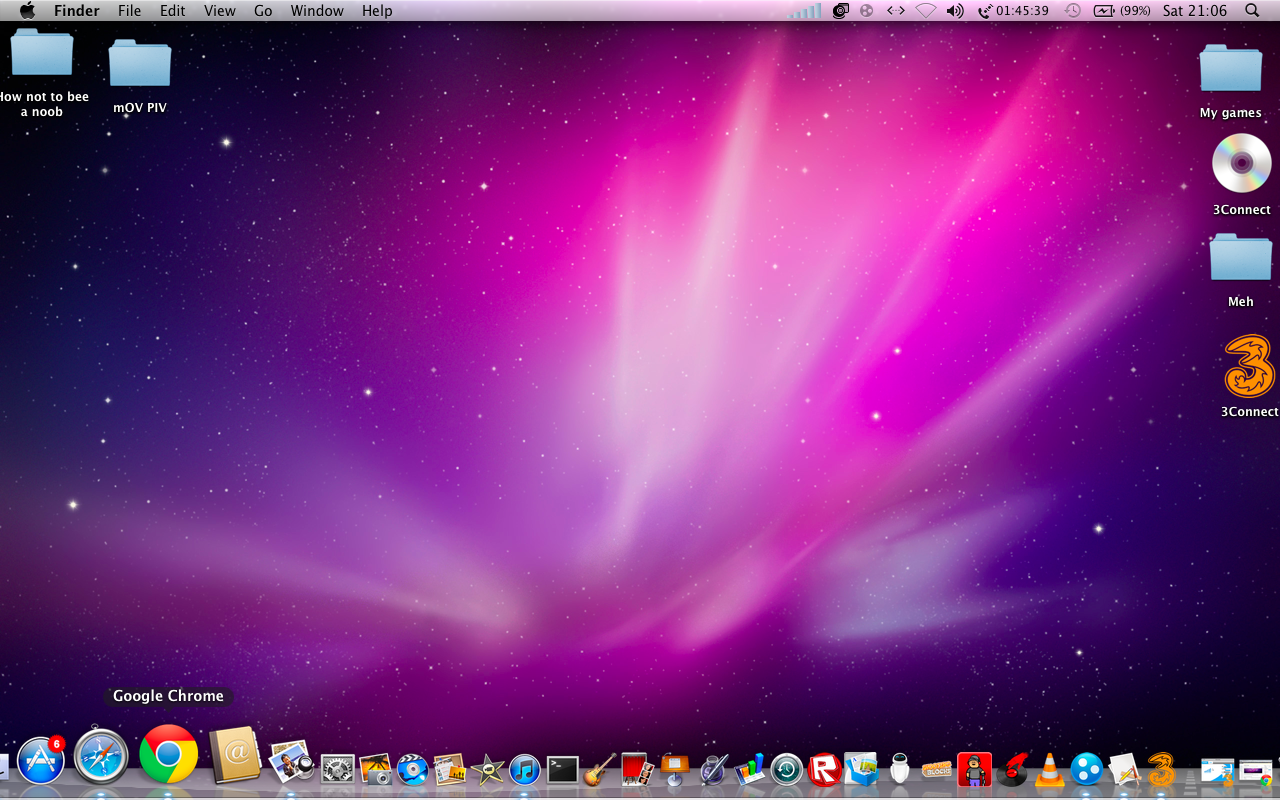
Instant improvement. Seeing the dock in its rightful place makes me feel a lot calmer. I’m happy to say that I would love to use this Mac. Go into any Apple Store and you will see all the computers are set up like this. Why? Because that is how it is meant to be. Sir Jony Ive does things for a reason.

When I get stressed like to listen to some music on iTunes or Spotify.

Step 5: Listening to music

As a movie maker, I have quite a few sound effects in my iTunes library. Sometimes I forget this and sit down listening to some deadmau5 on shuffle when *BANG* I am shot through the brain with some gun sound effect I forgot to put in a folder.

When I sit down at my friends computer and see this I almost want to cry. Yes, it has sorted into automatic playlists, but  there is one separate playlist of one song! What is this madness? Also, I will be listening to some Alex Day when the wrong deadmau5 song will come on and ruin my happy clappy poppy mood!

This is the way it should be done. All my sound effects, audiobooks, music and voice memos have their own places and don’t get mixed up. I can continue to listen to my music in peace.

Now you know how to use a Mac. Have a GIF!

I have taught you all you need to avoid noobing out. Stick to these rules and you will experience your Mac as Apple intended. You will love it and it’s all thanks to me. Whenever somebody you care about gets a Mac, do the right thing and send them here. It’s the only way to be certain that they will make the most of the fruits of Apple’s labour.

Happy Maccing everyone!

Apple unveils OS X Mountain Lion

In 2011, Apple launched Mac OS X Lion, an operating system that combined multitouch capabilities with a classic desktop OS but even after this short time, they have confirmed the release of an updated version to launch in the summer. OS X 10.8 Mountain Lion, confirmed on Thursday, is an improved and tweaked version Mac OS X that adds new features like AirPlay mirroring, iMessages and Notification Center, aiming to bridge the gap further between OS X and iOS.

Messages

The integration of iMessage and other services will greatly improve the iChat system. As a Mac user I am disappointed to say that I have never used iChat because, not knowing many other Mac users, I have a tendency to use Facebook and Windows Live to communicate. I do however know many people that have some sort of Apple product that uses the Message software. This will definitely make me use that software more, but, under all the fancy new features, the new name and slight redesign, it is just a update to iChat. But at least it has GIF support.

Notification Center

The Notification Center will be familiar to all iOS 5 users. The annoying thing that you pull down when trying to play Temple Run will now also be found on your Mac. I have never used this feature on my iPod other then to check my Facebook notifications, but it will be more handy to see what apps need updating. Other then that I find it pretty pointless but a nice touch nevertheless.

AirPlay Mirroring

One of the most advanced new feature of the software is AirPlay Mirroring, which allows you to duplicate your Mac’s screen through your Apple TV in 720p. In the past, this was only achievable by using a HDMI cable or with a device sporting iOS 5. This will be great if you have one of the hockey pucks or when the much rumoured real Apple TV gets released.

There’s loads of stuff in Mountain Lion and I have barely scratched the surface of this product. I’m definitely looking forward to getting to use the software and I will be sure to get it when it gets its Mac App Store release in the summer.

iOS AOTW: Temple Run

Today’s app of the week for iPhone, iPad and iPod touch is Temple Run by Imangi Studios.

The best mobile games are ones that you just cannot put down with simple controls, and Temple Run hits the nail on the head in this respect. The game starts with you being given control of an explorer who has stolen an idol from a temple hidden deep inside a jungle. You have to run away from the vicious monkeys who want the idol back and, by swiping and tilting your device, you collect coins, slide under fire, jump over gaps and try to avoid smashing your face into a tree. Coins and power-ups are scattered around the place and are used to purchase upgrades to your character. Additional coins can be purchased in-game if you want them as well.

Temple Run is fantastic and addictive and that is precisely why, despite the fact that the game itself is free, it remains the top-grossing app in the UK App Store.

Temple Run, iOS, Free
Download from the App Store or visit the website

Steve Jobs impersonated to sell another worthless Android tablet

A small Taiwanese company has tried to promote its new Action Pad tablet by getting an actor to portray Steve Jobs with wings and a halo. Disgusting.

iPad 3 rumours suggest the obvious

Rumours are abound that Apple have begun to produce the next iPad, imaginatively named the iPad 3. Bloomberg are saying that 3 knowledgeable people claim that the device will come with a quad-core A6 processor, a high definition ‘Retina Display’ and support for LTE. This is all set to hit stores in March or April and, from the award-winning iPad 2, this stuff just seems like a natural progression for Apple. The company are set to hold an education event in New York next week, where textbooks for iPads are expected. A cheaper ePad has been speculated by some forum posters on The Verge and none of this stuff sounds too far-fetched to me. We will find out what Tim Cook has up his sleeve in due course, but no Apple launch would be complete without crazy speculation, would it?

What we’re looking forward to in 2012

2011 is nearly over and we can all agree that it has been pretty good for tech. Nokia’s credibility returned and people began to talk to their phones. We all know, however, that 2012 can be epic. Here is what we want from the year ahead.

Windows 8

We know it’s coming in 2012 with a beta as early as January. I love the Metro UI on my phone and I am looking forward to seeing it on both tablets and computers, and not to forget Windows Phone 8 that is rumoured to be coming in the third quarter of next year.

Nokia’s Windows 8 tablet

Following straight on from Windows 8 comes the Nokia tablet that Paul Ansellem, GM of Nokia France, assured us would be available by June. Due to the recent partnership between Nokia and Microsoft, the ‘Lumia Tab’ would likely be the first Windows 8 tablet so this inadvertent announcement could give us information as to the release date of Redmond’s next OS. Plus, if it looks anything like an enlarged Lumia 800 as My Nokia Blog’s mockup suggested, the DX offices will be full of productive happy bunnies.

Nokia Lumia 900

Speaking with a French paper, Ansellem said that the fantastic Lumia 800 was like the BMW 5 series. Great, but a 7 series is better. Numerous leaks have suggested that it will be an 800 with a larger screen, the Lumia 900. The 800 is a great phone but in my opinion a 4.3 inch device with a high resolution and HSPA+ is what the market needs. I don’t give a damn about LTE because I hate Ofcom.

The inevitable rise of Windows Phone 7

With the number of apps on the Marketplace recently having broken the 50,000 barrier, it’s no surprise that our favourite OS Windows Phone 7 is growing. Unfortunately it is not yet at the same level as iOS or Android, but hopefully in the next 12 months Microsoft will catch up to their competitors and Nokia will produce some awesome handsets and WP will eat it’s way into the market.

Apple without Steve

With Steve Jobs having passed on earlier in the year, we still are not sure as to how Apple are going to cope without him. Even though Steve will have planned ahead before his passing, Tim Cook is having to fill a big gap that was left by the father of the modern computer.

RIM

I am sure that everyone is looking forward to the final nail in RIM’s airtight coffin which is most likely going to come in the coming year. So yeah. Death to RIM.

webOS goes open source

Since Leo Apotheker won the idiot of the year award, people have been wondering whether webOS was dead or not after HP announced they were discontinuing its use in their products. However at the beginning of  December, it was announced that HP would be making it open source, in the coming year we are looking forward to manufacturers creating webOS devices.

HTC going for quality over quantity

Apparently HTC are going to completely change their marketing philosophy and go for quality over quantity. Hopefully in the next year we will see something good come from the Taiwanese company instead of such abominations as the HTC Sensation, Sensation XE and Sensation XL. DEATH TO SENSE.

That is all.

iOS AOTW: GarageBand

From now on I will be doing (roughly once a week) a post on a good iOS app and what I think about it. Today we get a first party app called GarageBand.

It’s GarageBand. On iPad, iPhone and iPod touch. Need I say more?

GarageBand, iOS, £2.99

Download from the App Store or visit the website

Is Siri any good?

One of the major selling points of Apple’s new iPhone is Siri, the voice activated digital personal assistant. It can read and write messages  for you, play songs at your request, give you directions in the USA and understand not just your words but what you mean as well. But Siri is known on the internet not for its functionality but for its hilarity. To see whether it actually worked and whether the iPhone 4S is a worthy upgrade Henry and I took a trip to the Apple Store. Watch our findings below.