Nokia 100 review

Nokia is still one of the world’s largest mobile phone manufacturers not purely because of high-end smartphones, but certain markets demand different devices, like the latest bargain from Espoo, the Nokia 100. Picking this phone up for £15 unlocked, you can’t really expect much other than Nokia’s standard durability, a feature I most value while finding the perfect phone. With no microSD slot for storage expansion, no camera or any other remarkable hardware this is not a phone for you gamers out there or lovers of music but for those who want a simple, reliable and frankly indestructible phone, this is definitely the phone for you.

Hardware

With a 800 mAh battery, a common capacity for most phones of its calibre, you almost never need to worry about charging your phone. The 100 will give you 7.5 hours of talk time and 850 hours on standby, meaning that you can leave it on in your pocket for a whole month before charging. The flash light equipped has proven useful, being bright and not munching on too much battery. This function can be activated by pressing the top cursor twice. Even though this phone hopelessly fails at providing you with entertainment, it still has a built-in FM radio tuner that, with a compatible headset, plays at an impressive quality. Another, and perhaps my final criticism of this phone is the alarm system. I can’t for the life of me figure out how, or if, it works. I have set an alarm on various occasions, each time going off on time but failing to make any noise, even with all the sound settings on loud. There may well be an obvious feature I have not yet activated but this is still a let down.

Due to the phones simplicity, there is not much more to talk about other than how indestructible it is. As I write this, Xavier and Kieran are playing catch with the 100, which is dust proof and made from very tough materials, just as you would expect from a Nokia.  On occasion, the battery does come out with a very sudden impact landing, but the phone boots in just under 4 seconds. Whether this phone is waterproof I do not know but I do not plan to try it out. (Digixav is not responsible for any broken Nokia phones as a result of them being plunged in water – ed) All visible hardware on this phone is either made from stainless steel, copper, zinc or aluminium and the plastics which make up the majority of the phone are ABS/PC, PET, PA and epoxy. These materials may well be the result of how light this phone is, weighing slightly over 70g including the battery.

Conclusion

If you want a cheap, durable, brick of a phone that does precisely what it should, ie. call and text, then look no further than the indestructible Nokia 100, or its dual-SIM cousin the 101. The phone is compact, simple and reliable, and it will almost certainly be able to handle anything you throw it at.

Nokia Lumia 710 review

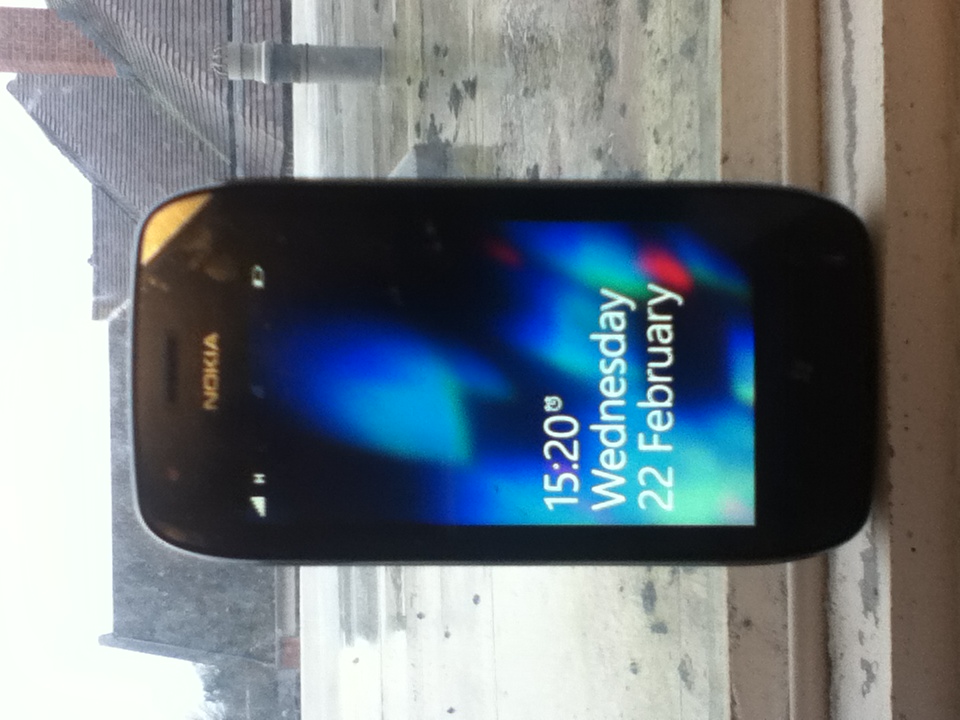
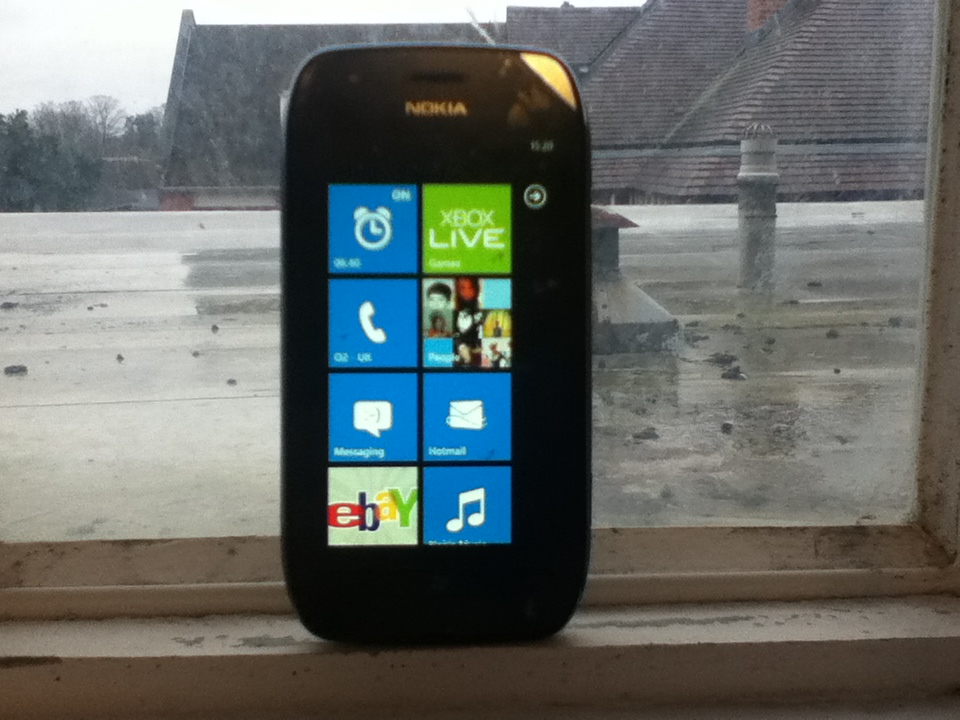
Nokia’s first Windows Phone, the Lumia 800, was just what they needed to get back into the market. Running Windows Phone 7.5, the phone won multiple awards and the hearts of many consumers. Also announced at Nokia World in London at the same time was the Lumia 710, pitched as the affordable Lumia device. Now, this device has made it to the UK at a slither under £200 on pay as you go, but, with fierce competition from hordes of Android and BlackBerry devices in the same price range, is it enough to win people over?

Hardware

Internally, the 710 is almost identical to its more expensive bretheren, the 800 and the 900. The phone comes equipped with the same 1.4GHz single core Qualcomm MSM8255 processor and Adreno 205 GPU, resulting in snappy performance in everything we have tried with it. The phone has a 3.7″ display with the current standard Windows Phone WVGA (800 x 480) resolution and Nokia’s ClearBlack technology, allowing for deeper blacks and slightly more vibrant colours. While the 800 and 900 both use AMOLED displays for more vibrant colours, Nokia used an LCD to cut costs on the 710. It still looks quite good with the same 252ppi density as the 800, but, comparing the 2 devices side by side, the difference in the displays is very noticeable. As ever, the PenTile layout of sub-pixels causes occasional problems while reading text, however this can easily be rectified by zooming in when able to. The phone has fantastic viewing angles with very little discolouration occurring, with more problems being caused by the overly glossy screen.

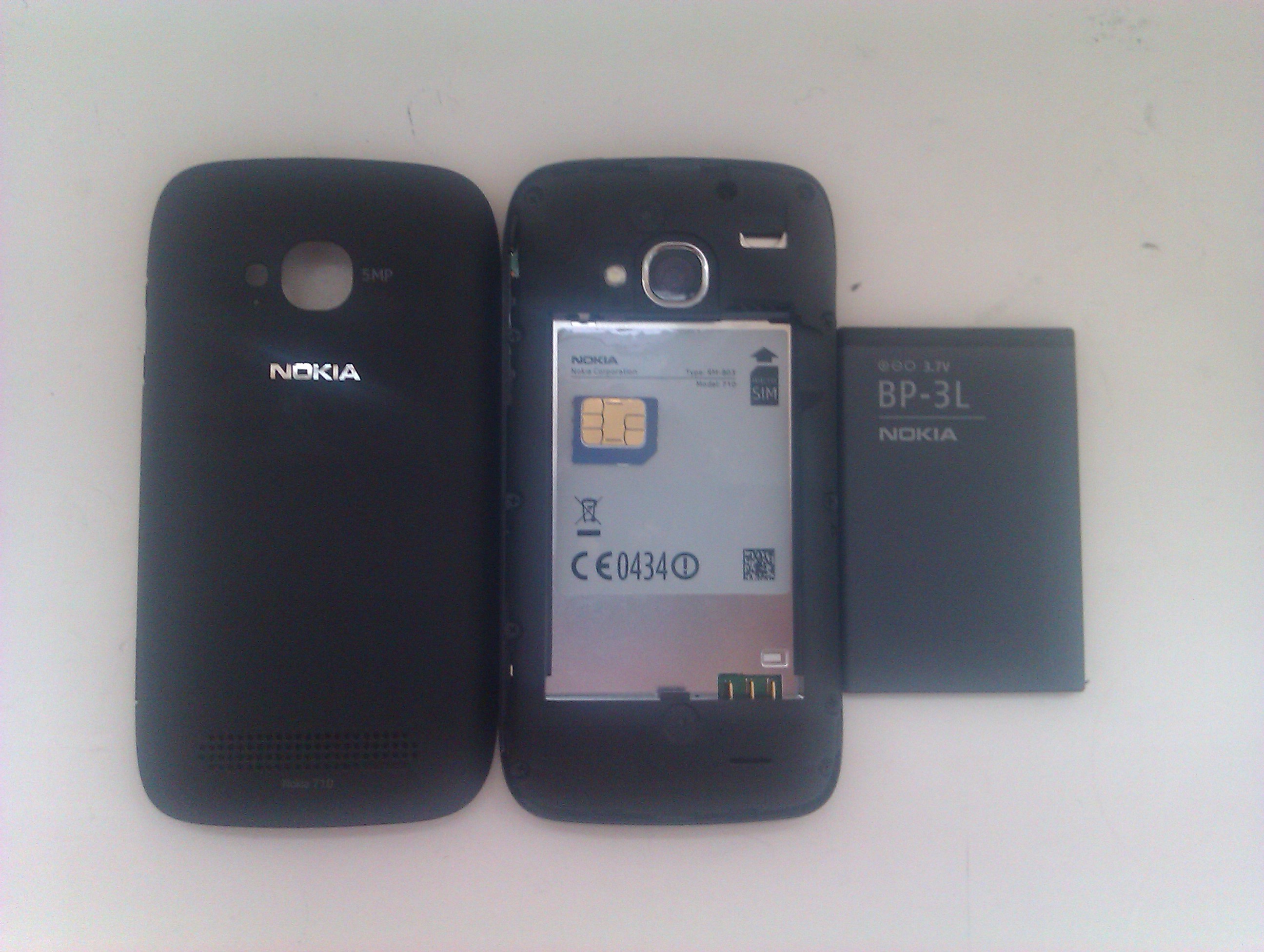
One of the main advantages of the 710 over the 800 is its removable 1300mAh battery, allowing for the obligatory battery pull if problems arise. Booting from a battery pull is incredibly quick, certainly around 3x quicker than my aging HTC Wildfire and also the HTC HD7. Nokia claim that the battery lasts around 7:40 on a single charge while connected to a 3G network, and we have found this to be not far off the truth.

The phone is quite heavy at 125g, but it feels very comfortable in the hand. One problem I have with small screened devices is that they are often very thin and, as such, sit low down in the hand. The 12.5mm deep chassis feels fine in my hand, allowing my thumbs to move freely across the device without engulfing it as with the iPod touch. The phone is both thicker and heavier than my daily driver, the HTC Wildfire, but it is hardly noticeable in my pocket and I could easily move up to a phone of this size. Being a Nokia, it feels like it has been made with care, and that it could withstand anything. A sheet of Gorilla Glass is on the front to protect against cracks and scratches, but we didn’t want to test the ruggedness of it on fear of something going wrong.

The phone requires a microSIM card which can be slightly awkward to insert and remove from its slot, but, most importantly for a phone, the call quality is fantastic. When using the O2 network, the Lumia provided crisp, clear sound, and the caller was very audible throughout. This feature of a phone is often overlooked, but it is good to see Nokia ensuring that users get the best experience from the HSPA+ radio inside. My biggest problem with the entire phone, however, is the lack of storage. Since the phone has no ROM, the OS takes up a good chunk of the paltry 8GB storage, leaving only 6.4GB free to the user. With no option to expand this with microSD, you must rely heavily on the cloud for your media consumption if you pick up the 710.

Camera

Similarly to the 800, the Lumia 710 does not have a front facing camera but video calling with a phone is not something that matters to me. If you want this option available or feel it to be a necessity, then an HTC Radar would probably be the best option for you, despite the premium of about £80 over the 710. The rear facing camera lacks the Carl Zeiss optics of Nokia’s high-end cameras, but shoots decent, albeit slightly grainy, shots at 5MP in a 4:3 aspect ratio. The phone also shoots video at a 720p resolution, but we are unable to upload the test footage at the moment. We will update this review when can to include this footage, which is surprisingly good, handling movement very well for a mid-range phone.

Software

By and large, the phone has a stock Windows Phone 7.5 operating system which is as superb as ever. On the 710, it performs fantastically, with no problems handling games such as Rainbow Rapture and Crazy Survival. One thing that people use against Windows Phone is the relative lack of apps, however, at the time of writing, the Marketplace has reached As our unit came unlocked, it is fortunately free of carrier bloatware, but, as Nokia made clear at the unveiling in October, the Lumia range comes with a number of predominantly functional and useful pre-installed Nokia-centric/exclusive apps which can thankfully be uninstalled if desired.

  • App Highlights – Basic app suggestions in 4 columns: Starter Kit, Top Apps, Promo and Cool Stuff.
  • Contacts Transfer – A simple app that can be used to transfer contacts from your old phone via Bluetooth.
  • ESPN – Just as you would expect, this app has the latest sports news and videos from ESPN. Great for sports fans.
  • Marketplace – A Nokia Collection is featured in the Marketplace with the pre-installed apps along with other Nokia-exclusive apps WRC Live and TuneIn Radio.
  • Network Setup – An app that allows you to select which mobile network to connect to. Pointless after first boot.
  • Nokia Drive – Fully functional voice navigation for free – a great reason to buy a Nokia phone full stop.
  • Nokia Maps – Nokia’s fantastic map service is now on all platforms, but it is still better than the pre-installed Bing Maps app.
  • Nokia Music – Listen to mixes of music selected by Nokia, once again for free. A store is also available in the app.
  • We Care – Nokia tell you that they respect your privacy and about what they do with your data. Waste of space.

One thing that is missing is the ability to tether from the phone. Enabled with the Mango update, Nokia oddly chose not to include a tethering option in either the 800 or the 710 at launch. A software update enabling it was promised for the 800 so, should such an update ever come, the 710 should also be in line for the update. The lack of tethering is off-putting for me as I tether perpetually at the moment, but I could survive through the phone itself should it become necessary.

Design

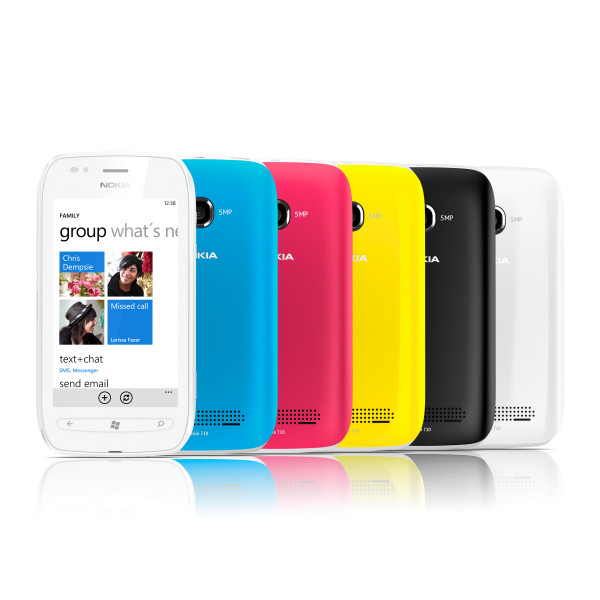
No matter how you look at it, the 710 is the ugly duckling of the Nokia Lumia family. When compared to the elegant 800 with its sweeping curves and polycarbonate shell, the 710 is rather disappointing, something I mentioned when I wrote about the phone shortly after its launch. Granted, the phone does look a hell of a lot better in the flesh than any images could demonstrate, but there is something about it that doesn’t look right. In accordance with how the N9 design was recycled for the 800, the 710 borrows its form factor from the Nokia 603, a phone released with Symbian Belle that, like the N9, has not had an official UK release.

To appeal to certain demographics, the 710 comes in black and white with a whole host of interchangeable back covers to fit your mood. The black model that we reviewed came with black and blue covers out of the box, however I have yet to find a retailer that stocks the other colours. The black cover is coated with a soft-touch plastic and it feels very nice in hand, but I cannot say the same for the blue one. It feels of a lower quality and not as robust as its counterpart, and I think that the phone looks better as plain black anyway. The covers go on in a rather strange and fidgety manner. Unlike most battery covers which lock on from the bottom or top, the cover on the 710 requires connection on the right hand side at first, before wrapping around the device. Often, the case requires a further press above the camera lens to ensure a secure connection, and the method of removing the case takes some getting used to.

Unlike the 800 and most other Windows Phones on the market, the 710 has physical keys at the bottom instead of the normal capacitive buttons. The strip feels solid, but aesthetically it is not pleasant. The LEDs for the back, Windows and search buttons appear quite far away from the surface of the plastic, which itself is almost flush with the glass on the front, making the buttons hard to press on occasion. I can’t help but think that capacitive buttons would have been a better choice, but I understand that the corners had to be cut somewhere to get the phone to be half the price of its polycarbonate brother.

Conclusion

The Nokia Lumia 710 is a fantastic smartphone for those on a tight budget. For half the price of the 800, you get the exact same hardware, save for the display, the camera, the storage and the design. As I said, the phone looks so much better in the flesh than in pictures but undoubtedly the 800 and 900 look better. That being said, the phone is tremendous for the price. For Nokia to be selling such technology at such a low price is worthy of celebration, and I would thoroughly recommend this phone to anybody in the market for a great all-round smartphone at a low price.

Many thanks go to Digixav reader Joseph Bryant for lending us his phone for this review

Microsoft slams Google Apps in new web video

Microsoft today released a video to their YouTube channel promoting their Office suite over Google Apps for Business for productivity. In the video, a soul singer representing Microsoft lists the faults and dangers of using Google Apps, while a ‘Googlighting stranger’ tries to act smooth and win over a potential customer who wants more than Google can provide. Whether this kind of direct attack video will catch on we don’t know, but the video itself is entertaining and can be watched below. Microsoft also set up a companion website with links explaining the differences between the services and of course the productivity advantages of working with Microsoft.

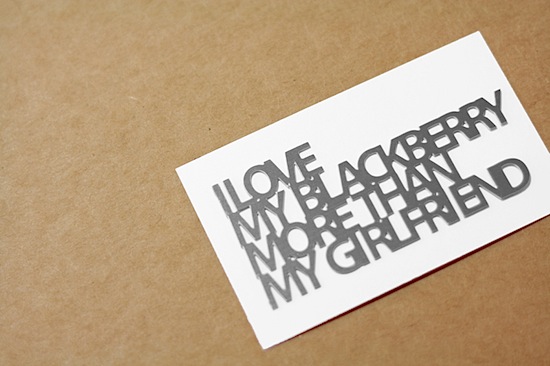
Why I love my BlackBerry

There are many aspects about BlackBerry devices which this site has constantly reminded us are negative, but I, as a Curve owner, love my phone. Now I will try to defend this marvelous piece of technology.

Admittedly there are some things about the BlackBerry which are not up to scratch e.g. the constant crashes and crappy cameras, but also things are also very well done e.g. the hardware QWERTY keyboards. This is not a phone built for gaming so, if that is what you have had in mind for your phone, do not buy a BlackBerry. The BB has a wide range of apps that are useful for many things but not that many games can be found in the App World so, like I say, consider every aspect before you run into buying a phone which you will later regret. It is a lot more about socialising and business ventures because it is easy to send and receive e-mails and to surf the web while on the go.

One of the key features of BB is BlackBerry Messenger (or BBM). This proprietary service is great for contacting your friends. There are many apps out there which are available cross-platform but these are not as recognisable as BBM and also can be slightly confusing and hard to use if you do not know what you are doing from the beginning. I have broken many a phone having not known how to work the phone as a whole or just a certain aspect of it and this is unacceptable for non-technically-minded people.

If you get a Curve, BlackBerry phones can be very inexpensive. These cost next to nothing compared to iPhones and some Windows Phones which can cost ridiculous amounts of money. There is no need at all to spend £500 on a phone, excluding the newest models and especially the sexy PorscheBerry. The “click… click… click…” noise that Hannah complained about last week does not annoy me and can be easily avoided. and and the buttons on the qwerty keyboard is just the right size for people with normal sized hands. It is the right size to fit in most pockets and is also very easy to use and very straight forward.

Teenagers enjoy their BlackBerries for many different reasons, mainly because they look stylish and are cool. Everybody who is anybody in a secondary school either has a BB or has owned one. It has become a necessary accessory for those who wish to become cool. Saying this, I also recognise that RIM will have to pull their fingers out of their arses in order to stay alive and remain a major player in the smartphone market. There is a lot to be improved and fashions change but, at the moment BlackBerries are in and, like it or not, I don’t see desire for them fading anytime soon so get used to it.

LG unleashes the Optimus Vu phablet

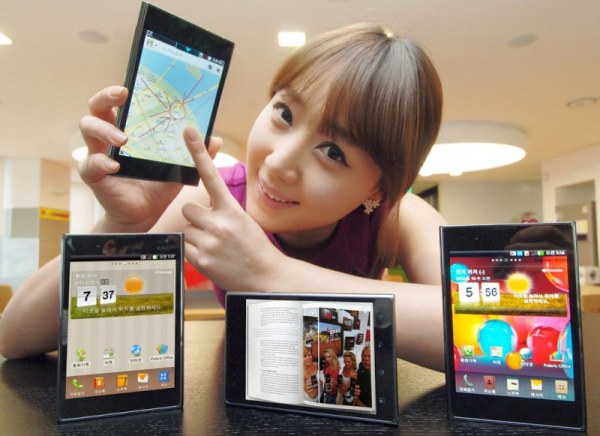
Thought the Galaxy Note was ridiculous? LG may have now outdone them with the announcement of the Optimus Vu. This 5 inch phablet has less screen real estate than the Note, but the sheer amount of bezel and ridiculous 4:3 aspect ratio makes sure that it is in fact wider than Samsung’s offering. Sporting LTE and Gingerbread for its launch next month, the phone will receive Ice Cream Sandwich within the next 3 months. More news about it is set to come at Mobile World Congress at the end of the month, and the spec sheet is below for your perusal.

  • 139.6 x 90.4 x 8.5mm
  • Weight: 168g
  • 5-inch IPS 650 nit display at 1024×768
  • 8MP rear camera, 1.3MP front
  • 32GB storage
  • 1.5GHz dual-core Qualcomm processor
  • Android 2.3 Gingerbread
  • 2080 mAh battery
  • HDMI
  • DLNA
  • WiFi Direct

How to use a Mac

So you got yourself a Mac. You have invested in the Apple ecosystem and you’re probably new to all of this. Before you get all cocky and consider yourself to be a rich computer god, you need to think a few things through.

Step 1: Telling everyone

First, and arguably most importantly, is you are not, repeat NOT, a ‘computer overlord’. You just have an overpriced computer with a glowing piece of fruit on the back. Yes, Macs are cool, but bragging is not. Let’s start on how to tell your friends. Telling them through a computer is OK, but think before you post.

This is not the way to tell people. You will lose a lot of friends very quickly. Instead of them going…

You’re the guy with the Mac, right? You’re epic!

It will be more like…

You got a Mac? Screw you. Did you know that millions of little Chinese kids died making that?

This is the way you should do it. It shows your friends that you consider yourself equal to them while humanising yourself with the admission of being a noob. Your friends will coincidentally become closer and will be always be asking to have a look.

Now you have your Mac and your friends all love you, you might think to make a movie. Well, I did anyway.

Step 2: Making your first movie

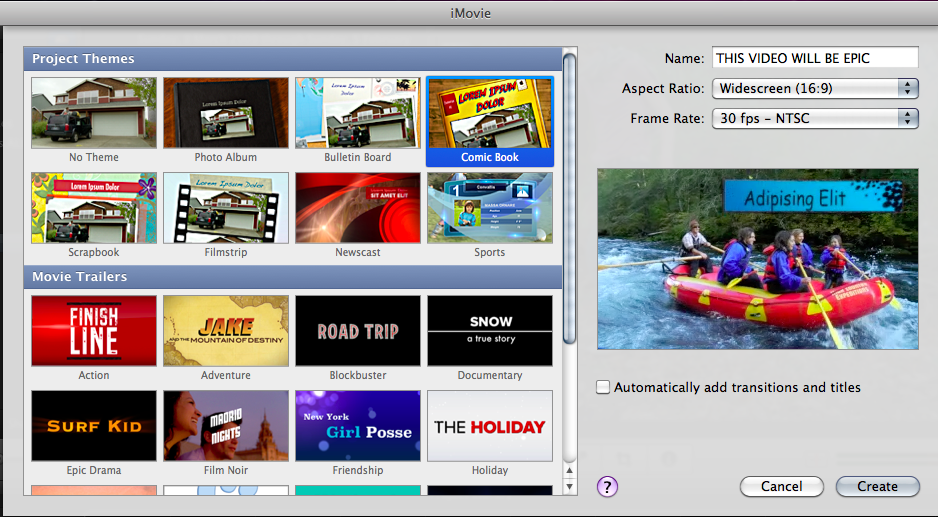
Macs are often used by creative people and, as such, many creative programs exist for content production on OS X. If you are just an amateur who wants to get started, you should use Apple’s own iMovie software, preinstalled as part of the iLife suite on every new Mac. It is very simple and has loads of bundled themes and effects, but they aren’t necessarily the best things to go for.

The option of a built-in theme is possibly the the worst idea for any film-maker seeking their own identity. I know you’re (probably) not George Lucas, but, with its crappy music and terrible transitions, any video like this uploaded to the internet will be trolled from all sides, posted on forums and ripped to shreds by haters. All the comments will be by pathetic idiots with nothing constructive to say. Expect things along the lines of…

ur a default n00b
i hope you never reproduce
worse than beiber
FIRST!!!!
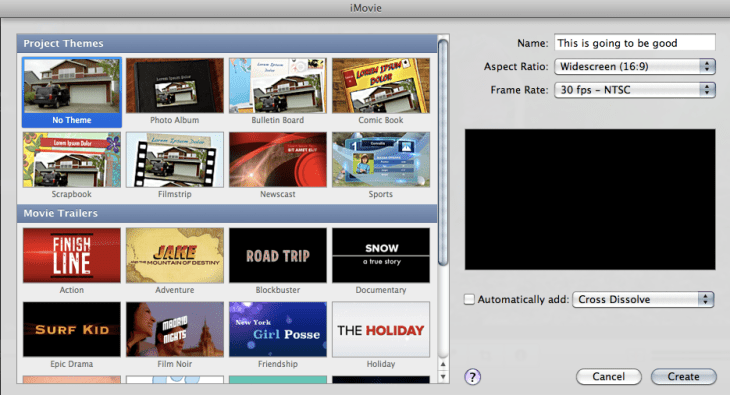
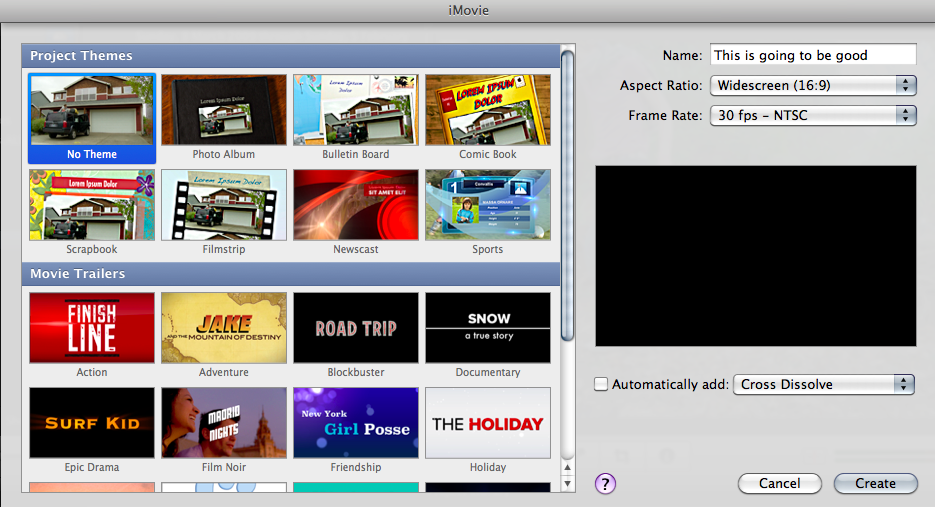
Using the “No Theme” option will boost your creativity and spread your wings. giving you billions of new options that will allow you to build a film that is your own. If you go down the individual route, creating your own transitions and design, it will take longer but, done well, you may get some better responses.

Marry me!
I hope you win the lottery! 😀
Look out Hollywood!
The dislike bar is smaller than Justin Bieber’s penis!!!
FIRST!!!

So, with only one small change in the settings, you will be a movie making legend.

After a small amount of time, your shiny Mac will start to fill up with programs, movies and pictures. What happens then?

Step 3: Clearing up the mess

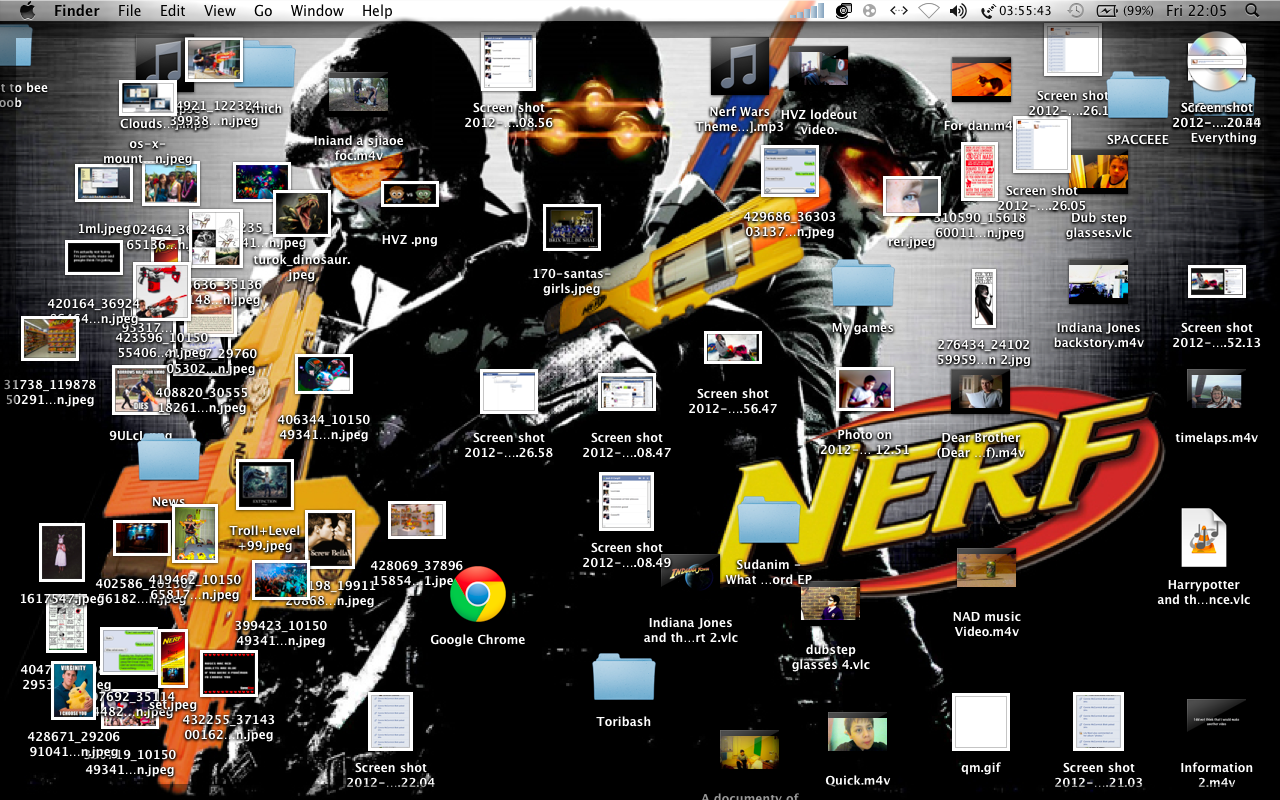
You have been on your Mac for a month or two now, but you must remember its not a PC. It’s a Mac. Desktop items should be non-existent. So, if you spend your time dragging funny pictures off Facebook, you should stop right now.

Well done. You have destroyed everything your Mac stands for with your custom background and your jumbled mess. If this was a human, I’d shoot it in the face. Do the people around you a favour and clear it up. Until you clear up that mess, don’t even think about talking to me. Why the heck do you have all those stupid pictures on your desktop? Sort it out!

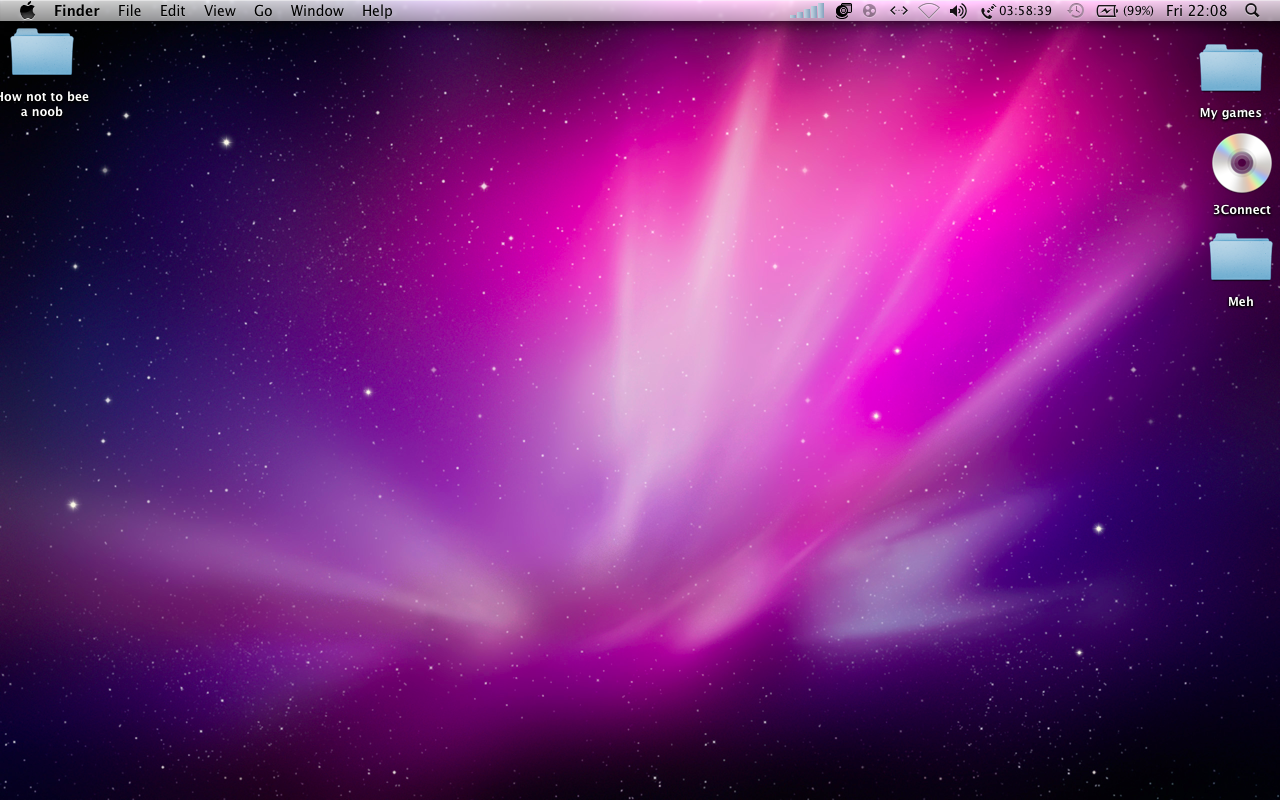
That’s better.  First, make some folders. An original Apple background or a minimalist image is definitely the best for your computer, with a maximum of 3 folders present on your desktop. Don’t just make a folder called “Everything” either. There is no point and I will hunt you down.

Now you have mastered things like the desktop, you might want to mess about with the settings.

Step 4: Changing the settings

One thing I hate about people with Macs is them changing the settings. They spend their time mucking around with the background change time and dock position. Why? Don’t you think Apple tried hard enough to make sure your experience good enough? It’s people like you that make Steve turn in his grave.
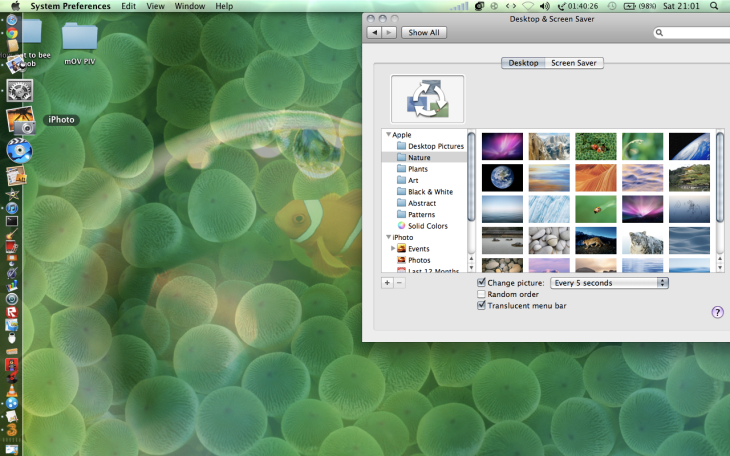
Look at this! You have changed the settings so that you get a different background every 5 seconds! Other then your computer lagging all the time and overheating when it try’s to go into standby, life’s perfect. You can see a different colourful default background every 5 seconds when not looking at your background! Well done. Slow clap GIF for you. Let me go post a Facebook status about it.

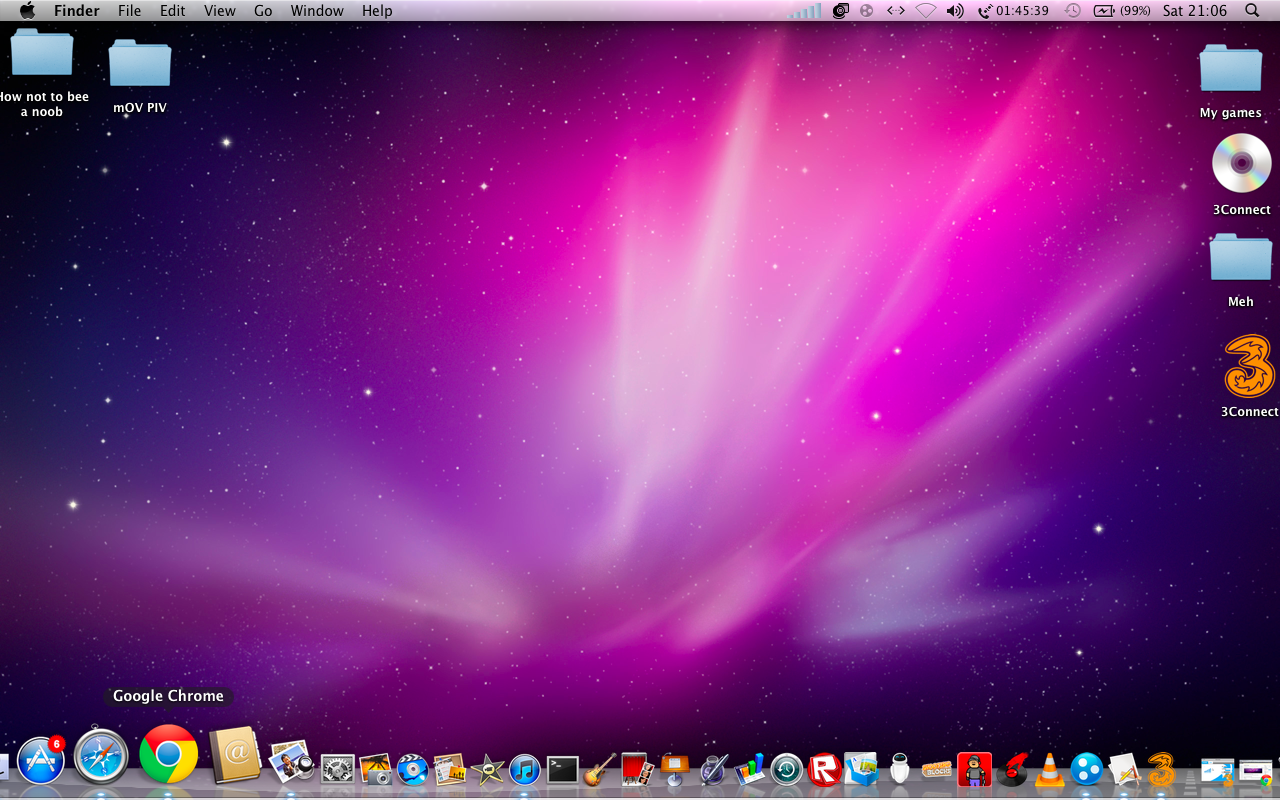
Wait a second. Where’s the dock? Oh, you put it on the side.

WHY? WHY WOULD YOU DO THAT? WHAT IS THE POINT? SERIOUSLY!  WHY DID YOU THINK THAT THE LEFT HAND OF YOUR SCREEN NEEDED MORE LOVE? WHAT ABOUT EVERY TIME YOU TRY TO CLOSE A WINDOW?

Instant improvement. Seeing the dock in its rightful place makes me feel a lot calmer. I’m happy to say that I would love to use this Mac. Go into any Apple Store and you will see all the computers are set up like this. Why? Because that is how it is meant to be. Sir Jony Ive does things for a reason.

When I get stressed like to listen to some music on iTunes or Spotify.

Step 5: Listening to music

As a movie maker, I have quite a few sound effects in my iTunes library. Sometimes I forget this and sit down listening to some deadmau5 on shuffle when *BANG* I am shot through the brain with some gun sound effect I forgot to put in a folder.

When I sit down at my friends computer and see this I almost want to cry. Yes, it has sorted into automatic playlists, but  there is one separate playlist of one song! What is this madness? Also, I will be listening to some Alex Day when the wrong deadmau5 song will come on and ruin my happy clappy poppy mood!

This is the way it should be done. All my sound effects, audiobooks, music and voice memos have their own places and don’t get mixed up. I can continue to listen to my music in peace.

Now you know how to use a Mac. Have a GIF!

I have taught you all you need to avoid noobing out. Stick to these rules and you will experience your Mac as Apple intended. You will love it and it’s all thanks to me. Whenever somebody you care about gets a Mac, do the right thing and send them here. It’s the only way to be certain that they will make the most of the fruits of Apple’s labour.

Happy Maccing everyone!

Add-on of the Week: Spool

First off, Spool, an innovative new add-on available on Firefox and Chrome, as well as being an app on iOS and Android. Think Instapaper but for EVERYTHING. Any media: video, text, pictures, all collected at the touch of a button and uploaded to the Spool servers, where you can enjoy them offline, on any supported device ‘in a clear format’. Using an innovative new ‘spoolbot’, all data is captured without the ads. Although the bot sadly has to watch all video before it can be uploaded, it’s still very impressive.

Even better; fretting about whether that video you just spooled was in Flash and so can’t be watched on your iPhone? Don’t! Spool automatically converts everything to HTML5 and so can be enjoyed on any device supported. We hope for a Windows Phone version as well as quicker upload times in the future. Best of all, right now it is in free, private beta. Don’t hesitate, join up now. If your interested, that link will give both you and me a shorter time of being accepted as the more people invited, the quicker the invite.

Much obliged

CS

Apple unveils OS X Mountain Lion

In 2011, Apple launched Mac OS X Lion, an operating system that combined multitouch capabilities with a classic desktop OS but even after this short time, they have confirmed the release of an updated version to launch in the summer. OS X 10.8 Mountain Lion, confirmed on Thursday, is an improved and tweaked version Mac OS X that adds new features like AirPlay mirroring, iMessages and Notification Center, aiming to bridge the gap further between OS X and iOS.

Messages

The integration of iMessage and other services will greatly improve the iChat system. As a Mac user I am disappointed to say that I have never used iChat because, not knowing many other Mac users, I have a tendency to use Facebook and Windows Live to communicate. I do however know many people that have some sort of Apple product that uses the Message software. This will definitely make me use that software more, but, under all the fancy new features, the new name and slight redesign, it is just a update to iChat. But at least it has GIF support.

Notification Center

The Notification Center will be familiar to all iOS 5 users. The annoying thing that you pull down when trying to play Temple Run will now also be found on your Mac. I have never used this feature on my iPod other then to check my Facebook notifications, but it will be more handy to see what apps need updating. Other then that I find it pretty pointless but a nice touch nevertheless.

AirPlay Mirroring

One of the most advanced new feature of the software is AirPlay Mirroring, which allows you to duplicate your Mac’s screen through your Apple TV in 720p. In the past, this was only achievable by using a HDMI cable or with a device sporting iOS 5. This will be great if you have one of the hockey pucks or when the much rumoured real Apple TV gets released.

There’s loads of stuff in Mountain Lion and I have barely scratched the surface of this product. I’m definitely looking forward to getting to use the software and I will be sure to get it when it gets its Mac App Store release in the summer.

HP Pavilion dv7 review

In August, HP were in turmoil. Leo Apotheker had killed webOS out of nowhere, announced that he wanted to spin off their PC division. Then he was ousted in favour of Meg Whitman who eventually came to the conclusion that it would be a good idea (gasp) to keep the world’s largest PC business. Apotheker is an idiot, and HP make fantastic computers, such as the budget Pavilion g6 range and the award-winning Folio ultrabook. Now, we have our hands on a Pavilion dv7, a high-end notebook designed for work and play, but can it justify its £949 price tag?

Hardware

The dv7-6b51ea that we are reviewing boasts a powerful 2.2GHz Intel Core i7-2670QM processor, capable of turbo-boosting to 3.1GHz, and a massive 8GB of RAM, enabling it to handle almost anything you throw at it. This, combined with the 1GB of video RAM on the AMD Radeon graphics chip and the 1TB hard drive means that this laptop is perched at the higher end of the spec table. HP didn’t stop there, adding in a few small things such as a fingerprint scanner and a Blu-ray drive to make it just that bit better. The display is a 17.3″ panel of 1600 x 900 resolution which, while having great contrast and a crisp picture, lacks in brightness, even compared to lower end laptops like the Pavilion g6. The screen does however have impressive viewing angles. The built in camera is quite crap, despite its misleading HP TrueVision HD label. Both videos and stills come out at a measly 640 x 480 resolution, and the frame rate is worse than a dustbin.

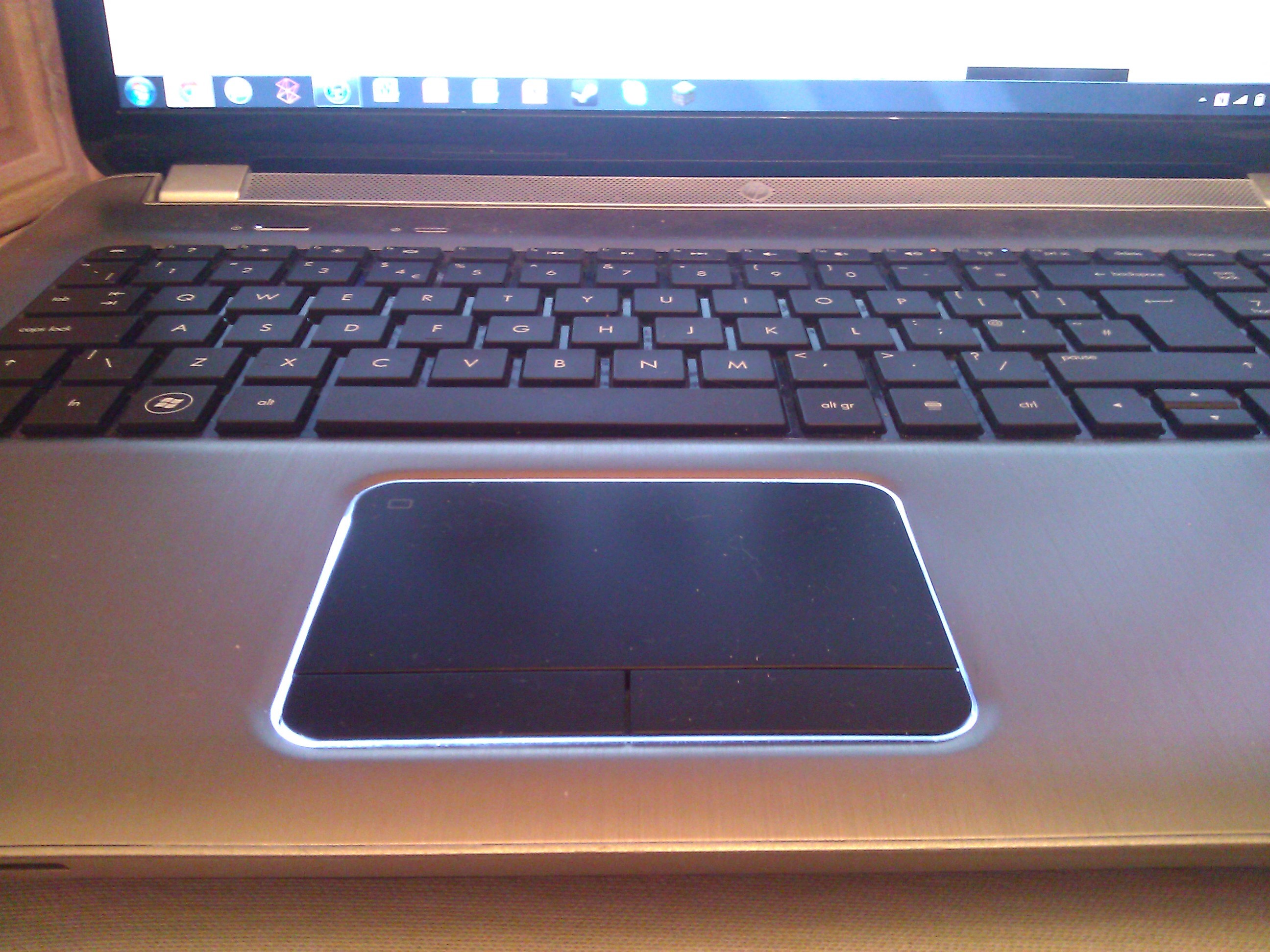
As with all flagship HP laptops, the dv7 range comes with Beats Audio as standard. The clarity of sound is fantastic, even when playing at full volume. Little distortion occurs and the HP Triple Bass Subwoofer ensures that my large Skrillex collection always makes my head bang. Most importantly for a journalist, however, is the keyboard and the one in the dv7 is quite simply fantastic. The keys are not too shallow, and a rubberised coating makes them very comfortable. The number pad, noticeably absent from some smaller HP devices, is convenient and as you’d expect. The trackpad, hilariously coined as a TouchPad by HP, is smooth and responsive, supporting certain multitouch gestures, but I still prefer using a mouse.

Design

The dv7 is a beautiful piece of tech. The core of the device is made from brushed aluminium, which looks and feels amazing. The base of the device is unfortunately made of plastic, but I can live with this. One advantage of the Envy range is the aluminium unibody, even if it is just a carbon copy of the MacBook Pro. The notebook is not the most portable one I have ever seen, but I haven’t had problems carrying it around the school grounds on a daily basis. The lid of the device is emblazoned with the HP logo which, again similarly to Apple devices, lights up when the device is in use. While this is a nice touch, I would rather that HP used these LEDs in a different place such as the keyboard, which suffers from the lack of backlighting. The speakers are placed around the edge of the laptop and on a bank between the two hinges. The Beats branding is clear to see across the device, even in the taskbar, but, when compared to certain HP laptops, the branding is thankfully minimal and bearable.

Software

The dv7 comes with Windows 7 Home Premium as standard, along with the usual preloaded crapware that you have to filter through upon your first boot. Things like HP Games by WildTangent, Bing Toolbar, Internet Explorer 9 and the free trial of Norton Internet Security went without a moment’s hesitation, but HP CoolSense is actually worth keeping on any HP device. CoolSense allows you to juggle fan usage and performance to make the laptop cooler/quieter when required. SimplePass software comes to work with the fingerprint reader and it can be programmed to log into certain sites and open them with a swipe. Being so well-specced, the dv7 has had no problems with almost everything thrown at it. Games such as Portal 2 and Modern Warfare 3 can be played on the highest graphical settings with ease, and I have, on occasion, been able to play at least half a dozen HD YouTube videos simultaneously, but the Zune software has strangely caused a few problems. On a number of occasions it has caused random reboots, but I believe that this problem is with the software itself having heard of others enduring similar experiences.

Conclusion

The HP Pavilion dv7 is a fantastic laptop, perfectly equipped to handle anything thrown at it without being excessively bulky or expensive. For less than the price of a 15 inch MacBook Pro, you get a better processor, sublime audio and, in my opinion, a superior all-round user experience. While the battery life and webcam both leave things to improve upon, overall I would recommend this notebook to anybody who can afford it.

Xavier Voigt-Hill contributed to this review