As rumours circulate that Google is set to expand the Nexus family of Android devices at an event on Monday, Korean site Seeko has obtained images of a supposed Samsung Nexus 10 product guide. While sparse on details, the images show a diagram of the device including a Micro-HDMI port and front and rear cameras. It is also rumoured to have a 2560 x 1600 10.1″ display paired with Android 4.2, although the manual cannot corroborate this. With the Nexus 4, 7 and 10, Google’s new naming strategy is very clear, and on Monday we should get to see the clearer picture.
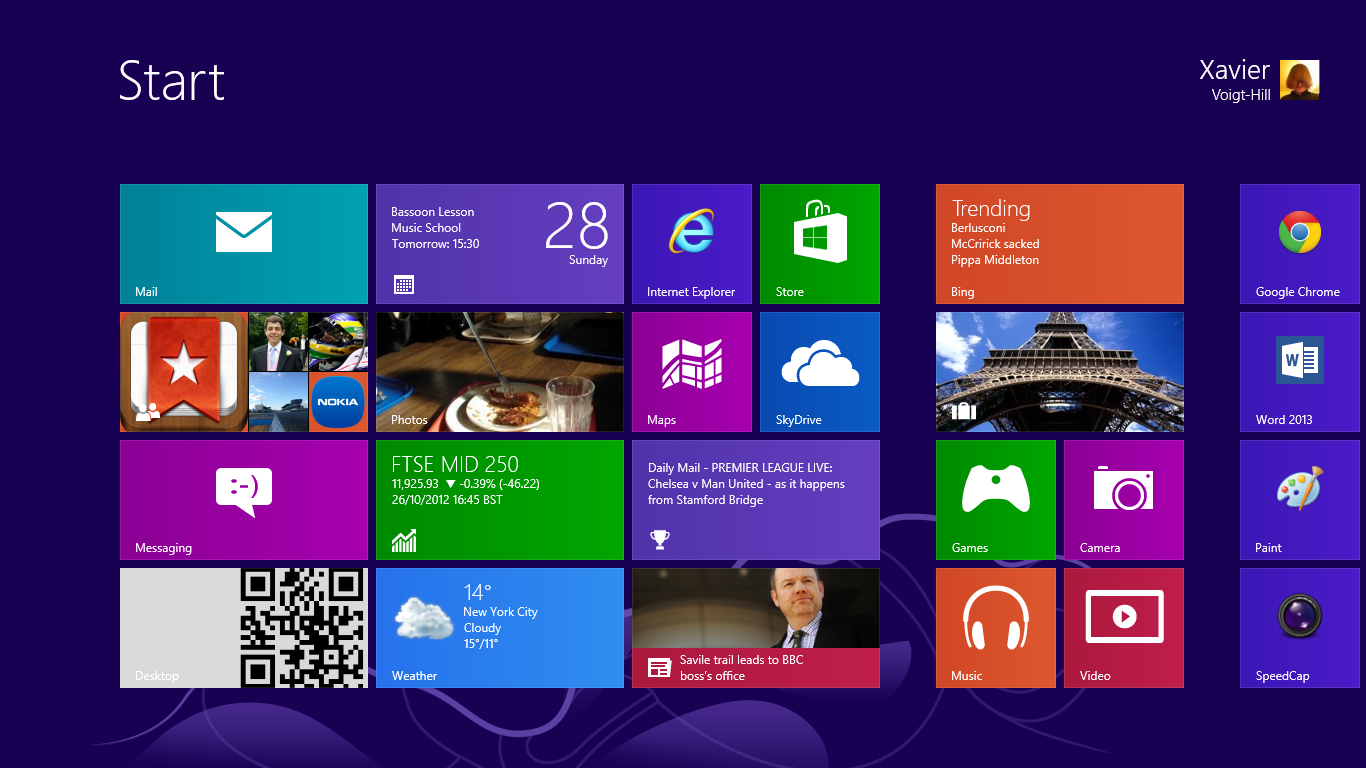
As Microsoft prepares to unleash Windows 8 upon the world tomorrow, a number of launch events are scheduled around the world, but the largest of them all takes place in New York this afternoon. We’re expecting to hear news of Surface and Windows, while numerous new high-profile applications for the Windows Store are likely to be unveiled. For all the news as it happens, join us right here for all the news as it happens.
All times are in BST
This event is now finished
15:30 Let’s do this.
15:40 While we wait for things to kick off, why not watch our Windows 8 overview?
16:08 Just a few minutes to go now…
16:09 Plenty of time to get some beef Hula Hoops.
16:16 We should be live now. If you want to watch along with us then the kind folks at Microsoft have provided a stream.
16:19 Starting with a video: The World Is Ready.
16:21 Steven Sinofsky is up, talking about building on the success of Windows 7.
16:22 They’ve sold over 670,000,000 licenses.
16:23 2PB of data added to SkyDrive every month.
16:24 Now talking about the advances in technology since Windows 95 came out.
16:25 Windows 8 is reimagined for the next billion users.
16:26 Windows 8 will be available at 12:01am tomorrow in every time zone.
16:27 8 was built on the foundations of 7.
16:28 Cold boots on new PCs in 10 seconds.
16:29 1,240,000 hours of testing in 190 countries.
16:30 Designed for touch and to be alive with the activity that matters most.
16:31 1,000 devices have already been certified for Windows 8.
16:32 There will be new Ultrabooks today, with some sporting touch screens.
16:33 Moving on to the Windows Store, officially opening today.
16:34 Hundreds of new apps every day, with the rate increasing each day.
16:35 231 markets for the store. Largest app selection at opening of any app store.
16:36 Now we have Windows Retweet RT, featuring Office 2013.
16:37 Windows RT currently supports over 420,000,000 peripherals, including mice, keyboards and printers.
16:38 Now there’s an advert featuring Best Coast and guitars.
16:39 Mike Angiulo and Julie Larson-Green on stage to demonstrate.
16:41 They’re just taking a look at the core. I think we did that better, but they’re not doing too badly.
16:44 The desktop is now even better. Run it side by side with Store apps.
16:45 Now talking about SkyDrive and Windows Phone.
16:47 They’re showing off the HTC 8X, a Lenovo ThinkPad Tablet 2 (with stylus!) and an Acer Aspire S7 Ultrabook.
16:49 Touch notebooks start at just $499/£400.
16:51 “So many apps.”
16:52 Showing off Hulu with snapped email. Into the Wikipedia app (via Store) with the video still playing. Search is universal.
16:53 Julie’s using Urbanspoon now. Sharing is easy, and now exploring NY with Bing Travel.
16:55 Jetpack Joyride is available on Windows 8. Goodbye productivity.
16:56 Now they have the Lenovo IdeaPad Yoga, Dell XPS tablet and Samsung Ativ Tab.
16:57 Swapping now to the Asus Vivo Tab RT and Microsoft’s own Surface which gets a rapturous applause.
16:59 Ballmer alert.
17:00 He’s looking intense and talking about the benefits of a Microsoft account.
17:01 Biggest Windows ever with ARM and tablets included.
17:05 New Office “works great with a stylus”.
17:06 Great support from media outlets for apps. IE10 sites can be pinned.
17:07 MSN is the first site to be designed for Windows 8 and IE10.
17:08 SkyDrive is great for documents, while Outlook and the new Skype app are great for communication.
17:09 Rich entertainment experience with the Xbox brand, including free streaming music.
17:10 “Windows uniquely gives [businesses] the tools they need.”
17:11 Similarities to Windows Phone are positive – with live tiles, Microsoft Accounts and SkyDrive. More on that on Monday.
17:11 He said developers. Be warned.
17:12 Ballmer on 670,000,000 Windows 7 PCs: “That’s a very large number, even in the world of very large numbers.”
17:13 “Windows 8 PCs really are the best PCs ever.”
17:14 “Windows 8 brings together the best of worlds: PC and tablet; work and play.”
17:15 And that’s a wrap.
17:15 A whole load of uniformed people went on stage, music started playing and the lights dimmed. I can’t be the only one that was scared of a dance there.
17:15 And that’s all folks! We’ll be back on Monday for the Windows Phone and Android events!
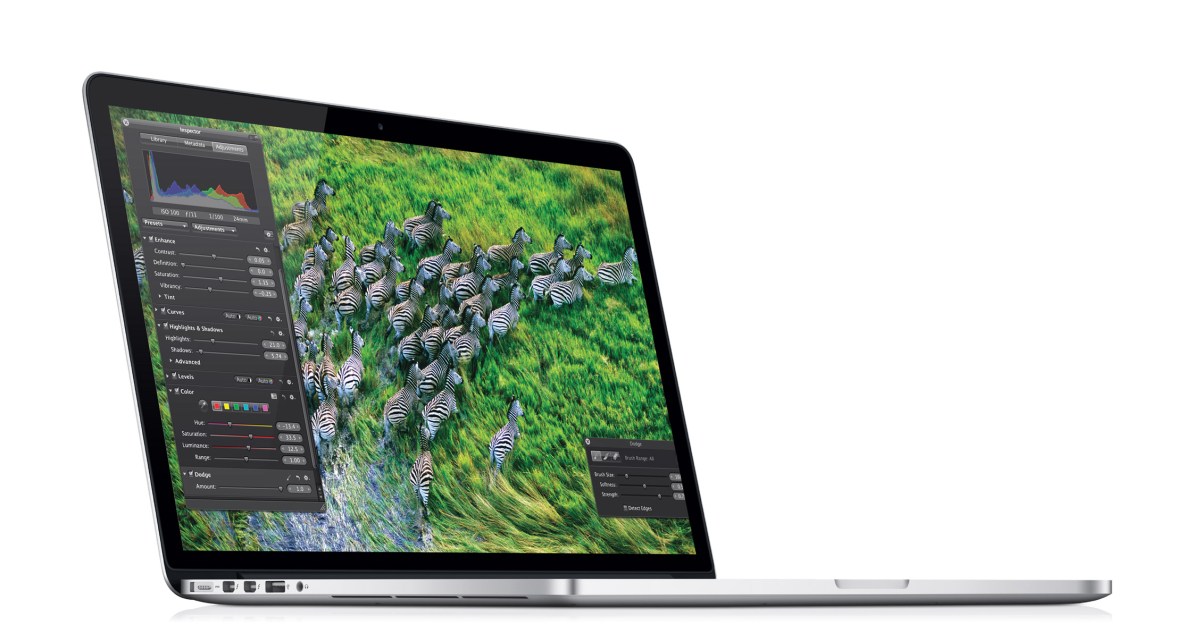
Another month brings another Apple event, and this time we expect to see a whole plethora of new and updated devices, spearheaded by the iPad Mini. Rumoured to have a 7.85″ 1024 x 768 display and a design similar to that of the new iPod Touch, this device looks set to sport a low price tag to take on the Nexus 7 and company. Rumour also has it that the existing iPad will receive a minor update with a Lightning connector and 4G in more territories (such as with EE in the UK) and the Mac family will get minor updates across the board, with the highlight being a 13″ Retina MacBook Pro. We also expect to hear a bit more about iTunes 11 tonight, but whatever happens we will be around to liveblog proceedings on this very page. Enjoy!
A minor update to Android 4.1 has begun to roll out to owners of Google’s Asus-built Nexus 7 tablet, with unspecified bug fixes and a much-desired landscape mode for the launcher as its main features. An Australian EE Times reader has received the 31.3MB update and while we have yet to see the update come through to our device, the update push is expected to continue across the globe throughout the day and it is recommended that you furiously check for updates throughout the night.
Samsung’s Unpacked event will be held at IFA in Berlin tonight, and the rumour mill is in full swing. We already know that the successor to the Galaxy Note will be shown off, and sources seem to suggest that an Android based camera and convertible Windows 8 tablet will also appear. Needless to say it’ll be a busy night, and we’ll have all the news on this page as it happens, so join us on a fantastic journey!
Just minutes ahead of Google’s I/O keynote, images and videos of two oft-rumoured products have surfaced, leading to virtual confirmation that they will be announced later today at the Moscone Center in San Francisco.
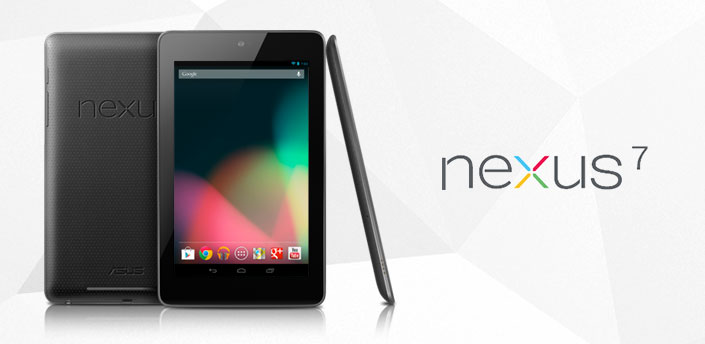
As previously reported on, the Nexus 7 tablet is a 7″ Asus-built slate sporting a Tegra 3 chip from Nvidia, a 1280 x 800 IPS display with Gorilla Glass, 1GB of RAM and an attractively low price tag of just $199 for a 8GB model, while the internal storage can be doubled for another $50. Android Police dug this image up directly from the Google Play servers, so this is our first real look at the bezel tablet and Android 4.1 aka Jelly Bean. We will bring you more information when we get it tonight from Google’s keynote.
Additionally, Droid Life has some info about the Nexus Q, which seems to be a social streaming media player that various devices can connect to as long as they run Android 2.3 or later. It is set to cost $299 and, along with the Nexus 7, it is set to ship in 2 to 3 weeks in the US only.
Nexus 7 Addendum
The following paragraphs only apply if you purchase a Nexus 7.
The Nexus 7 has built-in Wi-Fi. You are solely responsible for obtaining internet connectivity through an internet service provider as the Nexus 7 does not support mobile connectivity.
In order to use the Nexus 7, you understand that you will need your own 802.11a/b/g/n access point Wi-Fi router.
The Nexus 7 is manufactured by ASUSTeK Computer Inc., whose principal place of business is at ASUSTeK Computer Inc., Nr. 15 Li-Te Road, Peitou, Taipei 112, Taiwan (“ASUS”).
ASUS provides a limited warranty for the Nexus 7. Please refer to the warranty card in the Nexus 7 package or ASUS for details on the ASUS limited warranty.
Nexus Q Addendum
The following paragraphs only apply if you purchase a Nexus Q.
You understand that the Nexus Q currently supports only Google Play Music; Google Play Movies and TV; and YouTube, and that your use of those services is subject to the Google Play Terms of Service.
The Nexus Q has built-in Wi-Fi and a built-in ethernet controller. You are solely responsible for obtaining internet connectivity through an internet service provider as the Nexus Q does not support mobile connectivity.
In order to use the Nexus Q, you understand that you will need your own: (i) phone or tablet running Android 2.3 (Gingerbread) or higher with access to Google Play; (ii) compatible speakers, AV system or HD TV; and (iii) 802.11a/b/g/n access point Wi-Fi router.
Google provides a limited warranty for the Nexus Q. Please visit this link for more information.
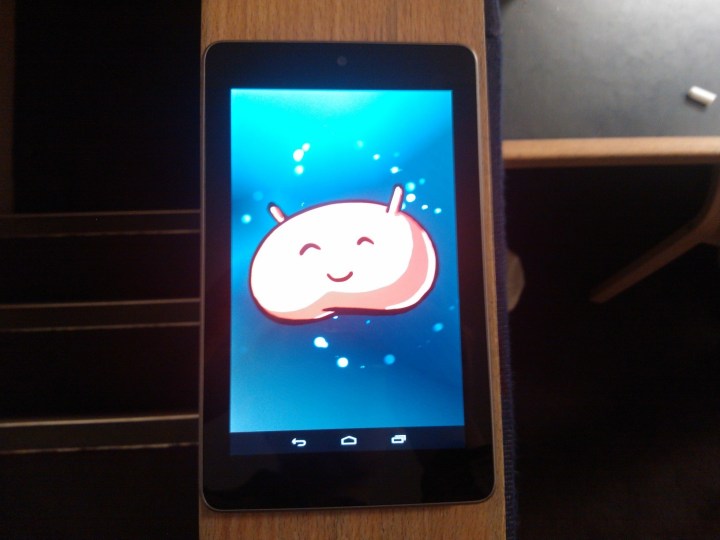
Well I never saw this coming – I have chosen an Android app of the week. If you have read some of my earlier articles, you will be as surprised as I am. The reason for this is that my mum got an award-winningAndroid tablet and, me being me, I had to play with it the second I came home from school and, having been using it for the last few hours I was inspired to do an Android AOTW. So here it is: This weeks Android AOTW it Dungeon Hunter 3.
This is the best android game I have played so far, but admittedly I haven’t played a lot, and I wish that it were available on more platforms. When you start playing the game, you have to chose between four different classes, each one with different strengths and weaknesses. I personally chose the warlord as I always chose the tank class, but you can also chose from the astromancer, trickster and the shaman. Once you choose your class you are then given a quick tutorial, showing you how to both play and upgrade you character. Once completed, you are then free to kill and maim to your hearts contempt.
The gameplay is very detailed, with each kill giving you both money and experience, slowly helping you to buy countless upgrades and items to help your character on their way to becoming invincible, but, for those more inpatient people out there, each level and mission comes with three additional goals that, when completed, give you a large boost to both gold and XP. The game is easy to get the hang of, with the tutorial teaching you know all you need to know, but having played it for about two hours I can tell that completing it and fully upgrading your character is no mean feat. It will take countless hours of gameplay.
Dungeon Hunter 3, iOS and Android, Free
Download from Google Play or the App Store
The title of this article is a little misleading, as those of you who read my posts, follow me on Twitter or know me in person will know that I love Microsoft. Windows Phone is my phone platform of choice, I would never consider using anything but a Windows computer, and the thing that I want most in the world right now is a 15.6″ one of these. But even with all the love I bear for the love-child of Ballmer and Gates, there are a large number of things about them which annoy me.
The first and foremost of these annoyances is with Zune. As a Windows Phone user, I am forced to use Zune in order to update, add music and video to and do a large number of other things to, my phone. This is fine, I can add and take away music to and from my phone quickly and easily, and updates will automatically commence if they are available. But when I got my HP Pavilion dv7 with Beats Audio, I began to play music through my laptop, whereas previously I had been using speakers connected to my phone. It soon dawned upon me that Zune, a beautiful piece of software, is one of the buggiest pieces of crap since Windows Media Player. Quite often while playing music, the song will randomly pause, move to a different point or just skip altogether, and on occasion I have closed Zune to find that the song that was playing doesn’t stop playing, much to my teacher’s dismay. When this is Skrillex, chemistry lessons can be quite awkward. What the hell is up with that? A company whom incorporated software into its very name can’t be bothered or is unable to iron out the bugs in their music software. Even iTunes, something which is essentially designed to work on a different operating system and much maligned on Windows, is nowhere near as buggy. This being said, with the Zune name being dumped, and the software being incorporated into the OS, I surely hope that for Windows 8’s sake that at least some of the bigger glitches will be ironed out.
And secondly, what is the point in Windows Media Player any more? The whole thing is utter crap and nobody in their right mind would ever use it. I mean seriously, software that causes computers to blue-screen (I speak through personal experience) through use is not right in any way. And if any person out there does use this utter piece of crap, please explain to me in the comments below why you would put yourself through it. Please.
My final point is the most obvious one. Internet Explorer. This is in every way the single most hated piece of software out there. It is crap, it crashes, freezes and is only there for sane people to download either Firefox or Chrome. And, to make matters worse, you have to have specific permission from Microsoft to be able to uninstall the software. Of course, you can do what both I and Xavier (our EIC) have done and bury it deep within our program files, but it will always be there, taunting you with the possibility that you may one day, have to use it.
So those are the main reasons that Microsoft pisses off even myself, a true Microsoft fanboy. Despite the wonders of things like the Arc Touch Mouse, SkyDrive and Windows Phone, Microsoft isn’t perfect, but by ironing out the bugs and listening to consumers, they could get pretty close.
Flipboard, last year’s runner-up for Best App in the Digixav Awards, is on its way to Android with exclusivity to Samsung’s flagship Galaxy S III, but one XDA member has got the .apk for anyone with Android 2.2 or later to download and enjoy, regardless of device. This makes it a worthy app of the week – again.
Flipboard, Android, Free
Download from XDA or visit the website
Flipboard is a fantastic app that lets you add whatever content you desire to a virtual ‘social magazine’. Complete with Facebook and Twitter integration, it is more than a conventional RSS reader as it corroborates your social feeds and go-to websites in one place with a beautiful flipping interface. A free account will sync your feeds across devices, and a recent update allowed the app to work on iPhone and iPod touch. Take a look at what Flipboard themselves have to say about it in the video below.
Flipboard is now my only source for news and social updates. The app is free and gloriously ad-free and I would recommend it to anyone with an iDevice. Even Apple love it, having made it their iPad app of the year. It might also be in the running for a more prestigious award from a













 Digixav